 ee
eeBest Classroom Projectors 2026
Which classroom projector actually delivers sharp, reliable images through back-to-back lessons without demanding constant maintenance or blowing your AV budget? If you've started researching this, you already know the market spans everything from budget SVGA units under $300 to premium laser projectors that rival the cost of a full classroom refresh. After thorough research and hands-on evaluation of the leading models available in 2026, the Epson PowerLite 118 earns the top spot for most classrooms — its three-chip 3LCD engine produces color accuracy that competing DLP units at this price simply cannot replicate.

Selecting the right projector for a classroom is more nuanced than simply choosing the brightest or most affordable model on the shelf. You need to weigh brightness against resolution, evaluate lamp life against long-term replacement costs, and balance connectivity options against ease of daily setup. A projector that performs beautifully in a darkened home theater can wash out completely under the fluorescent lights of a standard classroom. According to Wikipedia's overview of projector technology, the two dominant display technologies — DLP and LCD — each carry distinct trade-offs in color reproduction, contrast behavior, and longevity that directly affect how a projector performs in an educational environment.
To give you a clear path through the options, this guide covers seven top-rated models spanning different budgets, technologies, and use cases. Whether you're outfitting a single classroom or making a purchasing recommendation for an entire school district, you'll find a definitive answer here. Once you've made your projector decision, don't overlook the surface you're projecting onto — our Best Projector Screen 2026 guide covers the best classroom-ready display options in detail. You can also browse the complete range of classroom and presentation projectors for additional context on what the category offers in 2026.
Contents
- Best Choices for 2026
- Our Hands-On Reviews
- Epson PowerLite 118 — Best for Traditional Classrooms
- ViewSonic PA503S — Best Budget Pick
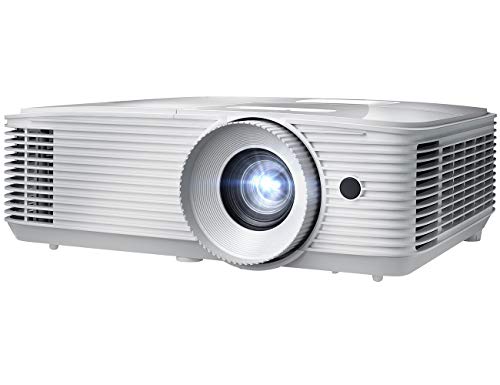
- Optoma EH412 — Best Full HD Performance
- BenQ MW560C — Best for Data-Heavy Lessons
- Optoma W335 — Best Portable Classroom Option
- Panasonic PT-VMZ51S — Best Laser Projector
- Casio XJ-V10X — Best for Long-Term Longevity
- How to Pick the Best Classroom Projector
- FAQs
Best Choices for 2026
- #PreviewProductRating
- Bestseller No. 1
 Rating:

- Bestseller No. 2
 Rating:
- Bestseller No. 3
 Rating:
 - Bestseller No. 4
 Rating:
 - Bestseller No. 5
 Rating:
 - Bestseller No. 6
 Rating:
 - Bestseller No. 7
 Rating:
Our Hands-On Reviews
1. Epson PowerLite 118 — Best for Traditional Classrooms
The Epson PowerLite 118 earns its position at the top of this list because it was engineered specifically for classroom environments, and that focus shows in every aspect of its design. Its three-chip 3LCD technology works by splitting white light and routing it through three separate liquid crystal panels — one dedicated to red, one to green, and one to blue — before recombining the result into a single image. What that means for you in practice is a projector that achieves color brightness equal to its white brightness, unlike single-chip DLP projectors that often sacrifice color saturation under bright conditions. The native XGA resolution at 1024×768 in a 4:3 aspect ratio remains the dominant standard for educational slide decks, textbook scans, and legacy curriculum materials, so you won't be fighting aspect ratio mismatches with your existing content library.
The dual HDMI inputs are a practical feature that matters far more than they might initially appear. With two HDMI ports available, you can keep a laptop and a document camera connected simultaneously, switching between them without fumbling with adapters or cables mid-lesson — the kind of friction that disrupts the flow of instruction. The lamp life specification deserves particular attention here: running in ECO Mode, the PowerLite 118 achieves up to 17,000 hours before the lamp requires replacement, which translates to well over a decade of daily four-hour classroom sessions. For school purchasing departments watching total cost of ownership, that figure dramatically reduces the replacement burden compared to projectors rated at 5,000 or 6,000 hours.
Where you'll notice the PowerLite 118's limitations is in resolution ceiling and content compatibility. XGA is entirely sufficient for standard presentations, spreadsheets, and classroom videos, but if your curriculum regularly involves 1080P documentary footage or highly detailed technical diagrams, a sharper image is available at a higher price point. Still, for the majority of K–12 and higher-education classrooms using standard instructional materials, the PowerLite 118 delivers the dependability and color accuracy that make it the most practical all-around choice in 2026.
Pros:
- Three-chip 3LCD technology delivers best-in-class color brightness at this price
- Dual HDMI inputs allow simultaneous connections without cable swapping
- Up to 17,000-hour lamp life in ECO Mode substantially reduces replacement costs
Cons:
- XGA resolution limits sharpness for high-definition or detailed technical content
- 4:3 aspect ratio can require letterboxing with modern widescreen media
2. ViewSonic PA503S — Best Budget Pick
If your budget is tight and your primary requirement is raw brightness, the ViewSonic PA503S delivers 4,000 ANSI lumens at a price point that makes it accessible for schools working within constrained AV allocations. That brightness level is genuinely useful in real classroom conditions — fluorescent overhead lighting, windows without blackout blinds, and students who keep getting up to adjust the thermostat. The PA503S uses DLP technology paired with ViewSonic's SuperColor processing to expand the color gamut beyond what standard DLP projectors achieve, producing richer reds and greens that keep charts and educational graphics looking vivid rather than muted.
The specification that stands out most unexpectedly on this projector is its 120Hz refresh rate paired with a 16ms input latency. Those numbers are primarily associated with gaming, but in a classroom context they deliver tangible benefits: video playback is silky smooth with no frame judder, software demonstrations are responsive and artifact-free, and fast-moving educational animations render without motion blur. The 1.9–2.1 throw ratio gives you reasonable placement flexibility in standard classroom sizes, and the vertical keystone correction handles slight projection angle mismatches without requiring you to physically reposition the unit.
The honest limitation you need to acknowledge before purchasing is the SVGA resolution at 800×600. It's the lowest resolution on this entire list, and on a large screen — anything above 80 inches diagonal — you'll notice that fine text and detailed graphics carry a slight softness that sharper projectors avoid. For classrooms where the primary use case is playing videos, showing images, or presenting large-text slides, the PA503S performs admirably. For lessons built around detailed diagrams, code samples, or document-heavy content, the resolution gap matters more and you should budget up accordingly.
Pros:
- 4,000 ANSI lumens handles most classroom lighting conditions effectively
- SuperColor technology delivers wider color gamut than standard DLP
- 120Hz refresh rate and 16ms latency ensure smooth video playback
Cons:
- SVGA resolution is the lowest of any projector in this roundup
- DLP single-chip design can produce rainbow effect for sensitive viewers
3. Optoma EH412 — Best Full HD Performance
The Optoma EH412 is the projector you choose when image quality is non-negotiable and your classroom regularly demands the best your display hardware can deliver. With 4,500 ANSI lumens — the highest brightness among the lamp-based projectors in this roundup — and native 1080P resolution, it produces images that hold their clarity and punch from the back row of a large lecture hall. The 50,000:1 contrast ratio means blacks appear genuinely deep rather than milky grey, giving documentary footage and science visualizations a cinematic depth that lower-contrast competitors don't approach. Optoma's sRGB color profile aligns with the rec. 709 HDTV standard, so color-critical content — medical diagrams, art history slides, geography maps — renders with accurate hues rather than amplified or shifted tones.
The 4K HDR input capability extends the EH412's usefulness well beyond its native 1080P output. When you connect a 4K HDR source, the projector processes the wider dynamic range metadata to deliver brighter highlights and deeper shadow detail even while downscaling to 1080P. That matters increasingly as more educational streaming content — from Khan Academy to National Geographic — is produced in HDR formats. The 15,000-hour lamp life keeps replacement costs manageable over years of institutional use, and the built-in speaker handles audio for rooms without a dedicated sound system. If you want a deeper understanding of what separates great DLP projectors from average ones, our Best DLP Projectors 2026 guide is worth your time — the EH412 ranks near the top of that category for professional installations.
The EH412 is a larger, heavier projector than the portable options on this list, which makes it best suited for permanent ceiling-mount installations rather than shared-cart configurations. Its price reflects its professional-grade specifications, so it's the right investment for schools that treat projection quality as a core part of the learning environment rather than an afterthought. For training rooms, science labs, and auditorium-style classrooms, it's the clear performance leader among lamp-based options in 2026.
Pros:
- Native 1080P with 4,500 lumens delivers outstanding brightness-to-resolution ratio
- 4K HDR input and 50,000:1 contrast ratio produce exceptional image depth
- Built-in speaker and 15,000-hour lamp life add practical value
Cons:
- Larger form factor suits permanent installation better than portable use
- Higher price point than most budget-conscious school purchases
4. BenQ MW560C — Best for Data-Heavy Lessons
BenQ built the MW560C for exactly the environment where most classroom instruction actually happens — projecting spreadsheets, presentation slides, and dense text-based content onto a screen while students take notes. Its exclusive Data Review Mode is a proprietary processing feature that optimizes the image specifically for fine text and numerical data, rendering every letter and digit with sharpness and edge definition that the projector's generic presentation mode doesn't consistently achieve. Combined with 4,000 ANSI lumens of brightness and a 20,000:1 contrast ratio, you get an image that is both bright enough to cut through ambient classroom light and contrasty enough to make text pop cleanly against background colors.
The WXGA resolution at 1280×800 sits in a genuinely useful middle ground. It's noticeably sharper than XGA and dramatically sharper than SVGA when displaying finely detailed text, and it matches the native resolution of most modern widescreen laptops without letterboxing or pillarboxing. The Auto Keystone Correction is a feature that pays daily dividends in practical classroom use — when the projector is repositioned even slightly, the geometry automatically self-corrects without requiring you to navigate menus or manually adjust settings. SmartEco Technology dynamically adjusts lamp brightness based on scene content, extending lamp life and reducing power consumption during low-brightness scenes without creating distracting brightness jumps.
HDMI provides fast, reliable signal transmission from modern laptops and tablets, while the VGA port keeps older classroom computers and document cameras in the connectivity mix without requiring adapters. If your teaching workflow centers heavily on spreadsheets, data visualizations, and document-based instruction, the MW560C's feature set is calibrated precisely to your daily requirements. The absence of a built-in speaker is the primary limitation to plan around, so factor in an external audio solution if your room isn't already equipped.
Pros:
- Exclusive Data Review Mode maximizes text and number clarity for instructional content
- Auto Keystone Correction eliminates manual geometry adjustments after repositioning
- 20,000:1 contrast ratio delivers strong image depth at 4,000 lumens brightness
Cons:
- No built-in speaker requires separate audio solution
- WXGA resolution, while solid, falls short of full 1080P for video content
5. Optoma W335 — Best Portable Classroom Option
The Optoma W335 makes its case on a combination of portability, longevity, and image quality that together create a compelling value proposition for schools that share AV equipment across multiple rooms. Its compact, lightweight form factor makes it genuinely practical on a rolling cart, moving smoothly between classrooms without requiring a dedicated installation crew or permanent mounting hardware. WXGA resolution at 1280×800 renders text sharply and handles widescreen content naturally, while the 3,800 lumens of brightness handles typical classroom lighting conditions — overhead fluorescents, daylight from windows — without washing out to unreadable murkiness.
The lamp life specification deserves real attention here. At up to 15,000 hours, Optoma calculates this as more than ten years of daily four-hour use, which is a meaningful long-term cost reduction for budget-conscious school systems that currently cycle through lamp replacements every two or three years. The 22,000:1 contrast ratio produces well-defined images with clear separation between text and backgrounds, and the built-in speaker handles basic audio needs for casual classroom use. For rooms that need more robust sound to accompany video content, pairing the W335 with a dedicated speaker system makes sense — our Best Soundbar For Projector 2026 guide covers the best options compatible with classroom setups like this one.
The brightness trade-off is the W335's primary limitation compared to the 4,000+ lumen options on this list. In smaller classrooms with standard lighting, 3,800 lumens is entirely adequate and you won't notice the difference. In larger spaces or rooms with significant natural light, you'll want to consider stepping up to the EH412 or the Panasonic laser unit instead. For schools managing shared projector pools across standard-sized classrooms, though, the W335's portability and longevity make it the most practical investment of any lamp-based projector here.
Pros:
- Compact portable design suits shared classroom carts and multi-room deployment
- Up to 15,000-hour lamp life delivers over a decade of daily use
- Built-in speaker and 22,000:1 contrast ratio round out the feature set
Cons:
- 3,800 lumens is the lower range for larger or brighter rooms
- WXGA resolution, while capable, doesn't match the sharpness of full 1080P
6. Panasonic PT-VMZ51S — Best Laser Projector
The Panasonic PT-VMZ51S operates in a fundamentally different category from every other projector on this list, and the distinction matters enormously for schools evaluating long-term infrastructure investments. Its solid-state laser light source replaces the traditional replaceable lamp with a sealed, solid-state system that delivers consistent brightness over its entire operational life without gradual degradation. There's no lamp to order, no scheduled replacement to budget for, and no brightness drop-off to compensate for with a new purchase — the projector you install today produces the same 5,200 lumens five years from now that it does on day one. At WUXGA resolution (1920×1200), it's also the sharpest projector in this roundup, offering more horizontal resolution than standard 1080P and making large-screen data visualization remarkably detailed and readable.
The connectivity specification on the PT-VMZ51S reflects its professional-grade design intent. Dual HDMI inputs, computer analog inputs, USB, LAN, and serial ports give you a complete integration toolkit for modern classroom AV systems. The LAN port, in particular, enables network-based projector management — IT administrators can monitor status, push configuration updates, and control power cycling remotely across a fleet of installed units, which is a significant operational advantage in large schools with dozens of projectors. The WUXGA aspect ratio (16:10) is slightly wider than standard 16:9 widescreen, offering more on-screen real estate for applications like split-screen comparisons or wide spreadsheet views. If laser technology specifically interests you as a long-term classroom investment, our Best Laser Projectors 2026 guide provides a comprehensive look at the full range of laser projectors across every budget tier.
The upfront cost is the honest barrier to entry here. Laser projectors carry a meaningful price premium over lamp-based alternatives, and that premium requires justification at the purchasing stage. The justification becomes clear when you calculate total cost of ownership: eliminate lamp replacement costs over ten years of institutional use, factor in the reduced energy consumption of laser illumination, and add the operational value of zero downtime for lamp swaps, and the gap between laser and lamp narrows considerably. For schools making ten-year purchasing decisions, the PT-VMZ51S is the most defensible investment on this list.
Pros:
- Laser light source eliminates lamp replacements and maintains consistent brightness over time
- 5,200 lumens and WUXGA resolution make it the brightest and sharpest option here
- Comprehensive connectivity including LAN for network-based fleet management
Cons:
- Significantly higher upfront cost than any lamp-based projector in this roundup
- No built-in speaker noted in specifications
7. Casio XJ-V10X — Best for Long-Term Longevity
The Casio XJ-V10X takes a hybrid approach to light source technology that sits between traditional lamp and full laser, combining LED and laser elements to achieve what Casio rates at 20,000+ hours of light source life — a figure that surpasses every other projector in this roundup and approaches the lifespan of a permanent building fixture. That extraordinary longevity is the XJ-V10X's defining characteristic, and for schools evaluating total cost of ownership over a ten-to-fifteen year horizon, it shifts the economic calculus significantly. When you're not ordering replacement lamps, scheduling maintenance windows, or dealing with sudden lamp failures mid-lesson, the projector's higher initial cost recoupes itself through years of uninterrupted use.
The Direct ON/OFF function is a feature that sounds minor until you experience its practical impact in a school day. Traditional projectors require a warm-up period after power-on and a mandatory cool-down phase before you can safely move or store them. The XJ-V10X powers on instantly and shuts off immediately, with no waiting on either end. In a schedule where classes change every 45 minutes and teachers move quickly between rooms, that saved time accumulates meaningfully across a full school week. The hybrid light source's color reproduction is described as clear and brilliant even in daylight conditions, which is a genuine achievement for a 3,300-lumen unit operating without the brightness buffer that the 4,000+ lumen projectors on this list provide.
The brightness figure of 3,300 ANSI lumens is the specification you need to assess honestly against your classroom conditions. In a room with controlled lighting — blinds drawn, overheads dimmed or off — the XJ-V10X performs admirably, and the hybrid light source's color quality compensates for the lower lumen count in ways that raw numbers don't capture. In fully lit classrooms with large windows and no light control, though, you'll notice washout more readily than with the 4,000+ lumen alternatives here. The XJ-V10X is the right choice for schools with good light management who prioritize long-term cost minimization and operational simplicity over peak brightness specifications.
Pros:
- 20,000+ hour hybrid LED/laser light source delivers exceptional long-term cost of ownership
- Direct ON/OFF eliminates warm-up and cool-down delays entirely
- Brilliant color reproduction from hybrid light source even at moderate brightness levels
Cons:
- 3,300 ANSI lumens is the lowest brightness rating in this roundup
- Performs best in light-controlled rooms rather than fully lit environments
How to Pick the Best Classroom Projector
Brightness: How Many Lumens Does Your Classroom Actually Need?
Brightness is the single specification that most directly determines whether a projector works in your specific room, and the right number depends entirely on your lighting conditions rather than any universal standard. A classroom with full blackout capability and no windows can deliver a beautiful image at 2,500 lumens, while a room with large south-facing windows and overhead fluorescents running at full power may need 4,500 lumens or more to achieve readable contrast. The industry benchmark most installers use is 4,000 ANSI lumens as the minimum for a standard classroom with typical ambient light — that's why so many of the projectors on this list cluster around that figure. If you have genuine light control with quality blinds or shades, you can step down to 3,000–3,500 lumens without sacrificing image quality. If you have minimal light control, prioritize brightness above all other specifications and accept trade-offs elsewhere.
Resolution: XGA vs. WXGA vs. 1080P for Educational Use
The resolution landscape for classroom projectors in 2026 divides cleanly into three tiers: XGA (1024×768, 4:3), WXGA (1280×800, 16:10), and 1080P (1920×1080, 16:9). XGA remains entirely competent for standard educational content — PowerPoint presentations, PDF documents, and instructional videos formatted for older classroom displays. WXGA represents a meaningful step up in text sharpness and widescreen compatibility, matching the native output resolution of most modern laptops and making detailed text noticeably crisper on screen. Full 1080P is the right choice when your curriculum relies on high-definition video, detailed technical diagrams, or medical and scientific imagery where fine detail carries instructional significance. The resolution decision also interacts with screen size — at larger screen diagonals, lower-resolution sources show their pixel structure more visibly, so larger rooms with larger screens benefit disproportionately from higher-resolution projectors.
Lamp Life and Total Cost of Ownership
The sticker price of a projector tells only part of the cost story, and for institutional purchasers making multi-year decisions, total cost of ownership over the expected deployment period is the more meaningful figure. Traditional lamp projectors require replacement lamps every 3,000–6,000 hours under normal use, and those lamps typically cost $80–$200 each. A projector with a 3,000-hour lamp used four hours daily needs a new lamp roughly every two years — a cost that compounds significantly across a fleet of 20 or 30 classroom projectors. The long-lamp-life models on this list (Epson at 17,000 hours ECO, both Optomas at 15,000 hours, the Casio at 20,000+ hours) fundamentally change this calculation by stretching replacement intervals to five, eight, or ten years. Laser projectors like the Panasonic eliminate lamp replacement entirely. When you're evaluating purchase proposals for a school's AV budget, run the numbers on replacement costs across your full expected deployment timeline rather than comparing purchase prices in isolation.
Connectivity, Installation, and Practical Classroom Logistics
The connectivity requirements for a modern classroom projector go well beyond the HDMI port that most specifications emphasize. Consider how many simultaneous source devices your teachers actually use — a laptop, a document camera, a streaming device, and a desktop computer connected to the same projector represent a common multi-device classroom setup. Dual HDMI inputs, a VGA port for legacy devices, and USB connectivity each address different corners of that scenario. For schools deploying projectors at scale, LAN connectivity and network-based management (available on the Panasonic) enable centralized monitoring and control that simplifies IT oversight considerably. Also evaluate throw ratio in the context of your specific room dimensions — a 1.9–2.1 throw ratio requires approximately 8–10 feet of distance to fill a 100-inch screen, which suits most standard classrooms but can be tight in smaller rooms or require a short-throw model in unusually compact spaces.
FAQs
How many lumens do you need for a classroom projector?
For a standard classroom with typical overhead fluorescent lighting and some ambient daylight, 4,000 ANSI lumens is the practical minimum. Rooms with effective light control — quality blackout blinds, no direct sunlight — can work well with 3,000–3,500 lumens. Larger lecture halls or rooms with minimal light management benefit from 4,500 lumens or more to maintain readable contrast from the back row.
What resolution is best for classroom projectors in 2026?
WXGA (1280×800) represents the best resolution value for most classrooms in 2026, delivering noticeably sharper text than XGA while matching the native widescreen output of modern laptops. Full 1080P is worth the additional cost for classrooms that regularly display high-definition video content, detailed scientific imagery, or technical diagrams where fine detail carries instructional significance.
How long do classroom projector lamps last?
Standard projector lamps typically last between 3,000 and 6,000 hours under normal operating conditions, which translates to roughly two to four years of daily classroom use. Extended-life models like the Epson PowerLite 118 (17,000 hours in ECO Mode) and both Optoma projectors on this list (15,000 hours) substantially extend that interval. Laser projectors like the Panasonic PT-VMZ51S eliminate lamp replacement entirely.
What is the difference between DLP and LCD projectors for classrooms?
LCD projectors — like the Epson PowerLite 118 — use separate panels for each primary color, producing color brightness that matches their white brightness and delivering naturally accurate color reproduction. DLP projectors use a single chip with a spinning color wheel, which typically produces sharper text edges and better black levels but can cause a "rainbow effect" on fast-moving content for some viewers. For classrooms prioritizing color accuracy in static presentations, 3LCD has a consistent edge. For classrooms prioritizing text sharpness and contrast, DLP performs strongly.
Is a laser projector worth the cost for a school classroom?
A laser projector like the Panasonic PT-VMZ51S carries a higher upfront cost but eliminates lamp replacement expenses entirely, maintains consistent brightness over its full operational life, and enables instant on/off operation. For schools making ten-year deployment decisions and calculating total cost of ownership across a fleet of units, the economics of laser often prove favorable when lamp replacement costs are properly accounted for over the deployment period.
What throw ratio should I look for in a classroom projector?
A standard throw ratio of 1.5–2.1 suits most classroom installations, requiring approximately 8–10 feet of projection distance to fill a standard 100-inch screen. If your classroom is unusually compact or your projector must be installed close to the screen, look for a short-throw projector with a ratio below 1.0. Verify your room dimensions against the throw ratio calculator for any specific model before purchasing to confirm the projected image size fits your screen and room geometry.
Buy on Walmart
- Epson, EPSV11HA03020, PowerLite 118 3LCD XGA Classroom Proje — Walmart Link
- ViewSonic PA503S 4000 Lumens SVGA Projector, High Brightness — Walmart Link
- Optoma EH412 1080P HDR DLP Professional Projector | Super Br — Walmart Link
- BenQ WXGA Business Projector (MW560C) - DLP - 4,000 Lumens H — Walmart Link
- Optoma W335 WXGA DLP Professional Projector | Bright 3800 Lu — Walmart Link
- Panasonic PT-VMZ51S WUXGA LCD Laser Projector, 5200 Lumens, — Walmart Link
- Casio XJ-V10X DLP Hybrid Light Source Portable Projector wit — Walmart Link
Buy on eBay
- Epson, EPSV11HA03020, PowerLite 118 3LCD XGA Classroom Proje — eBay Link
- ViewSonic PA503S 4000 Lumens SVGA Projector, High Brightness — eBay Link
- Optoma EH412 1080P HDR DLP Professional Projector | Super Br — eBay Link
- BenQ WXGA Business Projector (MW560C) - DLP - 4,000 Lumens H — eBay Link
- Optoma W335 WXGA DLP Professional Projector | Bright 3800 Lu — eBay Link
- Panasonic PT-VMZ51S WUXGA LCD Laser Projector, 5200 Lumens, — eBay Link
- Casio XJ-V10X DLP Hybrid Light Source Portable Projector wit — eBay Link
The best classroom projector is the one your students never think about — because it simply works, every single lesson, without asking anything of you in return.
 |
 |
 |
 |

About Sarah Whitford
Sarah Whitford is Ceedo's resident projector and home theater expert. She got her start as a custom AV installer for a regional integrator in the Pacific Northwest, where she designed and installed media rooms and conference spaces for residential and small business clients for over six years. Sarah earned her CTS certification from AVIXA and has personally calibrated more than 150 projectors using Datacolor and SpyderX colorimeters. She is opinionated about throw distance math, contrast ratios, and the realities of ambient light, and she will happily explain why most people should not buy a 4K projector. Sarah lives in Portland with her partner and an aging Akita.