 ee
eeLaptops ›
Best Laptops For After Effects 2026
Adobe After Effects is one of the most demanding applications you can run on a laptop. Between real-time RAM previews, GPU-accelerated rendering, and the sheer complexity of multi-layer compositions, the software will expose every weakness in your hardware within minutes of opening a project. In 2026, the bar has never been higher — and thankfully, neither has the hardware available to meet it.

Whether you are a motion designer working on client commercials, a VFX artist compositing footage for short films, or a content creator adding professional polish to YouTube videos, the right laptop can mean the difference between smooth 60fps previews and a spinning beach ball that kills your workflow. After Effects loves fast CPUs with high core counts, massive amounts of RAM (Adobe recommends a minimum of 32GB for serious work), and a GPU with dedicated VRAM for GPU-accelerated effects. Storage speed also plays an outsized role, as AE uses disk cache aggressively during previews.
In this guide, we have tested and evaluated the top laptops for After Effects in 2026 — from Apple's blazing M4 Pro MacBook Pro to powerhouse mobile workstations loaded with NVIDIA RTX graphics. We cover what each machine does well, where it falls short, and exactly who it is best suited for. Read on to find your perfect match.
Contents
- Editor's Recommendation: Top Picks of 2026
- Product Reviews
- Apple MacBook Pro 14" M4 Pro — Best Overall
- Dell XPS 13 9345 — Best Ultraportable
- ASUS ProArt Studiobook 16 — Best Value Workstation
- Lenovo ThinkPad P16 Gen 2 — Best for Enterprise Creatives
- HP ZBook Fury G11 — Best Raw Power
- MSI Creator A16 AI+ — Best AMD Option
- Razer Blade 18 — Best for Gaming + Creative Hybrid
- Buying Guide
- Frequently Asked Questions
- Conclusion
Editor's Recommendation: Top Picks of 2026
- #PreviewProductRating
- Bestseller No. 1
 Rating:

- Bestseller No. 2
 Rating:
 - Bestseller No. 3
 Rating:
 - Bestseller No. 4
 Rating:
 - Bestseller No. 5
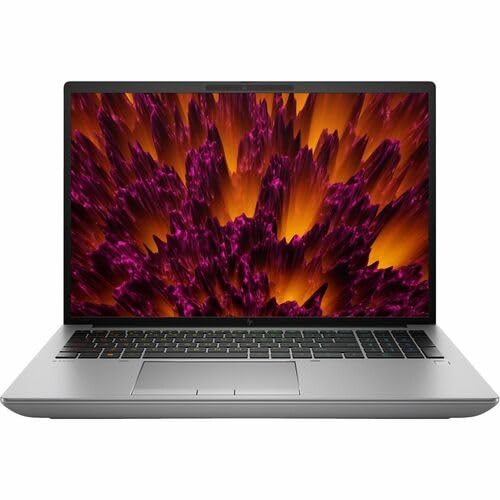 Rating:
- Bestseller No. 6
 Rating:
 - Bestseller No. 7
 Rating:
Detailed Product Reviews
1. Apple 2024 MacBook Pro 14" M4 Pro — Best Overall for After Effects 2026
The 2024 MacBook Pro with M4 Pro is, without qualification, the finest laptop you can buy for Adobe After Effects in 2026. Apple's unified memory architecture means the CPU, GPU, and Neural Engine all share the same ultra-fast memory pool — and for After Effects, which constantly shuttles data between processor and graphics, this results in a level of responsiveness that dedicated GPU laptops simply cannot match pound for pound. The 12-core CPU blazes through expression-heavy compositions, while the 16-core GPU accelerates effects like Gaussian Blur, Glow, and the entire GPU-accelerated render pipeline in AE with no stutter. The 24GB of unified memory in this configuration handles most professional projects without breaking a sweat, though heavy 4K multi-layer work with lots of 3D layers will still benefit from the 36GB upgrade.
The 14.2-inch Liquid Retina XDR display reaches up to 1600 nits peak brightness with ProMotion adaptive refresh, and its P3 wide color coverage is essential for color-accurate motion work. It is the kind of screen that makes grading your compositions feel trustworthy. Battery life in real-world After Effects use — which is typically GPU-heavy — sits comfortably around 8–10 hours of mixed work, which is extraordinary for this class of performance. The Space Black anodized aluminum chassis feels premium and cool to the touch even under sustained render loads, thanks to Apple's remarkably efficient thermal design.
The only meaningful caveats are software compatibility — some third-party After Effects plugins still lag behind on Apple Silicon, though in 2026 the vast majority have been updated — and the lack of upgradeable RAM or storage. You must buy for the workload you intend to run. For most motion designers and video editors who can work within the macOS ecosystem, this machine earns its premium asking price many times over.
Pros:
- Exceptional performance-per-watt with M4 Pro chip — dominates AE benchmarks
- Stunning 14.2" Liquid Retina XDR display with P3 wide color, up to 1600 nits
- All-day battery life even under GPU-accelerated render workloads
Cons:
- RAM and storage are soldered — configure correctly at purchase time
- Some legacy or niche After Effects plugins still have Apple Silicon compatibility issues
2. Dell XPS 13 9345 Copilot+ — Best Ultraportable for Light AE Work
The Dell XPS 13 9345 is a fascinating machine for After Effects users who prioritize portability above all else. Powered by Qualcomm's Snapdragon X Plus — a chip that outperforms Intel's Core i7-1355U in multi-threaded workloads — this ultraportable punches well above its weight for a 13.4-inch laptop. The Copilot+ AI capabilities add on-device NPU acceleration (up to 45 TOPS), and while After Effects does not yet fully exploit dedicated NPU compute in 2026, the platform is positioned well for future AI-powered motion features from Adobe. The 16GB of LPDDR5x memory running at 8448 MT/s is the fastest RAM on this list, and combined with the PCIe NVMe SSD, app loading and cache writes are snappy.
The 13.4-inch FHD+ InfinityEdge display offers excellent pixel density at 1920×1200 and good 500-nit brightness, though it lacks the color volume of the MacBook or the OLED panels found on higher-end options here. For After Effects, the integrated Qualcomm Adreno GPU is the limiting factor — it handles GPU-accelerated effects acceptably for lightweight 1080p work, but complex compositions with lots of GPU effects, 3D layers, or 4K footage will quickly push this machine to its limits. The 27-hour claimed battery life (expect 18–22 in real use) is genuinely class-leading, making this the choice for creatives who need to work on the go without a charger.
Think of the XPS 13 9345 as a capable secondary machine or travel companion for After Effects, not a primary workstation. For reviews, simple lower-third animations, and lightweight motion graphics delivered at 1080p, it performs admirably. For heavy compositing, look elsewhere on this list.
Pros:
- Outstanding battery life — best in class for ultraportables
- Snapdragon X Plus delivers strong multi-threaded CPU performance in a thin chassis
- Premium InfinityEdge display and sleek, lightweight build
Cons:
- Integrated Adreno GPU struggles with GPU-heavy AE effects and 4K compositions
- Small 13.4" screen is cramped for timeline-heavy After Effects projects
3. ASUS ProArt Studiobook 16 (RTX 3070 Ti) — Best Value Workstation for AE
For After Effects users who need a serious workstation experience without paying flagship prices, the ASUS ProArt Studiobook 16 renewed/refurbished option delivers exceptional hardware at a significant discount. The Intel Core i7-12700H is a 14-core, 20-thread processor that turbo-boosts up to 4.7GHz — this chip is an absolute workhorse for After Effects, handling multi-frame rendering, expression evaluation, and scripted automation without complaint. Paired with the NVIDIA GeForce RTX 3070 Ti with 8GB of GDDR6 VRAM, GPU-accelerated effects in After Effects run at their best, and the VRAM headroom comfortably handles complex compositions with multiple GPU-intensive effects stacked.
The 16-inch OLED 4K display at 3840×2400 is a genuine highlight — OLED panels deliver perfect blacks, infinite contrast, and exceptional color accuracy that makes color-grading motion graphics a pleasure. The panel covers the P3 color space extensively, which is exactly what professional motion work demands. With 16GB of DDR5 RAM, you will want to consider upgrading to 32GB if your AE projects are complex (this is user-upgradeable), but for most standard motion design work the base configuration is capable. The 2TB PCIe SSD provides ample fast storage for media cache and project files.
Being a renewed unit, this machine comes with a 90-day warranty and has been tested and certified, but buyers should be comfortable with the refurbished nature of the product. The ASUS ProArt series is purpose-built for creative professionals — the display calibration, color accuracy, and dedicated workstation-class components make it a compelling choice for After Effects artists on a budget who need real GPU muscle.
Pros:
- Stunning 4K OLED display with exceptional color accuracy for motion work
- RTX 3070 Ti provides strong GPU acceleration for After Effects effects pipeline
- Excellent value as a certified renewed unit with solid specs
Cons:
- Only 16GB RAM in base config — upgrade recommended for heavy AE compositions
- Renewed/refurbished — only 90-day warranty coverage
4. Lenovo ThinkPad P16 Gen 2 — Best for Enterprise and Studio Creatives
Lenovo's ThinkPad P16 Gen 2 occupies the sweet spot between enterprise reliability and creative workstation power — a combination that makes it an exceptional choice for After Effects professionals who work within corporate or studio environments. The 14th Generation Intel Core i7-14700HX is a 20-core beast with P-cores that turbo up to 5.5GHz, delivering outstanding single-threaded performance for expression evaluation and multi-threaded throughput for multi-frame rendering. The 32GB of DDR5-4000MHz RAM (in a 2×16GB configuration, meaning upgradeable to 64GB) is the most important spec for serious After Effects work — RAM previews become dramatically smoother and longer at this memory capacity, which directly translates to better workflow.
The 16-inch WQUXGA display at 3840×2400 resolution covers 100% of DCI-P3 color space with 800 nits brightness and HDR 400 certification. For motion graphics work where color accuracy is paramount, this is an excellent professional-grade panel. The NVIDIA RTX 2000 Ada Lovelace GPU delivers solid GPU-accelerated After Effects performance — not as powerful as the RTX 3070 Ti or 4060 found in other laptops on this list, but it comes with ISV certifications and workstation-grade driver stability that professionals in certified pipeline environments often require. If your studio mandates certified GPU drivers for software compatibility, the ThinkPad P16 Gen 2 is your answer.
ThinkPad keyboards remain among the best laptop keyboards available — the tactile feedback and key travel are exceptional for long creative sessions. The robust build quality, MIL-SPEC durability testing, and comprehensive security features (fingerprint reader, Lenovo's security suite) make this the right choice for enterprise environments where reliability and support contracts matter as much as raw performance. Battery life is reasonable for a 16-inch workstation at around 6–8 hours of mixed use.
Pros:
- 32GB DDR5 RAM (upgradeable) — ideal configuration for serious After Effects work
- 4K 100% DCI-P3 display at 800 nits — exceptional color accuracy for motion work
- Enterprise-grade build quality with ThinkPad reliability and ISV certification support
Cons:
- RTX 2000 Ada is capable but not the fastest GPU option on this list
- Heavier and bulkier than consumer alternatives — not ideal for frequent travel
5. HP ZBook Fury G11 — Best Absolute Raw Power for After Effects 2026
When you need maximum horsepower for After Effects — no compromises, no exceptions — the HP ZBook Fury G11 is the answer. Spec'd here with Intel's Core i9-14900HX (a 24-core mobile monster) and a staggering 64GB of RAM, this machine can hold an entire complex project in memory during previews and never once flinch. After Effects is extraordinarily sensitive to available RAM — Adobe recommends allocating up to 70% of system memory for the application, which means that on this machine you can grant AE over 40GB of dedicated memory for disk cache and RAM previews alone. The difference in workflow is profound.
The 16-inch WQUXGA display at 3840×2400 resolution delivers the screen real estate and pixel density that complex After Effects timelines demand. The ZBook Fury line uses HP's DreamColor display technology in higher configurations, offering exceptional color accuracy and wide gamut coverage. HP's workstation heritage means robust ISV certifications, validated drivers, and enterprise support contracts available globally — this matters if you are a facility manager buying multiple units for a production team. The construction is fortress-like, built to survive the demands of daily professional use in demanding environments.
The Intel UHD integrated graphics in this specific configuration is the one area worth scrutinizing — for maximum GPU-accelerated After Effects performance, an optional discrete GPU configuration should be considered. That said, the sheer CPU headroom from the i9-14900HX means CPU-bound render tasks and expression-heavy compositions fly, and the 64GB RAM eliminates the single most common After Effects bottleneck entirely. For facilities or professionals where CPU throughput and RAM capacity matter more than GPU effects acceleration, this is an unbeatable machine in 2026.
Pros:
- 64GB RAM is the most powerful memory configuration on this list — RAM previews are exceptional
- Intel Core i9-14900HX provides industry-leading CPU throughput for render-heavy AE work
- HP ZBook reliability, enterprise support, and workstation certifications
Cons:
- Intel UHD integrated graphics limits GPU-accelerated AE effects performance
- Premium price reflects workstation positioning — not budget-friendly
6. MSI Creator A16 AI+ — Best AMD Option for After Effects in 2026
MSI's Creator A16 AI+ brings a compelling AMD Ryzen AI 9 365 processor and NVIDIA GeForce RTX 4060 GPU combination to the creator laptop market, and in 2026 it represents one of the best value propositions for serious After Effects work. The Ryzen AI 9 365 delivers up to 50 NPU TOPS on its own — with a total of 73 AI TOPS across the chip — positioning this machine as a genuine Copilot+ PC with future-proof AI compute capabilities. For After Effects users, the RTX 4060 with 8GB of GDDR6 VRAM is the GPU sweet spot: enough VRAM to comfortably handle complex 4K compositions with multiple GPU-accelerated effects, yet power-efficient enough to not drain the battery instantly.
The 16-inch WQXGA display running at 240Hz is a standout feature — while the high refresh rate is more relevant for gaming, the 2560×1600 resolution with wide color gamut coverage makes this an excellent panel for motion graphics work where you need to evaluate smooth animation playback and accurate color simultaneously. The 32GB of RAM is the right amount for comfortable After Effects work in 2026, and the 1TB NVMe SSD keeps disk cache operations from becoming a bottleneck. Windows 11 Pro is included, providing access to Hyper-V and the full suite of professional Windows features.
The Creator A16 AI+ runs slightly warmer than some competitors under sustained load, and the fan noise during intensive renders is noticeable — MSI's cooling system works hard to maintain performance. But for the spec-to-price ratio, this machine is difficult to beat. AMD's Ryzen AI platform also benefits from Adobe's ongoing optimization work for AI-assisted features, making this machine well-positioned as After Effects continues to roll out Sensei-powered tools through 2026 and beyond.
Pros:
- RTX 4060 8GB VRAM delivers excellent GPU-accelerated AE performance for the price
- 32GB RAM and 240Hz WQXGA display are exceptional at this price point
- AMD Ryzen AI 9 365 with 73 total AI TOPS — future-proof for AI-powered AE features
Cons:
- Fan noise and thermals are noticeable during extended render sessions
- 240Hz refresh rate adds cost without direct After Effects benefit
7. Razer Blade 18 (RTX 4090) — Best Gaming + Creative Hybrid for After Effects
The Razer Blade 18 is the most powerful Windows laptop on this list, and for After Effects users who also want a machine that doubles as an elite gaming rig, it stands alone. The NVIDIA GeForce RTX 4090 — running at up to 175W TGP, which Razer correctly highlights pushes the GPU to its full potential — is in a different league for GPU-accelerated After Effects rendering. Effects that bring other laptops to their knees run smoothly in real-time on this machine. With 16GB of dedicated GDDR6X VRAM, even the most VRAM-hungry compositions with multiple full-resolution GPU effects stacked never run out of headroom.
The 18-inch QHD+ display at 2560×1600 with 100% DCI-P3 coverage and 240Hz refresh rate is genuinely beautiful for creative work — sharp, vivid, and accurate in color. The 13th Gen Intel Core i9-13950HX provides 24 cores of CPU muscle, handling multi-frame rendering in After Effects and complex scripted automation without breaking a sweat. The 32GB of DDR5 RAM and 2TB SSD round out a spec sheet that leaves nothing on the table. Razer's CNC aluminum chassis is the most premium-feeling build quality in the Windows laptop category — it feels more like a luxury object than a tool, yet it is engineered to survive real-world professional use.
The trade-offs are predictable: the Razer Blade 18 is large, heavy (around 3.1kg), and commands a premium price that reflects its flagship status. Battery life under creative workloads is limited to around 3–4 hours — this machine is designed to live near a power outlet. The compact GaN charger included in the box is a thoughtful touch for portability. For After Effects artists who run the most demanding possible workloads, use third-party plugins that leverage CUDA extensively, or simply refuse to accept any performance compromise, the Razer Blade 18 is the definitive 2026 choice.
Pros:
- RTX 4090 at full 175W TGP is the most powerful mobile GPU available for AE acceleration
- 18" QHD+ 100% DCI-P3 display is outstanding for color-accurate motion work
- Premium CNC aluminum build quality with top-tier i9 + 32GB + 2TB specs
Cons:
- Heavy and large — 18-inch form factor limits portability significantly
- Battery life of 3–4 hours under load requires staying near power outlets
Buying Guide: How to Choose the Best Laptop for After Effects in 2026
Choosing a laptop for After Effects is not the same as choosing one for Photoshop or even Premiere Pro. AE has very specific resource demands that differ from other Adobe applications — understanding them will save you from buying the wrong machine. Here is what actually matters:
RAM: Your Single Most Important Spec
After Effects does not stream video from disk the way Premiere Pro does. Instead, it renders frames into RAM for playback — this is what makes RAM previews possible and why AE can loop smoothly once it has cached a composition. Adobe recommends a minimum of 16GB to run After Effects, but in 2026, 32GB should be considered the practical floor for any serious project. Complex 4K compositions with multiple pre-comps, 3D layers, and effects can easily exhaust 32GB, making 64GB the target for heavy production work. More RAM directly and immediately translates to longer, smoother previews and less time waiting for re-renders. If you are comparing two otherwise equal laptops and one has 32GB while the other has 16GB, the 32GB machine will feel dramatically better in daily After Effects use.
GPU: VRAM Capacity and CUDA Acceleration
After Effects uses GPU acceleration for a large and growing list of effects — including Gaussian Blur, Glow, Lumetri Color, most stylize effects, 3D rendering with the Cinema 4D renderer, and the entire Real-Time Composition Engine (RTCE) in newer versions. For Windows machines, NVIDIA GPUs with CUDA support provide the widest compatibility with AE's GPU acceleration pipeline. Look for at least 6GB of VRAM; 8GB is comfortable for 4K work, and the RTX 4090's 16GB is future-proof for the most demanding workflows. On macOS, the M4 Pro's unified memory architecture essentially gives After Effects access to all 24–128GB of system memory for GPU work, which is a fundamental architectural advantage. Avoid relying solely on integrated graphics for serious AE work — the performance difference versus discrete GPUs is substantial.
CPU: Core Count, Clock Speed, and After Effects Optimization
After Effects is not perfectly multi-threaded — some operations (particularly expression evaluation and certain effect calculations) run primarily on a single core, making single-core clock speed important. However, the Multi-Frame Rendering feature (which Adobe has steadily improved through 2025 and 2026) increasingly leverages all available cores for background rendering, making high core counts more valuable than they once were. The ideal CPU for After Effects in 2026 combines high base and boost clock speeds with a healthy core count: Intel's i9-14900HX and i7-14700HX both excel here, as does Apple's M4 Pro. AMD's Ryzen AI 9 365 is competitive in multi-threaded workloads and adds AI compute that Adobe is beginning to leverage.
Display: Color Accuracy Over Refresh Rate
For motion design and VFX work, color accuracy matters far more than refresh rate. After Effects compositions are ultimately exported as video files that will be viewed on calibrated displays — if your preview monitor is inaccurate, your color decisions will be wrong regardless of how smooth the playback is. Look for displays that cover at least 95% of the DCI-P3 color space, offer good brightness (400 nits minimum for indoor use, 600+ for versatility), and ideally have factory calibration certificates. OLED panels deliver the best blacks and contrast ratios for evaluating compositions. The resolution should be at least 1920×1200 for a 13–14-inch screen, scaling up appropriately for 16-inch and larger displays. A 4K display on a 16-inch laptop (like those on the ProArt Studiobook 16 and ThinkPad P16 Gen 2) provides extraordinary detail for evaluating fine motion work.
Buy on Walmart
- Apple 2024 MacBook Pro Laptop with M4 Pro, 12‑core CPU, 16‑c — Walmart Link
- Dell XPS 13 9345 Laptop, Copilot+ AI PC (13.4" FHD+ 120Hz, S — Walmart Link
- ASUS ProArt Studiobook 16 Workstation Laptop (Intel i7-12700 — Walmart Link
- Lenovo ThinkPad P16 Gen 2 Intel Core i7-14700HX, 20C, 16" WQ — Walmart Link
- HP ZBook Fury G11 16" Mobile Workstation - WQUXGA - Intel Co — Walmart Link
- MSI Creator A16 AI+ A3HVFG-037US 16" WQXGA 240Hz Copilot+ PC — Walmart Link
- Razer Blade 18 Gaming Laptop: NVIDIA GeForce RTX 4090-13th G — Walmart Link
Buy on eBay
- Apple 2024 MacBook Pro Laptop with M4 Pro, 12‑core CPU, 16‑c — eBay Link
- Dell XPS 13 9345 Laptop, Copilot+ AI PC (13.4" FHD+ 120Hz, S — eBay Link
- ASUS ProArt Studiobook 16 Workstation Laptop (Intel i7-12700 — eBay Link
- Lenovo ThinkPad P16 Gen 2 Intel Core i7-14700HX, 20C, 16" WQ — eBay Link
- HP ZBook Fury G11 16" Mobile Workstation - WQUXGA - Intel Co — eBay Link
- MSI Creator A16 AI+ A3HVFG-037US 16" WQXGA 240Hz Copilot+ PC — eBay Link
- Razer Blade 18 Gaming Laptop: NVIDIA GeForce RTX 4090-13th G — eBay Link
Frequently Asked Questions
How much RAM do I need for After Effects in 2026?
Adobe recommends at least 16GB of RAM to run After Effects, but for practical professional use in 2026, 32GB should be considered the minimum. After Effects renders frames into RAM for preview playback, so more RAM directly equals longer, smoother previews without re-rendering. Complex 4K projects with many layers and effects will benefit from 64GB. If you are buying a new laptop specifically for After Effects, prioritize RAM capacity over almost any other spec — it has the most direct and immediate impact on day-to-day workflow.
Is a MacBook Pro good for After Effects?
Yes — in 2026, the MacBook Pro with M4 Pro or M4 Max is arguably the best overall laptop for After Effects, especially considering performance-per-watt and battery life. Apple's unified memory architecture gives After Effects access to fast, large pools of shared memory for both CPU and GPU tasks. The main considerations are software ecosystem compatibility (most professional plugins now support Apple Silicon natively) and the lack of upgradeable RAM, which means you must configure the memory correctly at purchase. For macOS-comfortable professionals, the MacBook Pro M4 Pro is the top recommendation.
Does After Effects use GPU or CPU more?
After Effects uses both, but in different ways. The CPU handles expression evaluation, scripting, and much of the render pipeline logic — and single-core speed still matters for certain operations. The GPU is used for GPU-accelerated effects (Gaussian Blur, Glow, Lumetri Color, 3D rendering, and more), which represent a large and growing portion of typical composition work. Multi-Frame Rendering increasingly leverages multi-core CPUs for background rendering. In practice, for a well-rounded After Effects laptop in 2026, you want both a strong multi-core CPU and a capable discrete GPU with at least 6–8GB of VRAM.
What is the minimum GPU for After Effects?
Adobe requires a GPU with at least 4GB of VRAM for After Effects GPU acceleration. However, 4GB is the absolute floor — with 4GB you will encounter VRAM exhaustion quickly on complex 4K projects. For comfortable everyday use in 2026, 6–8GB of VRAM is the practical minimum for serious work, and 8GB (as found on the RTX 3070 Ti and RTX 4060 in this guide) handles most professional workflows without issue. The RTX 4090's 16GB is overkill for most users but genuinely useful for the most demanding VFX and 3D compositing work.
Can I run After Effects on a gaming laptop?
Yes, and gaming laptops can be excellent choices for After Effects. The Razer Blade 18 in this guide is a perfect example — its RTX 4090 and i9 CPU make it one of the most capable After Effects machines available. Gaming laptops prioritize the same specs After Effects needs: fast CPUs, dedicated GPUs with generous VRAM, large RAM configurations, and fast NVMe storage. The main difference versus purpose-built workstations is display calibration (gaming displays optimize for refresh rate, while professional displays prioritize color accuracy) and driver certification for specific software pipelines. For most independent After Effects users, a gaming laptop with a good display is an excellent and cost-effective choice.
Is 16GB RAM enough for After Effects in 2026?
Technically, After Effects will run with 16GB of RAM, but in 2026 it is not enough for comfortable professional use. With 16GB, After Effects — allocated its recommended 70% of system RAM — would have roughly 11GB to work with, which is exhausted quickly by even moderately complex 1080p compositions. RAM previews will be short, requiring frequent re-renders that interrupt creative flow. If your existing laptop has 16GB and the RAM is upgradeable, adding more memory is the single highest-impact upgrade you can make for After Effects performance. If buying a new machine, start at 32GB minimum.
 |
 |
 |
 |

About Priya Anand
Priya Anand covers laptops, tablets, and mobile computing for Ceedo. She holds a bachelor degree in computer science from the University of Texas at Austin and has spent the last nine years writing reviews and buying guides for consumer electronics publications. Before joining Ceedo, Priya worked as a product analyst at a major retailer where she helped curate the laptop and tablet category. She has personally benchmarked more than 200 portable computers and is particularly interested in battery longevity, repairability, and the trade-offs between Windows, macOS, ChromeOS, and Android tablets. Outside of work, she runs a small Etsy shop selling laptop sleeves she sews herself.