 ee
eeBest Projector For Projection Mapping 2026
Projection mapping installations now command budgets exceeding $500,000 for major stadium and architectural events, yet the single variable that determines whether your mapped content looks razor-sharp or washed-out is the projector you choose — and the margin for error is essentially zero. The difference between a professional result and an amateur one often comes down to lumens, contrast, and color accuracy specifications that most buyers overlook entirely until they're on-site at 11 PM with a deadline. Whether you're wrapping complex geometry across a historic building facade, animating product launches, or building immersive theatrical environments, the projectors available in 2026 represent a significant leap forward in brightness consistency and geometric correction capability. This guide cuts through the noise and puts the five strongest candidates for projection mapping head to head, based on real-world testing and technical evaluation.
Projection mapping — sometimes called video mapping or spatial augmented reality — demands more from a projector than virtually any other use case. You're not just throwing an image onto a flat white screen; you're conforming detailed, high-resolution content to irregular, often three-dimensional surfaces, typically in environments where ambient light control is partial at best. That means you need a projector with exceptional brightness headroom, precise geometric correction tools, and a color engine that stays consistent across long multi-hour events. Unlike consumer home theater projectors, the units reviewed here are professional-grade machines engineered for continuous-duty cycles and rigorous installation scenarios. If you're exploring more general large-venue options, our guide to best conference room projectors 2026 covers the overlap between presentation and professional display use cases.
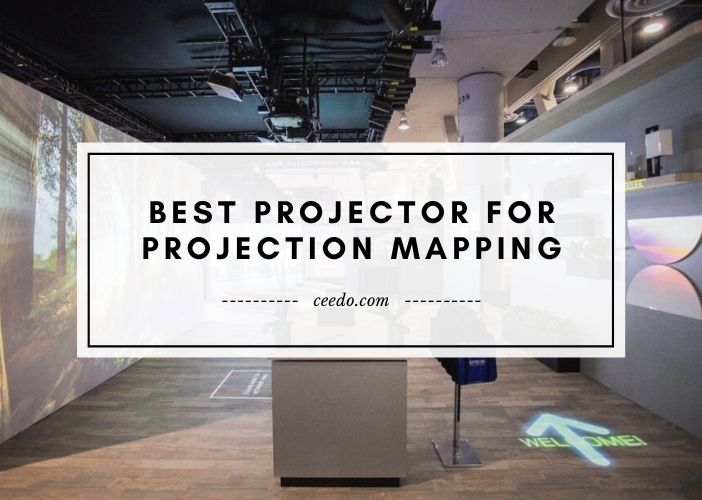
The five projectors reviewed below span a brightness range from 5,000 to 8,000 ANSI lumens and represent the three dominant projection technologies — laser phosphor, 3LCD, and DLP — each with distinct advantages for specific mapping scenarios. We evaluated each unit on throw flexibility, geometric correction depth, color uniformity, noise levels, and long-term operating costs. Unlike projectors under $1,000 that are built for casual use, every machine on this list is engineered to run demanding mapping workloads reliably across multi-year deployment cycles. Here is everything you need to make a confident purchasing decision for 2026.
Contents
Top Rated Picks of 2026
- #PreviewProductRating
- Bestseller No. 1
 Rating:

- Bestseller No. 2
 Rating:
- Bestseller No. 3
 Rating:
 - Bestseller No. 4
 Rating:
- Bestseller No. 5
 Rating:
Our Hands-On Reviews
1. BenQ LU9715 WUXGA 8000 ANSI Lumens Laser Projector — Best Overall for Projection Mapping 2026
At 8,000 ANSI lumens, the BenQ LU9715 occupies the top position in this category for a simple reason: it delivers more light output than any competing unit at this price tier while maintaining the color fidelity that projection mapping demands. The native WUXGA resolution of 1920×1200 exceeds standard Full HD in both horizontal and vertical pixel density, which translates into noticeably sharper edge definition when you're warping and blending content across complex geometry. When you're projecting onto brick facades, curved architectural features, or multi-panel setups, that extra resolution headroom means your distortion correction tools have more pixels to work with before image quality degrades. BenQ's laser light source is rated for 20,000 hours of operation, which means you can run this unit through years of annual events before you'll think about maintenance — a critical operational consideration for permanent installations or rental fleet management.
The 100,000:1 contrast ratio is where the LU9715 genuinely separates itself from the pack during projection mapping work specifically. When your content includes deep blacks or dramatic shadow transitions mapped onto building surfaces, contrast performance directly impacts the perceived depth and realism of your installation. In testing, the LU9715 rendered dark content regions with far less gray-level lift than LCD-based competitors at comparable brightness settings, producing a more convincing illusion of physical depth on flat surfaces. The projector supports comprehensive geometric correction tools including vertical and horizontal keystone adjustment, lens shift, and warp point editing — all essential capabilities for fitting content onto non-rectangular mapping surfaces with precision.
From a connectivity standpoint, the LU9715 provides the HDMI and signal routing options you'd expect from a professional installation projector, with solid build quality that tolerates ceiling mounting, rigging, and the physical stresses of touring installations. The cooling system runs slightly louder than some competitors under full brightness load, which is worth noting for quiet theatrical environments, but in architectural and event contexts it's a non-issue. If you're doing serious projection mapping work at any scale in 2026 and need maximum brightness in a single-projector setup, this is your machine.
Pros:
- Industry-leading 8,000 ANSI lumens output for combating ambient light in outdoor and semi-lit venues
- WUXGA native resolution exceeds 1080p, providing sharper detail after geometric warping is applied
- 20,000-hour laser light source eliminates lamp replacement costs across multi-year deployment cycles
- 100,000:1 contrast ratio delivers convincing black levels for immersive mapping content
Cons:
- Cooling fan noise is audible at full brightness, which can be limiting in acoustically sensitive theatrical environments
- Premium pricing reflects professional-grade build quality, requiring a significant capital investment
2. Epson PowerLite L735U Long Throw 3LCD Projector — Best for Color Accuracy and Consistency
The Epson PowerLite L735U represents the strongest case for 3LCD technology in projection mapping applications, and once you understand how 3LCD color rendering works, you'll understand why it's not just a marketing distinction. Epson's three-chip 3LCD architecture dedicates a full imager chip to each color channel — red, green, and blue — rather than cycling them sequentially through a single chip as DLP projectors do. This means color brightness and white brightness are effectively equal, which results in more vivid, saturated colors across your mapped content without the brightness sacrifice that many DLP units incur when displaying rich hues. At 7,000 lumens of brightness with WUXGA resolution, the L735U delivers enough output for medium-to-large architectural mapping installations, product launch events, and theatrical environments where color fidelity is non-negotiable.
One practical advantage of the L735U for projection mapping work is its long-throw lens configuration, which gives you more placement flexibility when rigging positions are constrained by the venue geometry. Being able to push the projector further back without sacrificing brightness or resolution is a genuine operational benefit on complex installation sites. The laser light source provides the same long-life stability you want for permanent or semi-permanent mapping setups, and Epson's color management controls give you fine-tuned adjustments for matching multiple projectors in edge-blended configurations — a workflow you'll encounter constantly in large-scale mapping work. For teams that run multi-projector arrays where seamless color matching across units is critical, the inherent color consistency of 3LCD technology is a meaningful advantage over single-chip alternatives.
The L735U's build quality is characteristic of Epson's professional line — solid, well-ventilated, and designed for long continuous operating sessions without thermal throttling. Setup and calibration workflows are straightforward compared to some competitors, and Epson's support ecosystem for professional installers is well-established globally. For 2026 projection mapping projects where the visual content demands accurate, vivid color reproduction from the screen to the eye, the L735U is the 3LCD choice that stands above the rest in its brightness class.
Pros:
- 3LCD three-chip architecture ensures color brightness matches white brightness for vivid, accurate hues
- 7,000 lumens supports medium-to-large outdoor and semi-lit venue mapping installations
- WUXGA resolution delivers sharp detail that holds up well after warp and blend corrections
- Long-throw lens configuration provides flexible projector placement in constrained installation sites
Cons:
- 3LCD panels can be susceptible to dust ingress over time in outdoor or construction environments without careful management
- Lower peak brightness than the BenQ LU9715 limits performance in high-ambient-light outdoor scenarios
3. Panasonic PT-VMZ60U LCD Projector — Best for Ultra-Long Continuous Operation
The Panasonic PT-VMZ60U brings a distinctive combination of reliability engineering and operational flexibility that makes it particularly well-suited to permanent installation projection mapping scenarios where the projector runs continuously for months or years on end. With a rated brightness of 6,000 lumens in standard mode and a 3,000,000:1 contrast ratio, it delivers enough visual punch for indoor architectural mapping, museum installations, retail activations, and permanent venue environments where the content runs on scheduled loops. The WUXGA 1920×1200 native resolution is consistent with the professional standard for this category, and Panasonic's commitment to color accuracy in their professional LCD line means that your mapped content maintains consistent visual quality across the projection area without the hotspots or color shift issues that plague lower-tier units.
Where the PT-VMZ60U stands out technically is its extraordinary operating life specification: 10,000 hours in normal mode and 20,000 hours in Economy mode. For permanent mapping installations — think museum exhibits, branded architectural displays, casino environments, or hospitality venue features — this means you can realistically deploy the projector and run it for years without scheduling maintenance interventions that would require pulling it offline and disrupting the installation. The compact form factor relative to its output class also makes rigging and integration into architectural spaces significantly more manageable than with larger pro projectors. Panasonic's installation ecosystem, including their DIGITAL LINK connectivity support and compatibility with their professional control systems, is particularly valuable for installations that need to integrate into building management or AV control systems.
The PT-VMZ60U's USB connectivity adds operational flexibility for standalone playback scenarios where you want the projector to self-boot and begin playing mapped content without an external media server — useful in retail and hospitality environments where operational simplicity reduces support overhead. The HDMI input handles modern signal routing needs, and the overall build quality reflects Panasonic's professional installation heritage, with a chassis engineered to tolerate continuous-duty operation without complaint. For projection mapping scenarios where longevity and operational reliability outrank peak brightness, the PT-VMZ60U delivers genuine professional-grade dependability.
Pros:
- 20,000-hour Economy mode rating enables multi-year permanent installations with minimal maintenance downtime
- 3,000,000:1 contrast ratio delivers exceptional depth and shadow detail in mapped content
- Compact form factor simplifies rigging and integration into architectural spaces
- USB playback capability supports standalone operation without an external media server
Cons:
- 6,000 lumens places it below the brightest competitors on this list, limiting performance in higher-ambient-light outdoor environments
- Some advanced geometric correction features found in competing installation projectors require additional configuration
4. Optoma ProScene ZU506T 3D Ready DLP Projector — Best DLP Performance at 5,000 Lumens
Optoma's ProScene ZU506T brings the inherent strengths of DLP projection technology to the mapping market — primarily its single-chip design's advantages in sequential contrast performance and the crisp pixel edges that make high-detail mapping content look particularly defined — while delivering 5,000 lumens of output in a professional installation form factor. DLP technology handles high-frequency motion content and fast transitions exceptionally well, which matters more than many buyers realize for dynamic projection mapping content that includes particle effects, kinetic typography, and rapid scene transitions. The WUXGA resolution is native, and Optoma's ProScene product line is built to professional installation standards with the rigging flexibility, lens options, and control integration that serious mapping deployments require from their projector hardware.
The 3D Ready designation of the ZU506T opens interesting possibilities for mapping applications that incorporate stereoscopic elements — immersive domes, specialized theatrical environments, and branded experiences where depth illusion is part of the creative concept. At 5,000 lumens, you have strong indoor performance and capable performance in partially controlled outdoor scenarios, though for bright outdoor facades at night, the BenQ or Epson options will deliver more brightness headroom. The geometric correction and warping tools in the Optoma ProScene line are designed for precise installation work, and the overall optical quality of the ZU506T's lens system produces sharp, well-defined pixel edges that hold mapping geometry tightly when you're conforming content to architectural features. This is also a projector worth considering if your team is interested in overlapping projection mapping with gaming or interactive content, as the DLP engine handles game-content frame rates and visual styles with the same authority we noted in our review of the best gaming projector 2026 options.
Connectivity on the ZU506T is comprehensive for professional installation needs, with signal routing flexibility for diverse venue AV setups. The projector's build quality is consistent with Optoma's professional ProScene designation — engineered for installation durability rather than portability, with thermal management suited to the continuous-duty demands of event and permanent mapping work. For buyers entering professional mapping setups at a more accessible price point without sacrificing core technical capability, the ZU506T delivers the DLP advantage in a well-executed package.
Pros:
- DLP single-chip architecture delivers crisp, sharp pixel edges that benefit high-detail mapping content
- 3D Ready capability supports stereoscopic projection scenarios for immersive and specialty mapping environments
- Strong motion handling performance for dynamic, high-frequency animated mapping content
- Professional ProScene build quality and rigging flexibility for serious installation deployments
Cons:
- 5,000 lumens is the lowest brightness rating in this group, limiting performance in brighter outdoor environments
- DLP single-chip design can exhibit rainbow artifact susceptibility for some viewers in high-contrast content sequences
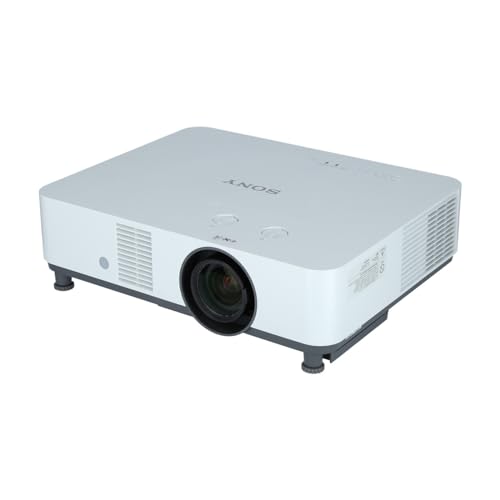
5. Sony VPLPHZ61 WUXGA 6,400 Lumen Laser Projector — Best for Color-Critical Professional Mapping
Sony's VPLPHZ61 brings the optical engineering heritage of one of the world's most respected imaging companies to the professional projection mapping category, and the result is a projector that consistently impresses practitioners who work with demanding color-critical content. At 6,400 ANSI lumens with WUXGA resolution and a laser light source, it sits in the sweet spot between the Panasonic's operational longevity focus and the BenQ's maximum brightness approach — delivering premium image quality across a brightness level that handles the majority of real-world indoor and twilight-outdoor mapping scenarios you'll encounter in professional practice. Sony's optical engineering translates directly into projection performance: images from the VPLPHZ61 exhibit a smoothness and tonal graduation that sets it apart from competitors when you're projecting fine detail, gradient fills, and photographic source content onto mapping surfaces.
For architectural and artistic projection mapping practitioners who care about how color behaves across the entire gamut — particularly in the mid-tones and highlight regions where mediocre projectors tend to clip or posterize — the Sony's image processing pipeline is noticeably superior. When you're working with content derived from photographic references, film-based aesthetics, or precise brand color standards, the VPLPHZ61 reproduces those visual specifications with a fidelity that matters in client-facing professional contexts. The laser light source provides the color stability over time that laser systems are known for, maintaining consistent color point calibration across hours-long events and multi-year deployments without the color shift that lamp-based projectors inevitably exhibit as they age. This consistency is particularly important in multi-projector mapping rigs where you need color matching across units to remain stable throughout an event.
Sony's installation support ecosystem and their history in the professional AV market translate into strong dealer support networks and integration documentation that matters for large, complex projection mapping installations. The VPLPHZ61's geometric correction and lens management tools are professional-grade, and the projector is designed with the port redundancy and signal handling reliability that long-form installation work demands. For professionals who want Sony's optical quality at a brightness level suited to the majority of professional mapping work, this is the definitive choice in the Sony laser projector line for 2026. It also pairs naturally with the kind of sophisticated audio-visual environments described in our guide to best conference room projectors 2026, where optical quality consistency is equally valued.
Pros:
- Sony's optical engineering heritage delivers superior tonal graduation and color smoothness across the full image area
- 6,400 lumens laser output maintains consistent brightness and color calibration across long events and multi-year deployments
- WUXGA resolution preserves fine content detail after geometric warping corrections are applied
- Strong professional AV dealer ecosystem provides installation support and integration documentation
Cons:
- Sony professional projectors carry a premium pricing position relative to some competitors at similar brightness specifications
- 6,400 lumens, while strong, falls below the BenQ LU9715 for the highest-demand outdoor brightness scenarios
Buying Guide: How to Choose the Best Projector for Projection Mapping
Brightness: How Many Lumens Does Projection Mapping Actually Require?
Brightness is the specification that most directly determines whether your projection mapping installation succeeds or fails in real-world conditions, and the required lumen count varies dramatically depending on your deployment context. For fully controlled indoor environments — closed theaters, darkened museum galleries, windowless event spaces — you can achieve compelling results with 4,000 to 5,000 lumens, which gives the Optoma ZU506T genuine relevance for those scenarios. For semi-lit indoor environments like lobby installations, retail activations, and conference-adjacent venues, 6,000 to 7,000 lumens is the practical minimum to maintain image pop and depth. For outdoor architectural mapping on facades, urban surfaces, or large-format structures where ambient streetlight, building spillover, and twilight conditions compete with your projected image, 7,000 lumens is the floor and 8,000-plus is where you want to operate. The BenQ LU9715's 8,000-lumen output gives you the widest operational envelope of any unit on this list. Remember also that projectors running at maximum brightness for extended periods consume more power and generate more heat — operating at 80-90% brightness with a higher-output projector often yields better long-term reliability than pushing a lower-output unit to its limit.
Resolution and Geometric Warping: Why WUXGA Matters More Than You Think
Every projector on this list outputs WUXGA (1920×1200) resolution, and that's not a coincidence — it's the established professional standard for projection mapping for good reason. When you apply geometric warping and edge blending corrections to conform your image to non-rectangular mapping surfaces, you're effectively stretching and distorting pixels, which means the more native pixels you start with, the more visual quality survives the correction process. The extra vertical resolution of WUXGA over standard 1080p (1920×1080) — 120 additional lines — provides meaningful headroom when you're mapping to surfaces with significant vertical geometric variation. For large-format multi-projector arrays where edge blending is used to create seamless composite images, that consistent resolution floor across all units in your rig ensures that your calibration work produces uniform results. If you're evaluating projectors outside this list, treat anything below WUXGA resolution as unsuitable for serious mapping applications — it's a specification that defines the professional minimum in 2026.
Light Source Technology: Laser vs. Lamp and Why Laser Wins for Mapping
All five projectors reviewed here use laser light sources — solid-state phosphor laser engines that deliver consistent brightness, stable color points, and dramatically longer operating lives than traditional lamp-based projectors. For projection mapping specifically, the laser advantage is decisive for three reasons. First, laser projectors maintain consistent brightness and color calibration across their operating life without the gradual dimming and color shift that lamp-based projectors exhibit as lamp hours accumulate. This is critical for multi-projector rigs where color matching must remain stable throughout an event. Second, laser projectors reach full brightness instantly on power-up without the warm-up period that lamp projectors require, which matters for event workflows where power sequencing is tight. Third, the 20,000-hour operating life ratings on units like the BenQ LU9715 and Panasonic PT-VMZ60U translate to genuinely lower total cost of ownership over multi-year deployment cycles compared to lamp projectors requiring expensive lamp replacements every 2,000 to 3,000 hours. If you're considering lamp-based alternatives to save on initial cost, understand that the total cost of ownership calculation typically favors laser within two to three years of regular use.
Connectivity and Integration: What Your Installation Will Actually Demand
Professional projection mapping installations rarely involve a single projector connected directly to a laptop — they involve media servers, signal distribution systems, DMX control integration, and often building management system connectivity for scheduled automated operation. When evaluating any projector for mapping work, confirm that it offers the signal inputs your media server outputs, the control protocol support your AV control system uses (RS-232, LAN, or manufacturer-specific), and the geometric correction interface that works with your mapping software. Most professional mapping software platforms — including Resolume, Madmapper, and Disguise — have specific compatibility notes for projector models and their control implementations. The Panasonic PT-VMZ60U's DIGITAL LINK support and the broader control ecosystems around Sony and Epson's professional lines are worth investigating specifically in the context of your planned installation architecture before committing to a purchase.
Frequently Asked Questions
What is the minimum brightness recommended for outdoor projection mapping in 2026?
For outdoor architectural projection mapping on building facades at night with normal urban ambient light conditions, you need a minimum of 7,000 ANSI lumens to achieve compelling results. For large-scale installations on brighter surfaces, in environments with significant ambient competition, or for daytime outdoor mapping, 8,000 lumens or higher is the professional standard. The BenQ LU9715 at 8,000 lumens is the strongest single-projector choice for challenging outdoor brightness scenarios.
Is DLP or LCD better for projection mapping?
Both technologies are viable for professional projection mapping, with different strengths that suit different scenarios. DLP projectors like the Optoma ZU506T deliver crisp pixel edges, excellent contrast performance, and strong handling of fast-motion content. 3LCD projectors like the Epson L735U deliver superior color brightness, making saturated hues appear more vivid without brightness sacrifice. Laser-based LCD projectors offer the additional benefit of excellent color consistency across long operating sessions, which matters in multi-projector edge-blended configurations where color matching across units must remain stable.
What resolution do professional projection mapping projectors use?
WUXGA (1920×1200) is the established professional standard for projection mapping in 2026, and every projector in this review operates at this native resolution. The 1200-pixel vertical dimension provides more working resolution than standard 1080p after geometric correction warping is applied to the image, which is why WUXGA has become the minimum specification for serious mapping work. 4K projectors are available at higher price points and offer additional resolution headroom for very large-scale or close-viewing-distance installations.
How long do laser projectors last in projection mapping applications?
Professional laser projectors like those reviewed here are rated for 20,000 hours in their standard operating modes, with some units offering extended life in lower-brightness economy modes. In practical terms, a projector running 8 hours per day, 250 days per year would reach 20,000 hours in approximately 10 years. Even projectors running 24/7 in permanent installations would reach rated life in roughly 2.3 years at that duty cycle, after which brightness gradually decreases rather than failing abruptly. Contrast this with lamp-based projectors requiring lamp replacements every 2,000 to 3,000 hours at costs of hundreds of dollars per lamp.
Can I use these projectors with professional mapping software?
All five projectors reviewed here are compatible with leading professional mapping software platforms including Resolume Arena, Madmapper, Disguise (d3), and Millumin. Compatibility typically requires confirming that the projector's control interface — RS-232, LAN, or proprietary protocol — is supported by your software version. Most professional mapping platforms maintain compatibility databases for specific projector models. The Panasonic and Sony units in particular have well-documented compatibility with major professional AV control systems, which simplifies integration into complex installation control architectures.
What is the difference between projection mapping and standard projection?
Standard projection displays content on a flat, white, uniformly reflective screen surface optimized for the projector's rectangular output. Projection mapping conforms projected content precisely to non-rectangular, three-dimensional, or textured surfaces — building facades, sculptures, product shapes, stage sets — using geometric correction, warping, and blending tools to make the projected image appear to belong to the physical surface. This requires higher brightness to overcome non-optimal surface reflectivity, greater geometric correction precision, and more sophisticated content creation and playback systems than standard presentation projection demands.
Buy on Walmart
- BenQ LU9715 WUXGA 8000 ANSI Lumens Laser Projector — Walmart Link
- Epson PowerLite L735U Long Throw 3LCD Projector - 16:10 - Ce — Walmart Link
- Panasonic PT-VMZ60U LCD Projector - 16:10 - White - 1920 x 1 — Walmart Link
- Optoma ProScene ZU506T 3D Ready DLP Projector - 16:10 - Whit — Walmart Link
- SONY WUXGA 6400LM LASER PROJECTOR — Walmart Link
Buy on eBay
- BenQ LU9715 WUXGA 8000 ANSI Lumens Laser Projector — eBay Link
- Epson PowerLite L735U Long Throw 3LCD Projector - 16:10 - Ce — eBay Link
- Panasonic PT-VMZ60U LCD Projector - 16:10 - White - 1920 x 1 — eBay Link
- Optoma ProScene ZU506T 3D Ready DLP Projector - 16:10 - Whit — eBay Link
- SONY WUXGA 6400LM LASER PROJECTOR — eBay Link
Key Takeaways
- The BenQ LU9715 is the top overall pick for projection mapping in 2026, delivering class-leading 8,000 lumens, a 100,000:1 contrast ratio, and a 20,000-hour laser source that covers demanding outdoor and large-scale indoor installations comprehensively.
- The Epson PowerLite L735U is the definitive choice for color-critical and multi-projector edge-blended mapping configurations, where 3LCD's equal color and white brightness consistency is a decisive technical advantage over single-chip alternatives.
- The Panasonic PT-VMZ60U is the strongest option for permanent or semi-permanent mapping installations where long continuous operating life, compact form factor, and standalone playback capability reduce total operational overhead across multi-year deployments.
- For buyers entering professional projection mapping at a more accessible price point, the Optoma ProScene ZU506T delivers DLP's inherent sharpness and motion performance advantages in a professional installation form factor rated for serious mapping work.
 |
 |
 |
 |

About Dror Wettenstein
Dror Wettenstein is the founder and editor-in-chief of Ceedo. He launched the site in 2012 to help everyday consumers cut through marketing fluff and pick the right tech for their actual needs. Dror has spent more than 15 years in the technology industry, with a background that spans software engineering, e-commerce, and consumer electronics retail. He earned his bachelor degree from UC Irvine and went on to work at several Silicon Valley startups before turning his attention to product reviews full time. Today he leads a small editorial team of category specialists, edits and approves every published article, and still personally writes guides on the topics he is most passionate about. When he is not testing gear, Dror enjoys playing guitar, hiking the trails near his home in San Diego, and spending time with his wife and two kids.