 ee
eeTablets ›
Best Tablets For Photo Editing And Photographers 2026
You're scrolling through your camera roll after a weekend shoot, and you realize your laptop screen just isn't cutting it anymore — the colors look washed out, the details are muddy, and editing on a cramped display feels like painting through a keyhole. A high-quality tablet can transform your entire photo editing workflow, giving you a portable, color-accurate canvas that lets you touch up images with the precision of a stylus and the immediacy of your fingertips.
Whether you're a professional photographer who needs P3 wide color gamut and ProMotion refresh rates for client work, or a hobbyist who wants to edit RAW files on the couch, the right tablet bridges the gap between your camera and your final output. The best options in 2026 deliver stunning displays with accurate color reproduction, enough processing power to handle Lightroom and Photoshop without stutter, and stylus support that makes retouching feel natural and intuitive. If you're also looking at creative hardware for video projects, our guide to the best laptops for Adobe Premiere covers the laptop side of that equation.

We've tested seven of the best tablets for photo editing in 2026, evaluating each one on display quality, color accuracy, processing performance, stylus responsiveness, and overall value for photographers. From Apple's flagship iPad Pro line to Samsung's massive AMOLED display and Wacom's dedicated drawing tablet, here's everything you need to make the right choice for your creative workflow.
Contents
Editor's Recommendation: Top Picks of 2026
- #PreviewProductRating
- Bestseller No. 1
 Rating:

- Bestseller No. 2
 Rating:
- Bestseller No. 3
 Rating:
 - Bestseller No. 4
 Rating:
 - Bestseller No. 5
 Rating:
 - Bestseller No. 6
 Rating:
 - Bestseller No. 7
 Rating:
Our Hands-On Reviews
1. Apple iPad Pro 13-Inch (M4) — Best Overall for Photo Editing
The iPad Pro 13-inch with the M4 chip remains the gold standard for tablet-based photo editing in 2026, and it's not particularly close. The Ultra Retina XDR display delivers up to 1600 nits of peak HDR brightness with a stunning 1,000,000:1 contrast ratio, which means you're seeing your photos with the kind of accuracy that would make a dedicated reference monitor jealous. The P3 wide color gamut covers the full range that professional photographers need, and ProMotion's adaptive 120Hz refresh rate makes every pinch-to-zoom and brush stroke feel instantly responsive under your fingertips.
The M4 chip handles demanding photo editing tasks with remarkable efficiency, chewing through 50MP RAW files in Lightroom without any noticeable lag or stutter. Apple Intelligence integration adds genuinely useful AI-powered editing capabilities, from intelligent subject selection to advanced noise reduction that preserves fine detail. The LiDAR scanner on the back is a bonus for photographers who also work with 3D scanning or augmented reality, and the impossibly thin 5.1mm profile means this powerhouse slides into your camera bag without adding meaningful bulk.
Pair it with the Apple Pencil Pro for retouching work, and you get pressure sensitivity, tilt detection, and haptic feedback that makes masking and spot healing feel remarkably natural. The 13-inch screen gives you enough real estate to work with panels open in Affinity Photo or Lightroom without feeling cramped, which is a genuine productivity advantage over smaller tablets.
Pros:
- Ultra Retina XDR display with 1600 nits peak brightness and true-to-life P3 color accuracy
- M4 chip delivers desktop-class performance for RAW processing and complex layer-heavy edits
- Apple Pencil Pro support with haptic feedback and squeeze gestures for tool switching
- Incredibly thin at 5.1mm and lightweight at just over a pound, ideal for on-location editing
- Face ID for quick secure access, all-day battery life handles extended editing sessions
Cons:
- Premium price point puts it out of reach for hobbyist photographers on a budget
- iPadOS still lacks full desktop-class file management and plugin support for some pro apps
2. Apple iPad Pro 11-Inch (M5) — Best Compact Pro Tablet
Apple's newest M5-powered iPad Pro in the 11-inch form factor brings next-generation performance to a more portable package, and for photographers who prioritize mobility over screen size, it's an exceptional choice. The M5 chip's Neural Accelerators deliver significant improvements in AI-driven editing tasks — think subject isolation, sky replacement, and content-aware fill operations that complete noticeably faster than the previous generation. With 16GB of memory and up to 2TB of storage, you won't run into performance bottlenecks even when working with massive photo libraries.
The Ultra Retina XDR display carries over the same stunning color accuracy and brightness capabilities as its larger sibling, giving you P3 wide color and HDR support in a screen that's easier to hold with one hand. iPadOS 26 with its new Liquid Glass design introduces a more intuitive windowing system that's genuinely useful for photo editing workflows — you can finally arrange your tools, layers panel, and canvas in ways that feel closer to a desktop Photoshop experience. Wi-Fi 7 with the Apple N1 chip means transferring large RAW files from your camera or cloud storage happens at speeds that won't break your creative momentum.
The 512GB base storage in this configuration gives you plenty of room for a working library of high-resolution images, and the landscape-oriented 12MP front camera is a nice touch for video calls with clients to discuss edits in real time.
Pros:
- M5 chip with Neural Accelerators provides the fastest AI editing performance available in any tablet
- Ultra Retina XDR display with the same color accuracy as the 13-inch model in a more portable size
- Wi-Fi 7 delivers blazing transfer speeds for moving RAW files and syncing cloud libraries
- iPadOS 26 windowing system dramatically improves the multi-panel editing experience
- 16GB memory handles complex multi-layer compositions without swapping or slowdowns
Cons:
- 11-inch screen feels limiting when you need multiple panels open alongside your canvas
- Apple Pencil Pro and keyboard accessories add significantly to the total investment
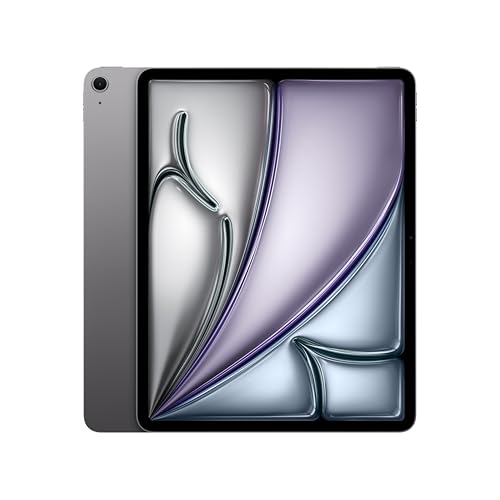
3. Apple iPad Air 13-Inch (M4) — Best Value Large-Screen iPad
The iPad Air 13-inch with the M4 chip occupies a sweet spot that many photographers will find irresistible — you get the generous 13-inch screen size that makes photo editing comfortable, the same powerful M4 processor found in the Pro line, and Apple Intelligence capabilities, all at a noticeably lower price than the iPad Pro. The Liquid Retina display isn't XDR, which means you're missing out on the extreme contrast ratios and peak brightness of the Pro's tandem OLED panel, but for the vast majority of photo editing work, the color accuracy and P3 wide color support are more than sufficient to produce professional results.
The M4 chip delivers the same raw processing power for Lightroom and Photoshop tasks as the Pro models, and you won't notice any difference when applying complex edits to RAW files or running AI-powered adjustments. Wi-Fi 7 keeps file transfers speedy, and the all-day battery life means you can edit through an entire day of travel or on-location work without hunting for outlets. This is also an excellent choice for college students pursuing photography degrees who need pro-level performance without the pro-level price tag.
Touch ID via the top button is the primary biometric difference from the Pro's Face ID, and in practice, it works just as reliably for quick unlocks between editing sessions. The dual 12MP cameras won't replace your dedicated gear, but they're perfectly adequate for reference shots and document scanning when you're planning compositions in the field.
Pros:
- M4 chip delivers identical processing performance to the iPad Pro for photo editing tasks
- 13-inch Liquid Retina display with P3 wide color provides ample workspace and accurate colors
- Significantly more affordable than the iPad Pro while retaining Apple Intelligence features
- Wi-Fi 7 support and all-day battery life make it a reliable field editing companion
- Apple Pencil Pro compatibility for precise retouching and masking work
Cons:
- Liquid Retina display lacks the contrast and peak brightness of the Pro's Ultra Retina XDR panel
- Base 256GB storage fills up quickly when working with large RAW file libraries
4. Samsung Galaxy Tab S10 Ultra — Best Android Tablet for Photographers
If you want the absolute largest canvas for photo editing on a tablet, Samsung's Galaxy Tab S10 Ultra delivers a massive 14.6-inch Dynamic AMOLED 2X display that makes every other tablet feel cramped by comparison. The 2960 x 1848 resolution at WQXGA+ provides pixel density that's sharp enough for detailed retouching work, and Samsung's AMOLED technology delivers deep blacks, vibrant colors, and excellent viewing angles that make your photos pop off the screen. The included S-Pen is a standout feature — it comes in the box at no extra cost, unlike Apple's separately sold Pencil Pro.
The MediaTek Dimensity 9300+ octa-core processor paired with 12GB of RAM handles Lightroom Mobile, Snapseed, and Samsung's own photo editing tools with confidence, though it does fall behind Apple's M-series chips in sustained heavy workloads like batch processing or complex multi-layer compositions. Where the Tab S10 Ultra genuinely excels is in its expandable storage — the microSD slot supports up to 1.5TB of expansion, which means you can carry your entire photo archive on a single card without relying on cloud storage or external drives. For Android-ecosystem photographers, that flexibility is invaluable.
The 14.6-inch screen size also makes this an excellent option for showing portfolio work to clients during in-person meetings, turning your editing tablet into an impressive presentation device. The renewed model available here offers the same hardware experience at a more accessible price point, which is worth considering if you're budget-conscious.
Pros:
- Massive 14.6-inch Dynamic AMOLED 2X display provides the largest editing canvas available
- S-Pen included in the box with excellent pressure sensitivity for retouching work
- MicroSD expansion up to 1.5TB eliminates storage anxiety for large photo libraries
- Deep AMOLED blacks and wide color gamut deliver striking image reproduction
- DeX mode provides a desktop-like editing interface with multi-window support
Cons:
- Android photo editing app ecosystem still trails iPadOS in professional-grade options
- MediaTek processor lags behind Apple M-series chips in sustained compute-heavy editing tasks
5. Microsoft Surface Pro 12" — Best for Full Desktop Photoshop
The 2025 Microsoft Surface Pro stands alone in this roundup as the only option running full Windows 11, which means you get access to the complete desktop versions of Adobe Photoshop, Lightroom Classic, and Capture One — not the mobile or tablet-adapted versions that iPad and Android users work with. For photographers whose workflows depend on specific Photoshop plugins, advanced batch processing scripts, or Lightroom Classic's tethered shooting capabilities, this distinction is absolutely critical and can't be replicated on any other tablet platform.
Powered by the Snapdragon X Plus processor with 16GB of RAM and 512GB of storage, the Surface Pro delivers surprisingly capable performance for a device this thin and portable. The AI engine's 45 trillion operations per second power Windows Copilot+ features and AI-accelerated editing tools, making intelligent selections and generative fills noticeably snappier than on previous Surface generations. The 12-inch PixelSense touchscreen supports the Surface Slim Pen for precise retouching, though the pen and keyboard cover are sold separately, which adds to the overall cost.
The built-in kickstand gives you adjustable viewing angles that work beautifully for both lap-based editing and desk setups, and the 2-in-1 form factor means this single device can replace both your tablet and your ultrabook. If your photography workflow is deeply embedded in the Windows ecosystem, the Surface Pro is the clear choice. Photographers who also need a dedicated machine for web design and development will appreciate having full desktop browser dev tools at their disposal.
Pros:
- Runs full desktop Adobe Photoshop, Lightroom Classic, and Capture One with complete plugin support
- Snapdragon X Plus with 16GB RAM handles professional editing workflows with responsive performance
- Built-in kickstand provides infinitely adjustable viewing angles for any editing environment
- True 2-in-1 design replaces both your tablet and ultrabook for travel photography workflows
- Full file system access, external drive support, and peripheral compatibility that iPadOS can't match
Cons:
- Surface Slim Pen and Type Cover keyboard sold separately, pushing the total cost significantly higher
- 12-inch screen is smaller than competing tablets in this price range, limiting workspace area
6. Wacom Cintiq 16 — Best Dedicated Pen Display for Retouching
The Wacom Cintiq 16 takes a fundamentally different approach from every other device on this list — it's not a standalone tablet but a dedicated pen display that connects to your Mac or PC, giving you the precision of Wacom's legendary Pro Pen 3 technology directly on a 16-inch 2.5K WQXGA screen. For photographers who already have a powerful desktop or laptop and want to add a natural, pen-on-screen editing experience to their existing setup, the Cintiq 16 is the professional standard that serious retouchers have relied on for years.
The Pro Pen 3 delivers 8,192 levels of pressure sensitivity with tilt support, which translates to an editing experience that feels remarkably like working with traditional media. Dodging and burning, frequency separation, and detail-oriented masking become intuitive physical gestures rather than mouse-and-keyboard abstractions. The three shortcut keys on the pen and the mountable pen holder keep your most-used tools within instant reach, eliminating the workflow interruptions that come from hunting through menus.
Color accuracy is where the Cintiq 16 truly earns its place in a photographer's toolkit — 99% DCI-P3 and 100% sRGB coverage with 8-bit color depth means what you see on the Cintiq is what your prints and web exports will actually look like. The IPS panel provides consistent colors across wide viewing angles, which matters when you're leaning over the display during intensive retouching sessions. According to color management principles, accurate display calibration is the foundation of any professional photo editing workflow, and Wacom delivers that out of the box.
Pros:
- Pro Pen 3 with 8,192 pressure levels and tilt support provides the most precise pen input available
- 99% DCI-P3 and 100% sRGB color coverage ensures accurate color representation for print and web
- 2.5K WQXGA resolution on a 16-inch display delivers sharp, detailed visuals for fine retouching
- Works with your existing Mac or PC, leveraging the full power of desktop Photoshop and Lightroom
- No battery to worry about — always powered and ready through USB-C and HDMI connection
Cons:
- Not a standalone device — requires a connected computer and won't work for mobile editing
- Adds desk space requirements and cable management that tablets don't demand
7. Apple iPad mini (A17 Pro) — Best Ultra-Portable Editing Tablet
The iPad mini with the A17 Pro chip is the wildcard pick that photographers often overlook, and it fills a very specific niche brilliantly — ultra-portable field editing when you need to cull, rate, and make quick adjustments to images between shoots or during travel. The 8.3-inch Liquid Retina display with P3 wide color and True Tone is surprisingly capable for evaluating image quality, and the ultralow reflectivity coating means you can actually see your edits in bright outdoor conditions where larger tablets become unusable mirrors.
The A17 Pro chip is the same silicon that powers the iPhone 15 Pro, and it handles Lightroom Mobile, Affinity Photo, and even Photoshop for iPad with impressive fluency for a device this small. Apple Intelligence adds smart editing capabilities that work entirely on-device, keeping your images private while giving you access to AI-powered adjustments and intelligent selections. Apple Pencil Pro support transforms this tiny tablet into a precision retouching tool — the experience is genuinely delightful, even if the smaller screen means you'll find yourself zooming and panning more frequently than on a 13-inch device.
Where the iPad mini really shines is in its role as a companion device for photographers who already edit on a larger screen at home or in the studio. Use it to import photos via USB-C, apply initial edits, flag your selects, and sync everything through iCloud so your final edits are waiting for you on your primary workstation when you get back. At just 293 grams, it's lighter than most photography books and slips into jacket pockets and small camera bags without a second thought.
Pros:
- Ultra-portable at 8.3 inches and 293 grams — fits in a jacket pocket or any camera bag
- A17 Pro chip delivers capable performance for Lightroom and Photoshop on iPad
- P3 wide color and ultralow reflectivity make outdoor field editing genuinely practical
- Apple Pencil Pro support brings precise retouching to the smallest iPad form factor
- USB-C connectivity for direct camera imports without adapters or card readers
Cons:
- 8.3-inch screen is too small for extended or complex editing sessions with multiple panels
- 128GB base storage is restrictive for photographers working with large RAW file collections
How to Pick the Best Tablet for Photo Editing
Display Quality and Color Accuracy
The display is the single most important factor when choosing a tablet for photo editing, because every adjustment you make is only as good as the screen you're seeing it on. Look for tablets that cover at least 100% of the sRGB color space — for professional work, P3 wide color gamut coverage is strongly preferred, as it captures a broader range of colors that match modern camera sensors and print workflows. Panel technology matters too: OLED and XDR displays deliver superior contrast ratios with true blacks, while IPS panels offer more consistent color accuracy across viewing angles. Resolution should be at least 2560 x 1600 to provide enough pixel density for evaluating sharpness and fine details in high-resolution images, and a brightness rating of 500 nits or higher ensures usability in varied lighting conditions including outdoor shoots.
Processing Power and Memory
Photo editing apps like Lightroom and Photoshop demand substantial processing power, especially when working with RAW files that can easily exceed 50MB each. Apple's M-series chips currently lead the pack for sustained editing performance, but Qualcomm's Snapdragon X series and Samsung's MediaTek-based solutions have closed the gap significantly in 2026. Aim for a minimum of 8GB of RAM — 16GB is ideal for working with large files, complex compositions, and multi-layer projects without encountering slowdowns. Storage is equally important: 256GB is a workable minimum, but 512GB gives you meaningful breathing room for a local working library of RAW images alongside your editing apps and operating system.
Stylus Support and Precision
A quality stylus transforms photo editing from an exercise in finger-based approximation into a precise, intuitive creative process. Pressure sensitivity determines how naturally the stylus responds to varying input — 8,192 levels (as found in Wacom's Pro Pen 3) is the professional standard, while Apple Pencil Pro and Samsung's S-Pen offer excellent sensitivity that meets most photographers' needs. Tilt detection adds another dimension of control, particularly useful for dodging, burning, and natural brush-based retouching. Palm rejection quality varies significantly between manufacturers, so test this before committing if precise stylus work is central to your workflow. Also consider whether the stylus is included in the box (Samsung S-Pen) or an additional purchase (Apple Pencil Pro, Surface Slim Pen), as this affects your total cost of ownership.
Portability vs. Screen Real Estate
This is the fundamental tradeoff that every photographer needs to resolve based on their specific workflow and shooting habits. Larger screens (13 inches and above) provide more comfortable editing sessions with room for tool panels alongside your canvas, but they add weight and bulk to your travel kit. Smaller screens (8-11 inches) slip into bags effortlessly and work beautifully for field culling and quick edits, but extended retouching sessions can feel cramped. Consider whether you primarily edit at a desk, on the couch, or in the field — your answer should directly inform your screen size decision. If you need the best of both worlds, a setup with a portable tablet for field work and a Wacom Cintiq or large iPad Pro at your desk covers all scenarios. For photographers printing their work, our guide to the best printers for photographers pairs perfectly with any tablet on this list.
Frequently Asked Questions
Can you professionally edit photos on a tablet instead of a computer?
Yes, modern tablets — particularly the iPad Pro with M4 or M5 chips — deliver processing power that matches or exceeds many laptops for photo editing tasks. Apps like Adobe Lightroom, Photoshop for iPad, Affinity Photo, and Capture One for iPad provide professional-grade editing capabilities with full RAW support, layer-based editing, and advanced color grading. The main limitations are plugin availability and some advanced batch processing features that remain exclusive to desktop applications, but for 90% of professional photography workflows, a high-end tablet handles everything you need.
What's the minimum screen size for comfortable photo editing on a tablet?
For regular editing sessions, 11 inches is the practical minimum that allows you to see sufficient detail while keeping tool panels accessible alongside your canvas. You can absolutely edit on smaller screens like the 8.3-inch iPad mini, but you'll spend more time zooming, panning, and toggling panels — which adds friction to longer sessions. For professional retouching work where you need to evaluate fine details and skin textures, 13 inches or larger is strongly recommended, as the extra real estate significantly reduces fatigue during extended editing marathons.
Is the iPad Pro worth the premium over the iPad Air for photo editing?
The iPad Pro's primary advantage for photographers is its Ultra Retina XDR display with tandem OLED technology, which delivers dramatically better contrast, deeper blacks, and higher peak brightness compared to the iPad Air's Liquid Retina LCD. If accurate shadow detail evaluation and HDR content editing are important to your work, the Pro's display makes a visible difference that justifies the premium. However, both share the same M4 chip, so processing performance is identical — if your work doesn't require evaluating extreme contrast or HDR content, the iPad Air offers exceptional value with the same editing power.
Do I need a stylus for photo editing on a tablet?
While you can certainly edit photos using touch input alone — and many photographers do for quick adjustments like exposure, white balance, and cropping — a stylus dramatically improves precision for retouching work, spot healing, masking, and selective adjustments. Tasks like frequency separation, dodge and burn, and detailed skin retouching are nearly impossible to execute well with finger input. If your editing workflow involves any level of localized adjustments beyond global sliders, investing in a quality stylus will improve both your results and your efficiency significantly.
Should I choose an iPad or a Windows tablet for photo editing?
Your choice should depend on which software ecosystem your workflow requires. If you need full desktop Adobe Photoshop with plugins, Lightroom Classic with tethered shooting, or Capture One with custom scripts, Windows is your only tablet option via the Surface Pro. If you're comfortable with the iPad versions of these apps — which have matured considerably and now handle most professional editing tasks — iPadOS offers a more polished touch experience, better battery life, superior display technology, and a stronger selection of optimized creative apps. Most photographers who aren't locked into specific desktop plugins find the iPad ecosystem more enjoyable for daily editing work.
How much storage do I need on a tablet for photo editing?
For a working library of photos with regular cloud syncing, 256GB provides a functional baseline that accommodates your editing apps and several thousand processed images. If you regularly import RAW files directly to your tablet and prefer keeping larger local libraries, 512GB is the safer choice that prevents constant storage management. Professional photographers who shoot high-resolution formats and want to maintain extensive on-device archives should consider 1TB configurations — and Samsung's Galaxy Tab S10 Ultra with its microSD expansion slot offers a unique advantage here, letting you add up to 1.5TB of removable storage for under $50.
Buy on Walmart
- Apple iPad Pro 13-Inch (M4): Built for Apple Intelligence, U — Walmart Link
- Apple iPad Pro 11-inch (M5): Ultra Retina XDR Display, 512GB — Walmart Link
- Apple iPad Air 13-inch (M4): Liquid Retina Display, 256GB, 1 — Walmart Link
- SAMSUNG Galaxy Tab S10 Ultra 14.6” AMOLED Touchscreen, 256GB — Walmart Link
- Microsoft Surface Pro 2-in-1 Laptop/Tablet (2025), Windows 1 — Walmart Link
- Wacom Cintiq 16 Drawing Tablet with Screen, 16 inch Display, — Walmart Link
- Apple iPad mini (A17 Pro): Apple Intelligence, 8.3-inch Liqu — Walmart Link
Buy on eBay
- Apple iPad Pro 13-Inch (M4): Built for Apple Intelligence, U — eBay Link
- Apple iPad Pro 11-inch (M5): Ultra Retina XDR Display, 512GB — eBay Link
- Apple iPad Air 13-inch (M4): Liquid Retina Display, 256GB, 1 — eBay Link
- SAMSUNG Galaxy Tab S10 Ultra 14.6” AMOLED Touchscreen, 256GB — eBay Link
- Microsoft Surface Pro 2-in-1 Laptop/Tablet (2025), Windows 1 — eBay Link
- Wacom Cintiq 16 Drawing Tablet with Screen, 16 inch Display, — eBay Link
- Apple iPad mini (A17 Pro): Apple Intelligence, 8.3-inch Liqu — eBay Link
Match the display to the work — a color-accurate screen with P3 coverage is the one spec that separates tablets photographers can trust from tablets that just look pretty in the store.
 |
 |
 |
 |

About Priya Anand
Priya Anand covers laptops, tablets, and mobile computing for Ceedo. She holds a bachelor degree in computer science from the University of Texas at Austin and has spent the last nine years writing reviews and buying guides for consumer electronics publications. Before joining Ceedo, Priya worked as a product analyst at a major retailer where she helped curate the laptop and tablet category. She has personally benchmarked more than 200 portable computers and is particularly interested in battery longevity, repairability, and the trade-offs between Windows, macOS, ChromeOS, and Android tablets. Outside of work, she runs a small Etsy shop selling laptop sleeves she sews herself.