 ee
eeScanners ›
Which of These Is Not a Valid Port State Returned by a Port Scanner?
When studying networking fundamentals or preparing for a certification exam, you will almost certainly encounter the question: which of these is not a state of a port can be returned by a port scanner? It sounds deceptively simple, but the answer trips up a surprising number of IT students and professionals. Port scanners like Nmap report specific, well-defined states for every port they probe — and knowing exactly which labels belong to that list (and which do not) is essential knowledge for anyone working in network administration, cybersecurity, or systems engineering. This guide walks through every valid port state, explains the mechanics behind each one, and identifies the impostor state that no scanner will ever return.
Whether you are troubleshooting a firewall, auditing a server's attack surface, or simply curious about how network reconnaissance tools work, understanding port states gives you a clear picture of what is happening on any given machine. If you are also researching the hardware side of scanning technology, our scanner product guide covers the full range of devices available today.
Contents
- What Is Port Scanning and Why Do Port States Matter?
- The Six Valid Port States a Scanner Can Return
- Which State Is NOT Returned by a Port Scanner?
- Port States at a Glance: Reference Table
- Port Scanning Tools and Real-World Techniques
- Security Implications of Each Port State
- Frequently Asked Questions
What Is Port Scanning and Why Do Port States Matter?
A port scanner is a software tool designed to probe a host or range of hosts to discover which TCP and UDP ports are open, closed, or otherwise inaccessible. Network administrators use port scanning to inventory services, identify misconfigured firewalls, and detect unauthorized services. Security professionals use the same techniques during penetration tests to map a target's attack surface before exploiting vulnerabilities.
The state of a port can be returned by a port scanner depends entirely on how the target machine — and any intervening firewall or network device — responds to the probe packet. Because different probe types elicit different responses, the scanner categorizes each port into one of a small, fixed set of states. Misidentifying these states can lead to false conclusions: assuming a filtered port is closed, for example, might cause you to overlook a service that is very much alive behind a firewall rule.
How Scanners Probe a Network
Most port scanners work by sending crafted packets to a target port and analyzing the response. A TCP SYN scan, for instance, sends a SYN packet and waits to see whether the target replies with SYN-ACK (indicating an open port), RST (indicating a closed port), or nothing at all (suggesting a filter is in place). UDP scans work differently because UDP is connectionless; the scanner typically waits for an ICMP port-unreachable message to confirm a closed port, or times out and marks the port as open|filtered if no response arrives.
TCP vs. UDP Scanning Differences
TCP scanning is generally faster and more reliable because the protocol's built-in handshake mechanisms provide clear feedback. UDP scanning is slower and less definitive; many firewalls silently drop UDP probes, making it hard to distinguish an open UDP service from a filtered one. This ambiguity is one reason the combined states (open|filtered and closed|filtered) exist — the scanner is being honest about its uncertainty rather than guessing.
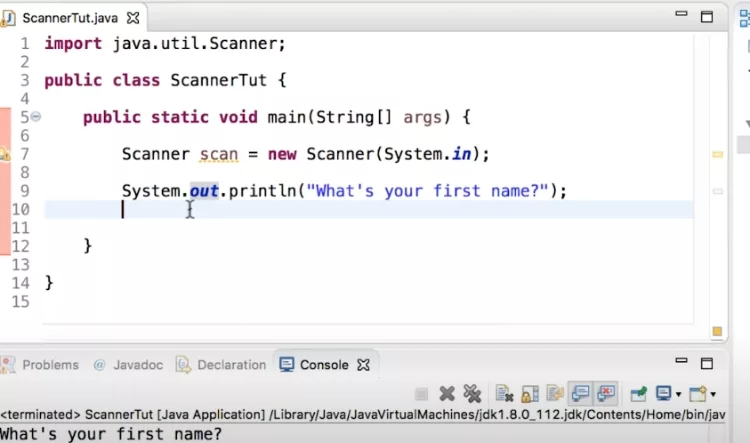
Understanding how scanner programs handle input is also relevant here. For a deeper look at how scanner class methods interpret data in code, see our article on which Scanner class method reads an int — a useful primer on how scanners process typed input at the software level.
The Six Valid Port States a Scanner Can Return
According to the port scanner documentation on Wikipedia and Nmap's official reference, there are exactly six states that a port scanner can assign to any given port. Learning all six is the key to answering any exam question about which state does not belong on the list.
Open
An open port is one where an application is actively accepting TCP connections or UDP datagrams. This is usually the most important state to find during an audit because it means a service is listening and potentially reachable by attackers. Web servers typically have port 80 and 443 open; SSH servers have port 22 open; mail servers may have ports 25, 587, or 993 open.
Closed
A closed port is accessible — meaning the scanner's probe packet reached the host and was not blocked by a firewall — but no application is currently listening on it. The operating system responds with a TCP RST packet, giving the scanner a definitive answer. Closed ports are still useful information: they confirm the host is up and that the IP address is active, even if no service is running on that particular port.
Filtered
A filtered port is one where the scanner cannot determine whether it is open or closed because a packet filter, firewall, or router is blocking the probe. The target either drops the packet silently or sends an ICMP error message indicating the port is unreachable. Filtered ports are common in hardened environments where administrators use firewalls to hide services from unauthorized scanners.
Unfiltered
The unfiltered state means the port is accessible, but the scanner cannot determine whether it is open or closed. This state only appears in ACK scans, which are primarily used to map firewall rule sets rather than to identify open services. When a port is unfiltered, it means the probe packet passed through the firewall and received a response, but that response does not confirm whether a service is listening.
Open|Filtered and Closed|Filtered
These two combined states represent situations where the scanner genuinely cannot distinguish between two possibilities. Open|filtered occurs when the scanner receives no response to a probe — the port could be open (and the service is simply not sending a reply) or filtered (and a firewall is dropping packets). Closed|filtered is rarer and occurs in IP ID idle scans where the scanner cannot determine whether the port is closed or filtered.
It is also worth noting that software-level resource management interacts with port states in real applications. Our article on the resource leak: scanner is never closed issue illustrates what happens when a scanner object in Java is left open — a different but instructive parallel to the concept of an unclosed port.
Which State Is NOT Returned by a Port Scanner?
Now we arrive at the core of the question. The state of a port can be returned by a port scanner falls into exactly the six categories described above. Any state label outside that set is simply not a valid port scanner output — no matter how intuitive it might sound.
Common Wrong Answers on Exams
Exam questions on this topic typically present a list like:
- Open
- Closed
- Filtered
- Active (or "Inactive," "Listening," "Available," "Connected")
The answer is always the term that does not appear in Nmap's official port state documentation. Words like Active, Inactive, Available, Occupied, and Connected are not port states returned by a port scanner. They may be used in other networking contexts — for example, a network interface can be described as "active" or "inactive," and a Windows netstat output might list a connection as "established" — but they are not labels that a port scanner assigns to a scanned port.
Why "Active" and "Inactive" Are Not Valid States
"Active" and "inactive" describe the status of a network interface or a service process, not the state of a port as observed by an external scanner. From the scanner's perspective, it can only know what the target's responses reveal: is the port reachable and accepting connections (open), reachable but not listening (closed), or hidden behind a filter (filtered)? The scanner has no visibility into whether the underlying service process is "active" in an operating system sense. That determination requires access to the host itself — something a remote port scan does not provide.

Similarly, "listening" is a term used in operating system contexts (e.g., netstat shows a port "LISTENING") but it is not one of the six states that Nmap or similar port scanners report. A scanner observing an open port does not know whether the service entered a listening state deliberately or is the result of a misconfiguration — it only knows that a connection can be established.
Port States at a Glance: Reference Table
The table below summarizes all six valid port states alongside their typical cause and what the scanner observes when it receives (or does not receive) a response. Use this as a quick reference when reviewing for an exam or auditing a network.
| Port State | Scanner Observation | Typical Cause | Action Required? |
|---|---|---|---|
| Open | SYN-ACK or UDP reply received | Application actively listening on port | Review service; close if unauthorized |
| Closed | TCP RST or ICMP port unreachable | Port reachable, no application listening | Low risk; confirms host is alive |
| Filtered | No response or ICMP error | Firewall or packet filter blocking probe | Investigate firewall rules |
| Unfiltered | ACK scan: RST received; state ambiguous | Port reachable but open/closed unknown | Use additional scan types to clarify |
| Open|Filtered | No response to probe | UDP or obscure TCP scan; ambiguous result | Use version detection to resolve |
| Closed|Filtered | Cannot distinguish; seen in idle scans | Rare; IP ID idle scan ambiguity | Cross-verify with another method |
Notice that "Active," "Inactive," "Available," "Connected," or "Listening" appear nowhere in this table. That is the definitive answer to the exam question: those terms are not a state of a port that can be returned by a port scanner.
Port Scanning Tools and Real-World Techniques
While the theory of port states is important for exams and certification studies, understanding how these states are produced in practice will reinforce the concepts considerably. Several tools are widely used for port scanning, each with strengths suited to different scenarios.
Nmap: The Industry Standard
Nmap (Network Mapper) is the most widely used port scanner in the world. It is free, open-source, and available on Linux, macOS, and Windows. Nmap supports dozens of scan types, service version detection, OS fingerprinting, and a scripting engine for automated vulnerability checks. When most textbooks and exam questions refer to port states, they are referring specifically to the states Nmap reports, since Nmap's documentation is the canonical reference for the field.
A basic Nmap TCP SYN scan is invoked with nmap -sS <target>. The output lists every scanned port alongside one of the six states. Ports with the "open" state will also display the service name (e.g., http, ssh, ftp) if Nmap can identify it from the port number alone. Adding the -sV flag triggers version detection, which sends additional probes to open ports to identify the exact software and version running.
Common Scan Types and the States They Reveal
Different scan types are better suited to revealing different port states. Understanding which scan type produces which states helps you choose the right tool for the job:
- TCP SYN Scan (-sS): The default and most popular scan. Returns open, closed, and filtered states. Does not complete the three-way handshake, making it stealthier than a full connect scan.
- TCP Connect Scan (-sT): Completes the full TCP handshake. Slower and more detectable, but works without raw socket privileges. Returns open, closed, and filtered states.
- UDP Scan (-sU): Probes UDP ports. More likely to return open|filtered because UDP services often do not send replies. Slow due to rate limiting of ICMP responses.
- ACK Scan (-sA): Used specifically to map firewall rules. Returns filtered or unfiltered states — it does not distinguish open from closed. Useful for determining whether a firewall is stateful.
- IP ID Idle Scan (-sI): A stealthy technique that uses a zombie host. Can return closed|filtered in ambiguous situations.
For those exploring the full landscape of scanning hardware and software for their office or lab environment, see our guide to whether a scanner is considered input or output — a foundational question that clarifies how scanning devices fit into a broader system architecture.
Security Implications of Each Port State
Knowing the state of a port can be returned by a port scanner is not just academic — each state carries direct security implications that inform how network defenders and attackers think about a system.
Open ports are the primary targets for attackers. Each open port represents a potential entry point: a vulnerability in the listening service, a weak authentication mechanism, or an outdated software version could allow an attacker to gain a foothold. Security teams routinely scan their own infrastructure to identify open ports that should not be exposed to the internet, such as database ports (3306 for MySQL, 5432 for PostgreSQL) or internal management interfaces.
Filtered ports are not necessarily safe. While a firewall blocking access provides a layer of defense, filtered ports can sometimes be bypassed using fragmented packets, protocol tunneling, or firewall rule evasion techniques. Additionally, a misconfigured firewall might filter ports from some source IPs while allowing access from others, creating a false sense of security.
Closed ports confirm that a host is alive and reachable, which is itself useful information for an attacker mapping a network. A machine with only closed and filtered ports is much harder to compromise than one with several open ports, but its presence on the network is still visible to a determined scanner.
Defending Against Unauthorized Port Scans
Organizations can reduce their exposure to port scanning by implementing several defensive measures. A stateful firewall that drops packets to all ports except those explicitly required reduces the number of open and closed ports visible to external scanners, turning them all into filtered ports. Intrusion detection systems (IDS) can alert administrators when a scan is underway, allowing them to investigate and potentially block the source IP.
Port knocking is another technique used to hide open ports: a service listens on a port only after the client sends a specific sequence of connection attempts to closed ports. From the outside, all ports appear closed or filtered — until the correct knock sequence is sent. While this adds security through obscurity, it is most effective when layered with other defenses.
Network segmentation limits the blast radius if a scan does reveal open ports. By isolating critical services on separate network segments with strict firewall rules between them, administrators ensure that even if an attacker maps the external perimeter, they cannot easily pivot to internal systems. Understanding the state of a port can be returned by a port scanner is the first step toward building a network that reveals as little as possible to those who should not be looking.
Frequently Asked Questions
Which of these is NOT a state of a port that can be returned by a port scanner?
The terms "Active," "Inactive," "Available," "Connected," and "Listening" are not valid port states returned by a port scanner. The six legitimate states are: open, closed, filtered, unfiltered, open|filtered, and closed|filtered. Any answer option that falls outside these six is the one that does not belong.
What does a "filtered" port state mean in port scanning?
A filtered port state means the scanner sent a probe packet but received no useful response — typically because a firewall, router, or packet filter is blocking or dropping the probe. The scanner cannot determine whether the port is open or closed, only that something is preventing a direct answer.
What is the difference between open and unfiltered port states?
An open port is one where an application is actively accepting connections. An unfiltered port is one discovered during an ACK scan that is reachable by the scanner, but the scan type used cannot determine whether the port is open or closed. These two states arise from different scan types and carry different meanings.
Can a port scanner detect all six port states in a single scan?
Not usually. Different scan types reveal different states. A TCP SYN scan reveals open, closed, and filtered. An ACK scan reveals filtered and unfiltered. A UDP scan is more likely to return open|filtered. To see all possible states, you would need to run multiple scan types against the same target and combine the results.
Is port scanning legal?
Port scanning your own systems or systems you have explicit written permission to test is legal and a standard security practice. Scanning systems without authorization is illegal in most jurisdictions and may violate computer fraud laws. Always obtain proper written authorization before scanning any network or host you do not own.
What tool is most commonly associated with the six port states defined in networking courses?
Nmap (Network Mapper) is the tool most closely associated with the formal definition of the six port states. Its documentation is the primary reference used by textbooks, certification courses, and security professionals worldwide. When an exam question asks about port states a scanner can return, it is almost always referring to Nmap's classification system.
 |
 |
 |
 |

About Rachel Chen
Rachel Chen writes about scanners, laminators, and home office productivity gear. She started her career as an office manager at a midsize law firm, where she was responsible for purchasing and maintaining all of the document handling equipment for a 60-person staff. That experience sparked a deep interest in archival workflows, paperless office setups, and document preservation. Rachel later earned a bachelor degree in information science from Rutgers University and now writes full time. She is a strong advocate for ADF reliability over raw resolution numbers and has tested every major flatbed and document scanner sold in the United States since 2018.