 ee
eeLaptops ›
Best MacBook For Students 2026
Picture this: it's late August, the semester starts in two weeks, and you're standing in the electronics aisle trying to figure out whether to buy the brand-new M5 MacBook Air or save some cash with a certified-renewed M3. The choices have never been better — or more confusing. Whether you're heading into your freshman year of undergrad or wrapping up a graduate program, a MacBook remains one of the most capable, reliable, and genuinely enjoyable laptops you can bring to campus in 2026.
Apple's current student lineup spans three chip generations — M2, M3, and the brand-new M5 — with both 13-inch and 15-inch screen sizes, new and renewed conditions, and price points that range from budget-friendly to premium. Every option on this list runs Apple Silicon, which means you get a fanless design, all-day battery life, and instant-wake performance that Windows laptops in the same price range simply cannot match. If you're also comparing against other portable devices for your coursework, take a look at our best laptops for grad school students guide for a broader perspective on academic computing needs.
This guide covers every MacBook worth considering for students in 2026 — from the flagship M5 Air to value-priced renewed M2 and M3 models — so you can make a confident decision before the semester begins. We've ranked them, reviewed them in depth, and answered the questions students ask most. Browse the full laptops category if you want to compare MacBooks alongside other top picks.

Contents
- Our Top Picks for 2026
- Detailed Product Reviews
- MacBook Air 13-inch M5 (2026) — Best Overall for Students
- MacBook Air 15-inch M5 (2026) — Best Large Screen
- MacBook Air 13-inch M4 (2025) — Best Value New
- MacBook Air 15-inch M4 (2025) — Best Budget Big Screen
- MacBook Air 13-inch M3 16GB Renewed — Best Renewed Premium
- MacBook Air 13-inch M3 8GB Renewed — Best Budget Renewed
- MacBook Air 13-inch M2 Renewed — Best Entry-Level MacBook
- How to Pick the Best MacBook for Students
- Questions Answered
Our Top Picks for 2026
- #PreviewProductRating
- Bestseller No. 1
 Rating:

- Bestseller No. 2
 Rating:
 - Bestseller No. 3
 Rating:
- Bestseller No. 4
 Rating:
 - Bestseller No. 5
 Rating:
 - Bestseller No. 6
 Apple 2024 13.6-inch MacBook Air with Apple M3 chip, 8GB RAM, 256GB SSD Storage, Starlight (Renewed)Rating:
 - Bestseller No. 7
 Rating:
Detailed Product Reviews
1. Apple 2026 MacBook Air 13-inch M5 — Best Overall for Students
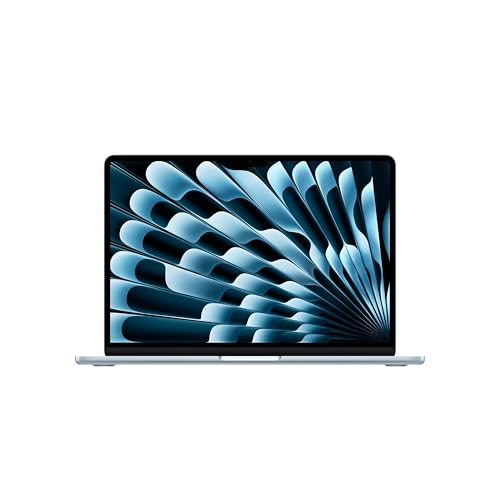
The 2026 MacBook Air 13-inch with the M5 chip is the definitive student laptop, and it isn't close. Apple has taken everything that made the M3 Air so beloved — the slim, fanless chassis, the gorgeous Liquid Retina display, the legendary battery life — and pushed the performance ceiling significantly higher with a faster CPU, a next-generation GPU featuring Neural Accelerators, and first-generation Wi-Fi 7 connectivity. The M5 chip is Apple's most capable Air processor to date, and you feel the difference the moment you start working across multiple heavy apps simultaneously.
In practice, this machine handles simultaneous Zoom calls, browser-heavy research sessions with dozens of tabs, Xcode compilation, and video exports in Final Cut Pro without a single thermal throttle — because there's no fan to throttle in the first place. The 16GB of unified memory comes standard, which is a welcome change from earlier generations that shipped 8GB by default, and the 512GB SSD gives you enough room for your projects, media library, and course materials without immediately running out of space. The Sky Blue colorway is genuinely striking on a desk.
Apple Intelligence integration is a legitimate selling point for students in 2026 — not marketing fluff. Writing assistance, smart summarization, and on-device AI processing work directly inside Pages, Mail, and Safari without sending your data to a server. The 12MP Center Stage camera makes a real difference during remote office hours and group project calls, automatically keeping you centered as you move. You get up to 18 hours of battery on a single charge, which means you leave the charger at home without anxiety. This is the MacBook to buy if budget allows.
Pros:
- M5 chip delivers the fastest performance in any MacBook Air to date
- Wi-Fi 7 for dramatically faster campus network speeds
- 16GB unified memory and 512GB SSD included at base price
- Apple Intelligence on-device AI features with full privacy protections
- Up to 18 hours battery life — genuinely all-day without a charger
- 12MP Center Stage camera is excellent for video calls
Cons:
- Premium price puts it above the budget of many undergrads
- Only two Thunderbolt 4 ports — you'll need a hub for peripherals
2. Apple 2026 MacBook Air 15-inch M5 — Best Large Screen for Students
If you spend long hours reading dense PDFs, working with spreadsheets, or coding in split-screen mode, the 15-inch M5 Air gives you the same powerhouse internals as the 13-inch in a display that makes everything more comfortable to work with for extended sessions. The 15.3-inch Liquid Retina panel is bright, color-accurate, and wide enough to run two full-width windows side by side without feeling cramped. Students who work from a single laptop without an external monitor will find the 15-inch form factor genuinely transformative for their productivity.
Under the hood, this machine runs the identical M5 chip found in the 13-inch, with the same 16GB unified memory and 512GB SSD configuration at the base level. The larger chassis accommodates a slightly bigger battery, which means real-world battery life is comparable to — and in some tests marginally better than — the 13-inch despite driving a larger panel. Wi-Fi 7 is included, and the Silver finish is a clean, professional look that works equally well in a lecture hall and a job interview setting.
The trade-off is weight and portability: the 15-inch weighs around 3.3 pounds compared to the 13-inch's 2.7 pounds, and it takes up more backpack real estate. For students who move between multiple buildings across a large campus, that difference adds up over a full day. But if your commute is minimal and your screen time is high, the extra display area pays dividends every single study session. This is the screen size upgrade that actually matters for anyone who does code reviews, essay editing, or data analysis as a core part of their coursework.
Pros:
- 15.3-inch Liquid Retina display is ideal for split-screen multitasking
- Same M5 chip performance as the 13-inch — no compromises on power
- 16GB unified memory and 512GB SSD at base configuration
- Wi-Fi 7 included for fast campus and home network speeds
- Up to 18 hours battery life despite the larger display
Cons:
- Heavier than the 13-inch — noticeable across a long campus day
- Larger footprint may not fit comfortably on smaller lecture-hall desks
- Costs more than the 13-inch M5 for the same internal specs
3. Apple 2025 MacBook Air 13-inch M4 — Best Value New MacBook
With the M5 generation now available, the 2025 MacBook Air with M4 occupies a sweet spot that value-conscious students should seriously consider. The M4 chip is a meaningful generational leap over M3 — Apple confirmed faster single-core and multi-core CPU performance, a stronger GPU, and a more capable Neural Engine built specifically for Apple Intelligence workloads. For the overwhelming majority of student tasks, the M4 Air is indistinguishable from the M5 in day-to-day use, making the price difference the key deciding factor.
The 2025 13-inch Air ships with 16GB of unified memory standard — the same as the new M5 models — which means you're not sacrificing memory headroom by choosing last year's chip. The 512GB SSD configuration gives you ample storage for course files, creative projects, and a healthy media library, and the machine runs completely silently because there are no cooling fans. The 13.6-inch Liquid Retina display is identical to what you get in the M5 model: vivid, sharp, and rated for the P3 wide color gamut that makes photos and video look exceptional.
Apple Intelligence runs fully on the M4's Neural Engine, so you get writing tools, image generation, priority notifications, and on-device AI summarization exactly as you would on the M5. Battery life is rated at up to 18 hours, which tracks with real-world experience during mixed-use days. If you're a student who does creative work on the side — photography, music production, short film projects — you might also want to check out our roundup of the best tablets for video editing to see how Apple's ecosystem connects across devices. The M4 Air in Sky Blue is a genuinely outstanding machine at a price point that's easier to justify.
Pros:
- M4 chip delivers strong performance for all student workloads
- 16GB unified memory standard — no need to upgrade at purchase
- 512GB SSD provides generous storage at the base price
- Full Apple Intelligence support with the Neural Engine
- Lower price than M5 models with minimal real-world performance gap
Cons:
- No Wi-Fi 7 — ships with Wi-Fi 6E, which is still fast but not bleeding-edge
- M5 buyers will have a longer future-proofing runway
4. Apple 2025 MacBook Air 15-inch M4 — Best Budget Big-Screen MacBook
The 15-inch M4 MacBook Air in Midnight is the machine for students who want the larger display experience without paying M5 flagship prices. It carries the same M4 chip as the 13-inch version reviewed above, paired with the expansive 15.3-inch Liquid Retina panel that makes split-screen research and document editing dramatically more productive. For students in writing-heavy programs — law, journalism, history, literature — the extra screen real estate transforms how comfortably you can work through long reading and writing sessions.
The base configuration ships with 16GB of unified memory, which is exactly what you want for running multiple apps simultaneously, but note that the base 256GB SSD is more restrictive than the 512GB found in other models on this list. If you plan to store large video files, music libraries, or extensive photo archives locally, you'll want to configure up to 512GB at checkout — or commit to using iCloud Drive as your primary storage overflow. The 256GB base is workable if you're disciplined about cloud storage habits, which most students already are.
The Midnight finish looks premium and serious, which is a practical consideration for internships and professional presentations you'll be making before graduation. Battery life reaches up to 18 hours, and the larger chassis doesn't hurt the silent, fanless operation that makes these machines so pleasant in quiet library environments. For those exploring the full range of computing options for academic work, our guide to the best Dell laptops under $500 provides useful context on what the Windows competition offers at this price point.
Pros:
- 15.3-inch display at a lower price than the 15-inch M5
- M4 chip handles all student workloads with strong performance
- 16GB unified memory comes standard
- Up to 18 hours battery life — all-day on a single charge
- Midnight colorway looks professional and polished
Cons:
- Base 256GB SSD fills up faster than you'd expect — plan for cloud storage
- Heavier and larger than the 13-inch — less ideal for heavy commutes
5. Apple 2024 MacBook Air 13-inch M3 16GB 512GB (Renewed) — Best Renewed Premium Pick
If you want a MacBook with premium specs at a genuinely significant discount, this certified-renewed M3 Air with 16GB RAM and 512GB SSD delivers outstanding value for students who are comfortable buying refurbished hardware from reputable sellers. The M3 chip — an 8-core CPU paired with a 10-core GPU — remains a formidable performer in 2026, handling coding workflows, graphic design, and video editing with ease. The 16GB and 512GB configuration is the sweet spot that most students should be targeting regardless of chip generation, and getting it via a renewed unit significantly reduces the cost.
Apple-certified renewed units go through a rigorous inspection and refurbishment process, arriving with a new battery and outer shell if needed, and they come backed by a warranty from the seller. In the Midnight colorway, the M3 Air is visually indistinguishable from a new unit sitting in a lecture hall. The 13.6-inch Liquid Retina display, MagSafe charging, two Thunderbolt ports, and Touch ID are all present and fully functional. The fanless design means quiet library operation, and real-world battery life consistently hits 12 to 15 hours for mixed academic use.
Apple Intelligence support came to the M3 via software update, so you're not locked out of Apple's AI writing and productivity tools by choosing this generation. Where you'll notice the chip difference is in compute-intensive workloads like 3D rendering or ML model training — tasks that most undergraduate students don't perform regularly. For everyday student computing, the performance delta between M3 and M5 is negligible. This is the renewed option we'd confidently recommend to a sibling or close friend heading off to college.
Pros:
- Premium 16GB + 512GB configuration at a renewed price
- M3 chip handles all student workloads without compromise
- Apple Intelligence supported via software on M3
- Significant savings compared to buying new M4 or M5 models
- Fanless, silent design with all-day battery life
Cons:
- Renewed condition — warranty and return terms vary by seller
- M3 has a shorter future-proofing runway than M4 or M5
- No Wi-Fi 7 — ships with Wi-Fi 6E
6. Apple 2024 MacBook Air 13-inch M3 8GB 256GB (Renewed) — Best Budget Renewed MacBook
The 8GB M3 Air renewed option is for budget-conscious students who need a reliable, capable MacBook without stretching their finances. The M3's 8-core CPU and 10-core GPU still perform impressively for writing-heavy coursework, web-based research, light coding, and everyday productivity tasks — the performance deficit compared to the 16GB model only becomes apparent when you push into video editing, large codebases, or heavy multitasking with many open applications simultaneously.
The 256GB SSD is the more pressing constraint for students who accumulate large project files, software libraries, or media collections. You'll want to lean heavily on iCloud Drive from day one, and be selective about what you store locally. That said, many students operate comfortably on 256GB with disciplined file management, and the trade-off becomes easier to accept when the price savings over the 16GB model are meaningful. The Starlight finish is subtle and professional-looking, and the full Liquid Retina display quality is identical to every other M3 Air.
The renewed condition on this unit covers a thorough inspection and functionality verification — the screen, battery, ports, keyboard, and trackpad all perform to Apple's original specification. The 16-core Neural Engine supports Apple Intelligence at the software level, giving you access to AI writing tools and smart features that are genuinely useful for drafting essays, summarizing lecture recordings, and managing your schedule. For students also considering how a tablet might supplement their laptop for sketching or note-taking, our best laptops for grad school guide discusses how the MacBook fits into a broader academic computing setup.
Pros:
- Most affordable M3 MacBook Air option on this list
- M3 chip with 8-core CPU and 10-core GPU handles all basic student tasks
- Apple Intelligence support on M3 via software update
- Full Liquid Retina display quality — no compromises on the screen
- Wi-Fi 6E, Bluetooth 5.3, two Thunderbolt/USB4 ports
Cons:
- 8GB RAM limits heavy multitasking and future software headroom
- 256GB SSD fills up quickly — cloud storage is nearly mandatory
- Renewed condition — inspect seller warranty and return policy carefully
7. Apple 2022 MacBook Air 13-inch M2 8GB 256GB (Renewed) — Best Entry-Level MacBook
The M2 MacBook Air remains a legitimate student laptop in 2026, and the renewed pricing makes it one of the most accessible ways to enter the Apple Silicon ecosystem. Apple's M2 chip — an 8-core CPU paired with up to a 10-core GPU — was already a landmark performer when it launched in 2022, and it handles the core demands of student computing — word processing, email, web research, video calls, and light creative work — without any frustration. For students on the tightest budgets, this is the MacBook that gets the job done without breaking the bank.
The redesigned 2022 chassis introduced a sharper-cornered, flat-sided form factor that looks more modern than the older MacBook Air designs, and at just 2.7 pounds it's one of the most portable full-featured laptops you can carry. The 13.6-inch Liquid Retina display is bright and color-accurate, with 500 nits of brightness and P3 wide color — the same display quality you get in newer M3 and M4 models. The Midnight finish is one of the most visually appealing MacBook colorways Apple has produced, though it does show fingerprints more readily than lighter finishes.
The 8GB RAM and 256GB SSD limitations apply here just as they do to the M3 8GB model reviewed above — you're making the same trade-offs at a lower price point. The key difference from the M3 is that the M2 predates Apple Intelligence, meaning you won't have access to the full suite of on-device AI features that newer chips support natively. For straightforward academic computing — writing papers, conducting research, attending remote lectures, and collaborating on group projects — the M2 Air is completely capable and substantially cheaper than every other option on this list. Buy it renewed from a seller with a solid return window and you'll have a laptop that carries you confidently through your degree.
Pros:
- Lowest price entry point to Apple Silicon in 2026
- Redesigned 2022 chassis — lightweight at 2.7 pounds with modern aesthetics
- Liquid Retina display with P3 wide color — identical quality to newer models
- Fanless, silent design with MagSafe charging
- Strong performance for all core student productivity tasks
Cons:
- M2 does not support Apple Intelligence — you miss AI writing features
- 8GB RAM and 256GB SSD are the most constrained specs on this list
- Oldest chip generation — shortest software support runway going forward
- Midnight finish shows fingerprints visibly
How to Pick the Best MacBook for Students
New vs. Renewed: Understanding the Real Difference
The certified-renewed MacBooks on this list go through a rigorous inspection process before resale — Apple-certified programs replace batteries and outer shells when needed, and units must pass full functional testing before listing. The meaningful difference between new and renewed is the warranty structure and the psychological comfort of opening a sealed box. If you buy renewed from a reputable seller with a clear return policy, you're getting equivalent performance to a new machine at a reduced price. Renewed is the right call for budget-focused students who prioritize specs over new-unit status — but always verify the seller's return window and warranty terms before purchasing.
RAM and Storage: The Two Specs That Matter Most
In 2026, 16GB of unified memory is the right baseline for any student MacBook purchase. The 8GB configurations reviewed here can work for light users, but macOS and modern browser engines are increasingly memory-hungry, and 8GB shows its limitations within two to three years of use. Storage is a separate decision: the 256GB base SSD is workable if you use iCloud Drive actively, but 512GB gives you breathing room that most students appreciate by their second or third year. Buy as much RAM and storage as your budget permits upfront — Apple Silicon Macs are not user-upgradeable after purchase, so there are no second chances.
Screen Size: 13-inch vs. 15-inch for Campus Life
The 13-inch MacBook Air is the default recommendation for most students because it weighs 2.7 pounds, fits in virtually every bag, and sits comfortably on the smallest classroom desks. The 15-inch Air — at 3.3 pounds with a significantly larger footprint — makes sense if you primarily work from a desk or home environment and value screen real estate over portability. Ask yourself honestly how often you'll carry the laptop across campus versus how often you'll be stationary at a desk. For students who walk between classes, labs, and libraries multiple times per day, the 13-inch form factor is meaningfully more comfortable over the course of a full semester.
Which Chip Generation Should You Choose?
For new-machine buyers, the M5 Air offers the best performance and the longest software support runway — Wi-Fi 7 and the Neural Accelerator improvements are genuine advantages you'll use throughout a four-year degree. The M4 Air is an excellent alternative if M5 pricing is out of reach; the performance gap in student workloads is minimal, and you still get full Apple Intelligence support. For renewed buyers, the M3 with 16GB RAM is the target configuration — it's the most capable renewed option and Apple Intelligence runs on M3 at the software level. The M2 is a budget entry point, but its exclusion from Apple Intelligence is a real omission for students entering a landscape where AI productivity tools are increasingly central to academic workflows.
Questions Answered
Is the MacBook Air good enough for college students in 2026?
The MacBook Air is excellent for college students in 2026. Every model on this list handles the full range of student workloads — word processing, research, coding, video calls, creative projects — with strong performance and all-day battery life. The fanless design makes it quiet for library use, and the build quality is exceptional for a laptop that needs to survive four years of daily campus use.
How much RAM do I need in a MacBook for school?
You need 16GB of unified memory in your MacBook for school if your budget allows. The 8GB configurations can work for light users focused on writing and web research, but 16GB provides significantly better multitasking headroom and extends the machine's useful life. Because Apple Silicon Macs cannot be upgraded after purchase, investing in 16GB at the point of sale is the right long-term decision.
Should I buy a new MacBook or a renewed one for college?
Both are valid options, but the right choice depends on your budget and comfort level. A renewed M3 16GB Air from a reputable seller delivers essentially identical day-to-day performance to a new M4 Air at a lower price. Buy renewed if the savings are meaningful to you and you verify the seller's warranty and return policy carefully. Buy new if you want the peace of mind of a sealed box, the latest chip, and Apple's full warranty coverage.
Does the MacBook Air M2 support Apple Intelligence?
No, the MacBook Air M2 does not support Apple Intelligence. Apple Intelligence requires an M-series chip with a sufficiently powerful Neural Engine — specifically the M4 and newer chips for full support, with M3 gaining access via software update. The M2 is excluded from Apple Intelligence entirely, which is a meaningful omission if you plan to use AI writing assistance, on-device image generation, or smart summarization tools throughout your degree.
Is the 13-inch or 15-inch MacBook Air better for students?
The 13-inch MacBook Air is better for most students because of its lighter weight and smaller footprint, which make it more comfortable to carry across campus all day. The 15-inch Air is the better choice for students who work primarily at a desk and prioritize screen real estate for split-screen multitasking, large spreadsheets, or extended reading sessions. Think honestly about your commuting habits and work style before choosing between the two sizes.
What is the best MacBook for grad school students in 2026?
The best MacBook for grad school students in 2026 is the MacBook Air 13-inch with M5, configured with 16GB of unified memory and 512GB of SSD storage. Grad school involves heavier computational demands — larger datasets, more complex software, more simultaneous research tools — and the M5 chip with 16GB RAM handles those workflows with headroom to spare. The 15-inch M5 Air is worth considering if your research involves data visualization or you work from a single screen without an external monitor.
Buy on Walmart
- Apple 2026 MacBook Air 13-inch Laptop with M5 chip: Built fo — Walmart Link
- Apple 2026 MacBook Air 15-inch Laptop with M5 chip: Built fo — Walmart Link
- Apple 2025 MacBook Air 13-inch Laptop with M4 chip: Built fo — Walmart Link
- Apple 2025 MacBook Air 15-inch Laptop with M4 chip: Built fo — Walmart Link
- Apple 2024 MacBook Air with Apple M3 Chip, 13-inch, 16GB RAM — Walmart Link
- Apple 2024 13.6-inch MacBook Air with Apple M3 chip, 8GB RAM — Walmart Link
- Apple 2022 MacBook Air with Apple M2 Chip, 13-inch, 8GB RAM, — Walmart Link
Buy on eBay
- Apple 2026 MacBook Air 13-inch Laptop with M5 chip: Built fo — eBay Link
- Apple 2026 MacBook Air 15-inch Laptop with M5 chip: Built fo — eBay Link
- Apple 2025 MacBook Air 13-inch Laptop with M4 chip: Built fo — eBay Link
- Apple 2025 MacBook Air 15-inch Laptop with M4 chip: Built fo — eBay Link
- Apple 2024 MacBook Air with Apple M3 Chip, 13-inch, 16GB RAM — eBay Link
- Apple 2024 13.6-inch MacBook Air with Apple M3 chip, 8GB RAM — eBay Link
- Apple 2022 MacBook Air with Apple M2 Chip, 13-inch, 8GB RAM, — eBay Link
Buy the most RAM your budget allows on day one — because the MacBook you configure at purchase is the MacBook you'll have on graduation day.
 |
 |
 |
 |

About Priya Anand
Priya Anand covers laptops, tablets, and mobile computing for Ceedo. She holds a bachelor degree in computer science from the University of Texas at Austin and has spent the last nine years writing reviews and buying guides for consumer electronics publications. Before joining Ceedo, Priya worked as a product analyst at a major retailer where she helped curate the laptop and tablet category. She has personally benchmarked more than 200 portable computers and is particularly interested in battery longevity, repairability, and the trade-offs between Windows, macOS, ChromeOS, and Android tablets. Outside of work, she runs a small Etsy shop selling laptop sleeves she sews herself.