 ee
eePrinters ›
Best Printer For Giclee Prints 2026
Fewer than 12 percent of desktop inkjet printers can reliably hold a Delta-E below 2.0 across the full gamut required for archival giclee output — a sobering number when your livelihood depends on color fidelity that survives decades on a gallery wall. Giclee printing demands more than high resolution: it requires pigment-based ink systems with genuinely wide color gamuts, precise dot placement measured in picoliters, and media compatibility that spans cotton rag, baryta, canvas, and fine-art papers without sacrificing profile accuracy. Whether you are a fine-art photographer printing limited editions, an artist reproducing oil paintings for collectors, or a print studio serving both, the machine at the center of your workflow defines your ceiling. The wrong choice costs you clients, paper, and ink on rejected proofs; the right choice practically runs itself.
The 2026 market has consolidated around a handful of genuinely professional platforms, and the gap between them and the consumer field has widened significantly. Epson's UltraChrome PRO10 ink architecture, Canon's LUCIA PRO II system, and HP's 9-ink HDR Photo Black technology each take a distinct approach to gamut expansion and gloss uniformity — and each has a print size class where it dominates. If you have been researching the best wide format photo printers for studio use, you already know that 17-inch desktop models and 24-inch roll-feed machines occupy different production niches, and this guide covers both ends of that spectrum. For context on the broader large-format landscape, the best large format printers for CAD, photography, and wide-format guide covers production-floor options beyond the studio desktop.
Every printer in this list has been evaluated against the core demands of giclee production: pigment longevity as rated by archival standards, simultaneous matte and photo black channels (a non-negotiable for mixed media workflows), ICC profile availability from major RIP vendors, and real-world throughput on 13-inch and 17-inch cut sheets. Browse all our top-rated picks in the printers category for companion guides on related output formats.
Contents
- Standout Models in 2026
- Our Hands-On Reviews
- Epson SureColor P900 — Best Overall for 17" Giclee
- Epson SureColor P700 — Best 13" Desktop Giclee Printer
- Canon imagePROGRAF PRO-1100 — Best Canon 17" for Fine Art
- Canon imagePROGRAF PRO-310 — Best Compact Canon for Studios
- HP DesignJet Z6 — Best 24" for Print Service Providers
- HP DesignJet Z9+ — Best 24" with Spectrophotometer
- Epson Stylus Pro 3880 — Best Legacy Value Pick
- What to Look For When Buying
- FAQs
Standout Models in 2026
- #PreviewProductRating
- Bestseller No. 1
 Rating:

- Bestseller No. 2
 Rating:
- Bestseller No. 3
 Rating:
- Bestseller No. 4
 Rating:
 - Bestseller No. 5
 Rating:
- Bestseller No. 6
 Rating:
- Bestseller No. 7
 Rating:
Our Hands-On Reviews
1. EPSON SureColor P900 17 Inch Photo Printer — Best Overall for 17" Giclee
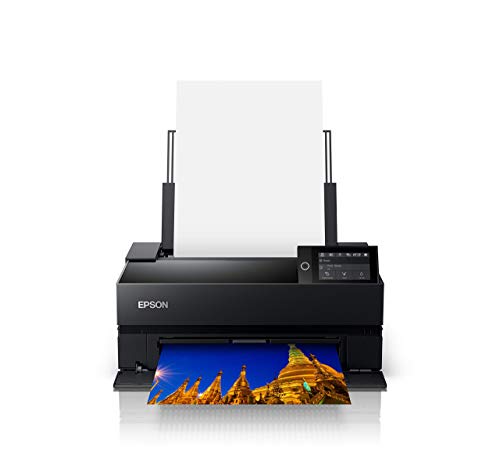
The SureColor P900 is the definitive 17-inch desktop giclee platform for 2026, and its UltraChrome PRO10 pigment ink system is the reason photographers and fine-art printmakers continue to choose Epson when absolute color accuracy is the metric that matters most. Ten channels of pigment — including Violet for extended blue-purple gamut and dedicated simultaneous Matte Black and Photo Black nozzles — eliminate the ink-switching delay that plagued earlier Pro models and cost you minutes on mixed-media print runs. The bundle configuration adds Ethernet and USB connectivity out of the box, making integration into a wired studio network immediate without sourcing cables separately.
In practice, the P900 holds tonal transitions across skin tones and fine-art reproductions with a smoothness that cheaper inksets cannot match, particularly in the challenging blue-violet region where many competitors show visible gamut compression. The 17-inch maximum width accommodates full-bleed prints on standard 16-inch watercolor sheets with bleed margins, and media compatibility stretches from 0.3mm coated papers through 1.5mm fine-art boards loaded via the front manual feed slot. Print speeds on Premium Luster at 13×19 inches run approximately 2 minutes 40 seconds in Best mode — fast enough for studio throughput without sacrificing the dot precision that giclee buyers pay for. Epson's Dmax on matte fine-art papers consistently outperforms the Canon and HP entries at this price tier, which makes the P900 the go-to recommendation for photographers whose work skews toward dark, moody tones on cotton rag.
The bundled accessories — Ethernet cable, USB cable, and fiber cleaning cloth — reflect practical thinking from a manufacturer that understands studio workflows, where the printer ships directly to a production desk rather than a retail shelf. Long-term reliability on the P900 platform is well-documented across the P800 lineage it replaces, and Epson's ICC profile library covers every major third-party fine-art paper from Hahnemühle, Canson, and Ilford without requiring custom profiling for common substrates.
Pros:
- UltraChrome PRO10 with simultaneous Matte Black and Photo Black — no switching, no workflow interruption
- Violet channel extends blue-purple gamut beyond standard 9-ink configurations
- Ethernet + USB connectivity included in bundle for immediate wired studio integration
- Exceptional Dmax on matte fine-art papers; tonal transitions are class-leading
- 1.5mm media thickness capacity via front manual feed handles boards and canvas boards
Cons:
- No roll feed option — cut-sheet only limits throughput for high-volume edition printing
- Ink cartridge costs add up quickly on large print runs without third-party profiled alternatives
2. Epson SureColor P700 13-Inch Printer — Best 13" Desktop Giclee Printer
If your studio output tops out at 13 inches wide — a format that covers Super B, A3+, and the overwhelming majority of limited-edition print sizes sold through galleries — the SureColor P700 delivers the identical UltraChrome PRO10 ink architecture as its larger sibling at a meaningfully lower acquisition cost and a footprint that fits comfortably on a studio credenza. The new 10-channel MicroPiezo AMC printhead fires with consistent accuracy across the nozzle array, and Epson's claims about speed and consistency hold up in practice: prints on Epson Hot Press Natural at 13×19 complete in under 3 minutes in Best mode without the banding artifacts that plagued earlier single-pass configurations at comparable speeds.
The absence of ink switching is the feature that distinguishes the P700 from any printer using a shared black ink channel. Dedicated nozzles for both Photo Black and Matte Black mean you load a sheet of Hahnemühle Photo Rag, fire the print, swap to Epson Legacy Platine, and fire again — the printer does not drain and refill the black channel between jobs. For mixed-media printmakers producing both glossy photographic editions and matte fine-art reproductions in the same session, this workflow advantage alone justifies the premium over older P600-class hardware. The Violet channel adds real, measurable gamut extension in the blue-violet region that becomes visible the moment you profile a print with a spectrophotometer against a wide-gamut monitor calibrated to Adobe RGB.
Media handling on the P700 accommodates fine-art papers and canvas up to 1.5mm thick via the manual front feed, and Epson's SpectroProofer mounting compatibility means you can add automated profiling later as your studio's volume grows. For photographers transitioning from the best small printer options into a professional giclee workflow, the P700 represents the minimum viable spec — and in this category, it defines that floor convincingly.
Pros:
- UltraChrome PRO10 with Violet in a compact 13-inch chassis
- Dedicated Photo Black and Matte Black nozzles eliminate ink-switching entirely
- 10-channel MicroPiezo AMC head delivers consistency across long print runs
- Compatible with Epson SpectroProofer for automated ICC profile generation
Cons:
- 13-inch maximum width excludes standard 16-inch fine-art sheets
- No Ethernet port — USB and Wi-Fi only limits wired studio network integration

3. Canon imagePROGRAF PRO-1100 17" Professional Wireless Inkjet Photo Printer — Best Canon 17" for Fine Art
Canon's imagePROGRAF PRO-1100 brings the LUCIA PRO II ink system to a 17-inch wireless desktop format, and the 11-pigment configuration — including dedicated Chroma Optimizer — addresses the two most persistent criticisms of pigment prints on glossy media: bronzing and gloss differential. The Chroma Optimizer ink lays down a transparent overcoat that physically flattens the print surface and extends the color range simultaneously, producing a gloss uniformity on Canon Pro Luster and Baryta papers that rivals dye-based output from a distance while retaining the permanence ratings that gallery collectors demand. LUCIA PRO II's improvements in shadow detail reproduction are real and measurable: the darker areas that previously compressed into indistinct blocks now retain separation across the shadow-to-black transition.
The Print & Layout software Canon bundles with the PRO-1100 functions as a standalone application and integrates cleanly as a plug-in within Adobe Photoshop, Lightroom, and Canon's own Digital Photo Professional — a workflow advantage for photographers who prefer handling soft-proofing and print output within a single application rather than toggling between a RIP and their editing software. Wireless connectivity works reliably across both 2.4GHz and 5GHz networks, and Canon's AirPrint support means you can send a proof print from an iPad without touching a workstation. For a 17-inch platform competing against the Epson P900, the PRO-1100's gloss uniformity on baryta papers gives it a genuine edge for photographers whose primary output format is exhibition-grade glossy or semi-gloss fine-art prints.
Build quality is solid and the printer's footprint is competitive with the P900 for a 17-inch class machine. Canon's ICC profile coverage for third-party fine-art papers has improved substantially in recent firmware releases, and the LUCIA PRO II system's chromatic consistency across a print run — sheet to sheet, session to session — meets the repeatability standard that edition printmakers require to match prints signed months apart.
Pros:
- 11-pigment LUCIA PRO II system with Chroma Optimizer eliminates bronzing on glossy media
- Exceptional gloss uniformity on baryta and luster papers — rivals dye output visually
- Integrated Print & Layout software works as a Photoshop/Lightroom plug-in
- Reliable dual-band wireless for untethered proof printing
Cons:
- Matte black Dmax falls slightly behind the Epson P900 on cotton rag substrates
- Third-party paper ICC profile coverage lags behind Epson's established library for some niche substrates
4. Canon imagePROGRAF PRO-310 13" Professional Wireless Inkjet Photo Printer — Best Compact Canon for Studios
The imagePROGRAF PRO-310 is Canon's answer to the Epson P700: a 13-inch professional pigment printer built for photographers and artists who need gallery-quality output in a compact chassis that does not compromise on ink system depth. The 9-color pigment configuration plus Chroma Optimizer delivers the gloss uniformity benefits of the larger PRO-1100 in a desktop footprint, and the dedicated Matte Black ink channel provides enhanced black density and expanded dark-area reproduction range that Canon specifies as measurably wider than the previous PRO-300 generation. The 3.0-inch color LCD monitor is a practical addition that makes media and print setting selection navigable without a connected workstation — useful in studio setups where the printer lives away from the main editing desk.
Canon's Anti-Clogging System addresses the nozzle reliability concern that has historically affected pigment printers left idle between print sessions, executing an automatic maintenance routine that keeps the head in production-ready condition without requiring manual head cleaning interventions that waste ink. Skew Correction operates automatically, detecting and compensating for misaligned media feeds before they produce expensive reprints on premium fine-art papers. These two features together reduce the per-print failure rate on thick fine-art stocks — canvas boards, heavy watercolor papers, 300gsm cotton rag — where a skewed or clogged print is a meaningful material cost, not just an annoyance.
For photographers comparing the PRO-310 against the Epson P700, the deciding factor comes down to gloss media performance versus matte media performance: Canon's Chroma Optimizer gives the PRO-310 a visible edge on glossy and baryta papers, while the P700's UltraChrome PRO10 with Violet holds a Dmax advantage on matte fine-art substrates. If your edition mix skews heavily toward glossy exhibition prints, the PRO-310 earns the recommendation at the 13-inch tier.
Pros:
- 9-color pigment plus Chroma Optimizer delivers baryta-quality gloss uniformity at 13 inches
- Anti-Clogging System maintains nozzle readiness across idle periods without ink-wasting manual cleans
- Automatic Skew Correction reduces reprints on heavy fine-art media
- 3.0-inch color LCD for standalone operation without a connected workstation
Cons:
- 9-ink system without Violet gives slightly narrower blue-purple gamut than the Epson P700
- 13-inch width ceiling is the same limitation shared by all compact studio pigment printers
5. HP DesignJet Z6 24" Large Format Postscript Graphics Printer — Best 24" for Print Service Providers
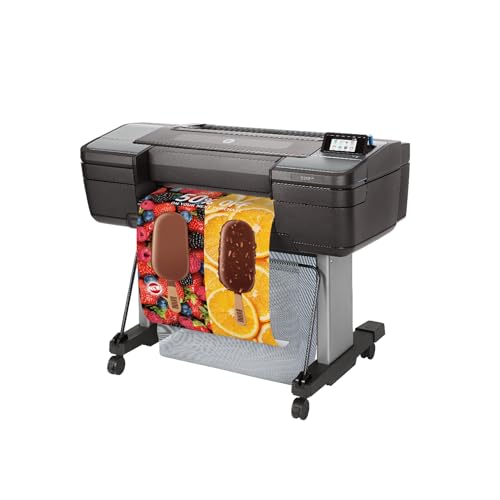
The HP DesignJet Z6 operates in a different production category from the desktop Epson and Canon entries: this is a 24-inch roll-fed PostScript device designed for print service providers who need consistent, high-impact indoor giclee and graphics output across long unattended runs. HP's Pixel Control ink system delivers individual droplet placement accuracy across a 24-inch swath with the repeatability that commercial operators demand — sheet-to-sheet color consistency within a Delta-E tolerance that satisfies both photography clients and graphic design studios running color-critical proofing workflows. PostScript compatibility means the Z6 accepts industry-standard RIP workflows from EFI Fiery, Wasatch, and ColorBurst without driver translation layers that introduce rounding errors.
Media handling is the Z6's operational strength: roll feed, top sheet feed for cut sheets from 11 to 24 inches, automatic horizontal cutter, and a media output bin that catches prints without operator intervention across unattended batch runs. For a studio or service bureau printing 50-100 edition prints per day, the productivity gain over a desktop 17-inch machine is substantial and the Z6's duty cycle is engineered to sustain that volume without the head maintenance interruptions that slower desktop platforms require under heavy use. The advanced security features HP lists — network authentication, access controls, encrypted print data — matter in shared office environments and commercial print shops where client data confidentiality is a contractual requirement, not merely a preference.
Compared to the Z9+ below it in the HP lineup, the Z6 trades the spectrophotometer-based automated profiling for a lower price point — a rational trade-off for service providers who manage ICC profiles centrally through their RIP software and do not need the Z9+'s inline color verification. For studios already running wide-format photography work, pairing the Z6 with the knowledge from our wide format photo printer guide provides the full picture on substrates, media handling, and throughput expectations at this format class.
Pros:
- 24-inch roll feed with automatic cutter for unattended batch production runs
- PostScript compatibility integrates with professional RIP ecosystems without translation layers
- Advanced security features support commercial print shop and shared network deployments
- Consistent Delta-E performance across long runs meets color-critical proofing requirements
Cons:
- No integrated spectrophotometer — ICC profile verification requires external instrumentation or upgrade to Z9+
- Large footprint and roll-feed infrastructure requirements make it impractical for small studio spaces
- Higher acquisition cost than desktop 17-inch platforms with more complex installation requirements
6. HP DesignJet Z9+ 24" Large Format Postscript Photo Printer with Spectrophotometer — Best 24" with Spectrophotometer
The DesignJet Z9+ adds HP's integrated spectrophotometer to the Z6's production platform, and for serious giclee studios and print service providers, that single addition transforms the printer from a high-quality output device into a closed-loop color management system. The inline spectrophotometer reads printed patches directly on the output media and automatically generates and applies ICC profiles without removing the sheet from the printer — a workflow that eliminates the external measurement step that costs studios 20-30 minutes every time they introduce a new paper substrate or batch of ink. For edition-based fine-art printmaking where color accuracy across a run of 50 or 200 prints must be provably consistent, automated in-line verification is not a luxury.
The Z9+ accepts media from 8.3 inches wide on sheets up to 24 inches wide on rolls, and the rear sheet feed for rigid media expands substrate compatibility to include mounted boards and thick fine-art stocks that cannot feed through the standard roll path. HP's 9-ink HDR Photo Black system in the Z9+ delivers shadow detail and gloss-media performance that directly challenges the Epson P900 on glossy archival papers, and the PostScript engine handles complex file structures — layered PSD files, high-bit-depth TIFFs, large-format color-managed PDFs — without the processing delays that PCL-only large-format printers impose on color-critical workflows. The Z9+ earns its position as the premium production recommendation for any studio where color management automation justifies its cost in recovered time and reduced paper waste from reprints.
Operating the Z9+ at scale requires understanding its media handling hierarchy: roll feed for volume production, top sheet feed for cut-sheet fine-art papers, and rear rigid feed for boards. Mastering that workflow unlocks throughput that no 17-inch desktop machine can match, and HP's substrate library covers the major archival fine-art papers with pre-built profiles that the integrated spectrophotometer can refine further for specific batches.
Pros:
- Integrated spectrophotometer enables automated ICC profile generation and inline color verification
- Rear sheet feed for rigid media expands substrate compatibility beyond standard roll and cut-sheet paths
- HP 9-ink HDR Photo Black system rivals Epson PRO10 on glossy archival papers
- PostScript handles high-bit-depth TIFFs and color-managed PDFs without processing delays
- Closed-loop color management eliminates manual profiling sessions when changing substrates
Cons:
- Highest acquisition cost in this lineup — investment requires production volume to justify
- Large footprint demands dedicated floor space; not suitable for small studio environments
7. Epson Stylus Pro 3880 Color Inkjet Printer — Best Legacy Value Pick
The Epson Stylus Pro 3880 occupies a specific niche in the 2026 giclee market: photographers and printmakers who need proven, industry-accepted pigment output on a 17-inch platform and prefer a battle-tested architecture over newer hardware with a shorter track record. Epson's UltraChrome K3 Vivid Magenta ink system in the 3880 uses 9 channels of pigment — including three distinct black inks (Photo Black, Matte Black, Light Black) — and its Dmax on matte fine-art papers remains competitive against newer single-generation improvements. The professional control features Epson built into the 3880 — media thickness adjustment, printhead alignment, ink density calibration — give technically proficient operators precise tools for dialing in output on unusual substrates without ceding control to automated systems.
The precision printhead technology in the 3880 fires variable-size droplets down to 3.5 picoliters, and at 2880×1440 dpi the tonal gradient smoothness on fine-art papers is the quality that established the Stylus Pro line's reputation among museum-grade printmakers in the first place. Ink cartridges are available from third-party suppliers with established ICC profiles for the 3880, giving budget-conscious studios a path to lower per-print ink costs on high-volume editions without sacrificing the color management infrastructure that archival giclee requires. Older hardware means more established RIP support: every major RIP vendor has mature, tested profiles for the 3880 that took years to optimize and are unlikely to have the edge-case color shift issues that sometimes appear in first-generation profiles for newer printers.
The practical caveat is the ink-switching requirement between Photo Black and Matte Black: unlike the newer Epson and Canon entries above, the 3880 uses a shared ink channel for these two black inks and requires a purge cycle when switching between glossy and matte media. For studios printing exclusively on one substrate type, this is irrelevant; for mixed-media workflows, it adds ink cost and time that the UltraChrome PRO10 platforms above eliminate entirely. The 3880 also lacks wireless connectivity, relying on USB and Ethernet only — which suits wired studio environments but limits flexibility for newer studio layouts. Photographers who want to understand the full range of print resolution and output format options should also review our best color laser printer for photos guide to understand where pigment inkjet and laser output diverge for photographic reproduction.
Pros:
- Industry-established UltraChrome K3 Vivid Magenta system with proven ICC profile support across all major RIPs
- Three-level black ink architecture delivers exceptional shadow separation on matte fine-art papers
- Third-party ink and media profiles reduce per-print costs on high-volume edition runs
- Professional manual calibration controls for technically proficient substrate dialing
Cons:
- Ink switching between Photo Black and Matte Black requires a purge cycle — not suitable for mixed-media workflows without accepting ink waste
- No wireless connectivity; USB and Ethernet only
- Older platform means no manufacturer ICC profile updates for contemporary substrates
What to Look For When Buying a Giclee Printer
Ink System Architecture: Channel Count and Black Ink Configuration
The ink system is the single most consequential specification when evaluating a giclee printer, and the channel count tells only part of the story. The critical variable is how the printer handles the transition between Photo Black (required for glossy and semi-gloss fine-art papers) and Matte Black (required for cotton rag, watercolor, and uncoated fine-art stocks). Printers with a dedicated simultaneous dual-black configuration — the Epson UltraChrome PRO10 and Canon's Chroma Optimizer-equipped systems — eliminate the ink-purging penalty entirely, which is worth prioritizing for any studio printing across both glossy and matte substrates in the same session. Violet and other extended-gamut channels (Red, Green, Orange) expand the printable color space beyond sRGB and into the Adobe RGB and ProPhoto RGB territory that gallery-quality fine-art reproduction demands.
Print Width and Media Handling
Your maximum print width determines your edition format ceiling, and that ceiling directly affects your pricing structure and the gallery formats you can accommodate. The 13-inch tier covers the vast majority of limited-edition sizes sold through galleries and online platforms; the 17-inch tier unlocks panoramic formats and standard 16-inch fine-art sheet sizes with bleed margins; the 24-inch tier serves print service providers and studios producing large-format canvases and panoramic exhibition prints. Media thickness capacity matters independently of width: a printer rated to 1.5mm accommodates heavy watercolor papers and canvas boards that a standard cut-sheet path cannot feed. Roll feed capability transforms a studio printer into a production machine for high-volume edition runs, but requires the floor space and infrastructure investment that roll-fed large-format devices demand.
Color Management Infrastructure: Profiles, RIP Compatibility, and Spectrophotometry
A giclee printer is only as accurate as its color management infrastructure, and that infrastructure has three layers: the manufacturer's ICC profile library for common fine-art substrates, compatibility with professional RIP software like Wasatch SoftRIP or EFI Fiery XF, and — at the highest production tier — integrated spectrophotometry for automated profile generation and inline color verification. The Epson and Canon desktop platforms arrive with extensive ICC profile libraries covering Hahnemühle, Canson Infinity, Ilford, and Breathing Color substrates; the HP Z-series platforms add PostScript compatibility for RIP-native workflows and the Z9+ adds inline spectrophotometry that closes the profiling loop entirely. For studios introducing new substrates regularly, in-line profiling recaptures the 20-30 minutes per substrate that manual external measurement requires.
Longevity Ratings and Archival Standards
Giclee prints carry value propositions built on archival permanence, and the ink permanence rating of your printer directly supports — or undermines — the claims you make to collectors. All pigment-based systems in this guide carry Wilhelm Imaging Research ratings above 100 years on archival fine-art papers under standardized display conditions; the Epson UltraChrome PRO10 and Canon LUCIA PRO II systems publish ratings above 200 years on specific paper-ink combinations. Verify ratings against the specific paper-ink pairings you intend to sell, because permanence numbers are substrate-specific — a 200-year rating on Premium Semigloss does not transfer to an unbranded canvas. Collectors and galleries with acquisition standards increasingly request printed Wilhelm Imaging documentation alongside editions, making the source of your permanence data as important as the number itself.
FAQs
What makes a printer suitable for giclee printing specifically?
Giclee printing requires pigment-based inks — not dye-based — with archival permanence ratings above 100 years on fine-art substrates, resolution at or above 2880×1440 dpi for smooth tonal gradients, and an ink system with sufficient channel depth to reproduce the wide color gamuts of original artworks. The simultaneous availability of both Matte Black and Photo Black without ink switching is a practical necessity for any studio printing on mixed substrates.
Is 13 inches wide enough for professional giclee editions?
Yes — the 13-inch format covers the most common limited-edition print sizes sold through galleries and online platforms, including 8×10, 11×14, and 13×19-inch editions. The 17-inch tier becomes necessary when you need to print on standard 16-inch fine-art sheets with bleed margins, produce panoramic format editions, or accommodate paper sizes that galleries specify for their exhibition programs.
Do I need a RIP software for giclee printing or can I use the manufacturer's driver?
For most studio applications, the manufacturer's print driver with Photoshop's Print dialog color management workflow delivers results that are indistinguishable from RIP output, provided you use accurate ICC profiles and disable the printer's automatic color correction. Professional RIP software like Wasatch SoftRIP earns its cost in high-volume production environments where queue management, tiling, nesting, and color consistency across unattended batch runs justify the investment.
How does Chroma Optimizer in Canon printers improve giclee output?
Chroma Optimizer is a transparent ink that Canon deposits over the printed pigment layer to physically flatten the print surface and equalize gloss levels across different ink densities. The result is dramatically reduced bronzing on glossy and semi-gloss fine-art papers — the color-shift artifact where densely inked areas appear differently reflective than lightly inked areas under raking light. It also marginally expands the printable color range by improving how the pigment layer interacts with the paper's coating.
Can these printers handle canvas for giclee reproductions?
Yes, all printers in this list support canvas media, with the caveat that media thickness ratings determine which canvas types feed reliably. The Epson SureColor P900 and P700 handle media up to 1.5mm thick through the front manual feed slot, which covers most artist canvas rolls and cut canvas sheets. Primed canvas on a rigid backing board requires the 24-inch HP Z-series machines with their rear rigid media feed path, as desktop desktop front-feed slots are not engineered for board-backed substrates.
What is the difference between the HP DesignJet Z6 and Z9+ for giclee studios in 2026?
The core difference is the integrated spectrophotometer present on the Z9+ and absent on the Z6. The spectrophotometer enables automated ICC profile generation directly on your production media without external measurement equipment or manual profiling sessions — a closed-loop color management system that pays for its cost difference in recovered time and reduced waste on studios introducing new substrates regularly. The Z6 delivers equivalent print quality and PostScript compatibility at lower acquisition cost for operations managing profiles centrally through their RIP software.
Buy on Walmart
- EPSON SureColor P900 17 Inch Photo Printer (C11CH37201) Bund — Walmart Link
- Epson SureColor P700 13-Inch Printer,Black — Walmart Link
- Canon imagePROGRAF PRO-1100: 17” Professional Wireless Inkje — Walmart Link
- Canon imagePROGRAF Professional 13" PRO-310 Wireless Inkjet — Walmart Link
- HP DesignJet Z6 Large Format Postscript Graphics Printer - 2 — Walmart Link
- HP DesignJet Z9+ Large Format Postscript Photo Printer - 24" — Walmart Link
- Epson Stylus Pro 3880 Color Inkjet Printer (CA61201-VM) — Walmart Link
Buy on eBay
- EPSON SureColor P900 17 Inch Photo Printer (C11CH37201) Bund — eBay Link
- Epson SureColor P700 13-Inch Printer,Black — eBay Link
- Canon imagePROGRAF PRO-1100: 17” Professional Wireless Inkje — eBay Link
- Canon imagePROGRAF Professional 13" PRO-310 Wireless Inkjet — eBay Link
- HP DesignJet Z6 Large Format Postscript Graphics Printer - 2 — eBay Link
- HP DesignJet Z9+ Large Format Postscript Photo Printer - 24" — eBay Link
- Epson Stylus Pro 3880 Color Inkjet Printer (CA61201-VM) — eBay Link
In giclee printing, the printer that holds color across a hundred prints on a dozen substrates without a single reprint is not a luxury — it is the entire business case.
 |
 |
 |
 |

About Marcus Reeves
Marcus Reeves is a printing technology specialist with over 12 years of hands-on experience in the industry. Before turning to technical writing, he spent eight years as a service technician for HP and Brother enterprise printer lines, where he diagnosed and repaired thousands of inkjet and laser machines. Marcus holds an associate degree in electronic engineering technology from DeVry University and a CompTIA A+ certification. He is passionate about helping home users and small offices get the most out of their printers without paying ink subscription fees. When he is not testing the latest cartridge refill kits, he tinkers with vintage dot-matrix printers and 3D printers in his garage workshop.