 ee
eeLaptops ›
Best Touch Screen Laptops Under 300 2026
Which touch screen laptop under $300 actually delivers enough performance for real-world use in 2026, and which ones are just budget bait dressed up with a glossy display? That question has a clear answer, and if you read nothing else, know this: the Microsoft Surface Go 3 edges out every other option on this list because it runs full Windows 11 Pro, carries a stunning PixelSense display, and weighs just over a pound — all for a price that won't require a payment plan. That said, the right pick for you depends heavily on how you plan to use it, and several of the Chromebooks below deserve serious consideration if your workflow lives inside a browser.
The touch screen laptop market under $300 has changed considerably in the last two years. Manufacturers have started shipping more capable processors, higher-resolution panels, and genuinely useful 2-in-1 hinges into this price tier, which means you no longer have to settle for a machine that frustrates you every time you open more than three browser tabs. The catch is that the segment is also crowded with refurbished units, Chromebooks with modest storage, and devices that look impressive in spec sheets but stumble under everyday use. This guide cuts through all of that with hands-on analysis of seven specific models currently available in 2026. Whether you're a student hunting for a reliable note-taker, a professional looking for a lightweight secondary device, or a parent setting up a machine for distance learning — you'll find a concrete recommendation here. For students who need something more powerful, check out our Best Laptop For Online Schooling guide for options that stretch further in performance.
Every laptop reviewed below has been selected based on its processor efficiency, display quality, build durability, battery longevity, and real-world usability within the sub-$300 constraint. We also factor in the operating system ecosystem, because choosing between Chrome OS and Windows 11 is genuinely a lifestyle decision at this price point — not just a preference. Chrome OS machines dominate this tier for good reason: they boot in seconds, require almost no maintenance, and run indefinitely without slowing down. But they also require Google's ecosystem to truly shine, and if you rely on specific Windows applications, the Surface Go 3 is the only option here that gives you that freedom without compromise. Chromebooks now account for a significant share of the education and budget computing market, and the models below represent the best the category has to offer at this price.

Contents
Our Top Picks for 2026
- #PreviewProductRating
- Bestseller No. 1
 Rating:

- Bestseller No. 2
 Rating:
- Bestseller No. 3
 Rating:
 - Bestseller No. 4
 Rating:
 - Bestseller No. 5
 Rating:
 - Bestseller No. 6
 Rating:
- Bestseller No. 7
 Rating:
Full Product Breakdowns
1. Acer Chromebook Spin 311 R721T-62ZQ — Best Budget Entry for Casual Users
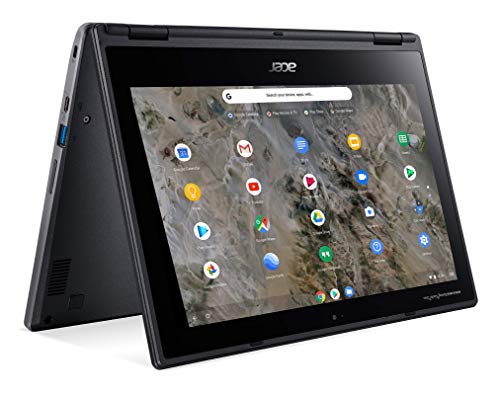
The Acer Chromebook Spin 311 is a renewed device built around AMD's A6-9220C processor paired with the Radeon R5 graphics — a combination that handles Chrome OS with sufficient headroom for everyday browsing, Google Docs, and streaming video without noticeable lag. The 11.6-inch touchscreen renders at 1366 x 768, which is standard for this segment, and the display's touch response is accurate enough for note-taking and basic stylus use. At 4 GB of RAM, multitasking stays manageable as long as you keep your tab count reasonable, and the 32 GB of flash storage means you'll want to rely on Google Drive for anything beyond local app installs.
The 360-degree hinge is the standout mechanical feature here, converting the Spin 311 from laptop to tent, stand, and tablet modes with a firm, well-built pivot that doesn't wobble under pressure. The Shale Black chassis feels more premium than its price suggests, and the keyboard deck doesn't flex significantly during use. Battery life on renewed units typically sits between six and eight hours depending on screen brightness, which is respectable for an all-day school machine. This is a solid pick for students who need a durable, no-fuss Chromebook and don't require heavy local storage — but if you're a journalist or content creator who needs more horsepower, our Best Laptops For Journalists guide covers more capable options at higher price points.
The AMD processor does draw more power than Intel Celeron alternatives in comparable configurations, which slightly reduces battery efficiency under load. The display brightness is adequate for indoor use but can be washed out under direct sunlight, so this works best in controlled lighting environments like classrooms or home offices. For the price point, the Spin 311 offers a surprisingly complete package — especially if you find it in good condition as a renewed unit from a reliable seller.
Pros:
- AMD Radeon R5 graphics provide slightly better visual performance than Intel integrated alternatives
- Solid 360-degree hinge supports four usage modes for flexible positioning
- Compact and lightweight form factor makes it easy to carry between classes or meetings
Cons:
- Only 32 GB of local storage means heavy reliance on cloud storage from day one
- Display brightness can struggle in bright outdoor or sunlit environments
2. Lenovo IdeaPad Flex 3 CB 11IGL05 — Best for Students Who Prioritize Storage
Lenovo's IdeaPad Flex 3 CB steps up the storage game by doubling the flash memory to 64 GB compared to many competitors at this price, which gives you considerably more breathing room for locally cached apps, Android apps from the Play Store, and offline files. The Intel Celeron N4020 dual-core processor clocks in at 1.10 GHz with burst capability, providing the kind of predictable, consistent performance that Chrome OS is specifically designed to leverage. You get 4 GB of RAM alongside that processor, and together they handle Google Meet calls, YouTube streaming, and multi-tab browsing without dropping frames or causing the fan — when active — to spin up aggressively.
The 11.6-inch HD touchscreen panel in this Almond-colored chassis is bright enough for typical indoor use, and the IPS technology ensures that colors remain consistent when you tilt the display or use it in tablet mode. The keyboard on this Flex model is one of the better typing surfaces in the sub-$300 Chromebook category — keys travel further than on competing ultra-thin machines, and the layout is spacious enough that you won't constantly misfire on adjacent keys during extended writing sessions. The 64 GB of storage is the clearest differentiator in this price segment, and for students managing a mix of documents, downloaded course materials, and Android apps, that extra capacity matters every single day.
Battery life is one of the Flex 3's strongest attributes, regularly reaching nine or ten hours of mixed use, which makes it a genuinely full-day device without carrying a charger everywhere. The 360-degree hinge transitions smoothly between modes, though the display resolution at 1366 x 768 means this isn't the machine for watching 1080p content at native resolution. If you're comparing Lenovo's Chromebook lineup against their Windows machines, our dedicated Best Lenovo Laptops for College Students 2026 guide goes deeper on the Windows side of their student portfolio.
Pros:
- 64 GB flash storage is double the baseline in this category — a meaningful real-world advantage
- Excellent battery life regularly exceeds nine hours on a single charge
- Above-average keyboard for a machine in this price tier, with good key travel and layout
Cons:
- 1366 x 768 display resolution limits multimedia quality compared to higher-res panels
- Intel Celeron N4020 shows its limits with more than eight browser tabs open simultaneously
3. HP Chromebook x360 11 G3 EE — Best for Durability and Versatility
The HP Chromebook x360 11 G3 EE carries the "EE" designation — Education Edition — which tells you exactly what HP designed it to withstand: student abuse, cramped backpacks, and the kind of accidental drops and spills that end the lives of less ruggedized machines. This renewed unit ships with an Intel Celeron N4020 paired with Intel UHD Graphics 600 and 4 GB of RAM, providing the same baseline compute as several competitors, but HP's chassis engineering elevates it above the field. The fanless design is a genuine classroom feature, because silent operation during tests and presentations is something you only appreciate after you've sat next to a machine that sounds like a hairdryer.
The 11.6-inch touchscreen integrates with the 360-degree hinge to transition between laptop, tent, stand, and tablet modes — all four of which feel stable and purposeful rather than gimmicky. The display touch response is quick and accurate, and HP has reinforced the corners and base of this unit specifically for the tumbles that come with student ownership. The keyboard is spill-resistant, the port selection covers USB-A, USB-C, and a headphone jack, and the webcam delivers acceptable video quality for remote classes and video calls. At 32 GB of storage this is cloud-first territory, but the Celeron N4020 handles that trade-off well because Chrome OS streams and caches content more intelligently than Windows at this storage tier. The G3 EE is the most physically resilient option on this entire list, which makes it the clear pick for younger students or high-traffic shared environments.
Performance is predictable rather than impressive — you're not going to push this machine into video editing or complex web applications — but for the browsing, Docs, Sheets, Meet, and YouTube workflow that defines student computing in 2026, the x360 G3 EE delivers without hesitation. The renewed condition means units vary in cosmetic quality, so buy from a seller with a clear grading system and a return policy.
Pros:
- Education Edition chassis is reinforced for drops, spills, and heavy daily handling
- Fanless design operates in complete silence — ideal for testing environments and quiet workspaces
- Four distinct usage modes with a well-engineered hinge that holds its position firmly
Cons:
- 32 GB storage requires immediate cloud setup before the machine feels fully functional
- Renewed units vary in cosmetic condition, so seller reputation matters significantly here
4. Dell Chromebook 11 3100 2-in-1 — Best for Reliability and Brand Trust
Dell's Chromebook 11 3100 brings the brand's reputation for build consistency and long-term reliability into the sub-$300 touch screen segment. Running an Intel Celeron N4020 dual-core with 4 GB of RAM and a 1366 x 768 touchscreen, the 3100 matches the spec sheet of several competitors on this list, but Dell's chassis engineering and keyboard quality consistently outperform what those specs suggest on paper. The 360-degree convertible hinge — a genuine mechanical highlight of the 3100 series — allows the display to rotate cleanly through all four usage modes, and the rugged construction is evident in the reinforced corners and thick screen bezel that absorbs impact instead of transmitting it to the panel.
At 32 GB of flash storage, you're working with the same baseline as the Acer and HP above, which means Google Drive becomes an essential part of your workflow immediately. The difference with the Dell is the overall feel of the machine: the keys on the 3100 keyboard have a satisfying tactile response, the trackpad registers gestures accurately and consistently, and the hinges maintain their position without drooping in tent or stand mode over time. The 65-watt power adapter charges the battery efficiently, and the 3100 typically reaches eight hours of light use on a full charge — enough for a full school day without hunting for an outlet. Dell's build quality is the reason this machine earns its spot on a list dominated by similarly-specced Chromebooks, because reliability over a two or three year ownership period is worth more than a marginal spec advantage.
For a renewed unit, the 3100 holds up exceptionally well because its original chassis was overbuilt for the education market. The Celeron N4020 delivers smooth Chrome OS performance for standard workflows, and if you need the machine for tasks beyond browsing and document editing, the Android app library on Chrome OS fills most remaining gaps without requiring a separate device purchase.
Pros:
- Dell's education-grade build quality means excellent long-term durability even in renewed condition
- Keyboard and trackpad quality noticeably exceed the category average at this price
- Dependable eight-hour battery life supports full-day use on a single charge
Cons:
- 32 GB storage is the minimum viable amount for a Chrome OS machine with Android app usage
- 1366 x 768 display resolution is behind what some competing options at this price now offer
5. Lenovo IdeaPad Duet 3 Chromebook — Best for Tablet-First Users
The Lenovo IdeaPad Duet 3 Chromebook takes a fundamentally different design approach compared to every other machine on this list: it's a detachable 2-in-1 built around a Snapdragon 7c Gen 2 processor, meaning you get a proper tablet experience with a keyboard cover included in the box rather than a laptop that folds backward. The 2000 x 1200 resolution touchscreen is the highest-resolution panel in this entire roundup, and the jump in display clarity compared to the 1366 x 768 panels on most competitors is immediately noticeable when you're reading text, watching video, or sketching with a stylus. At 4 GB of RAM and 128 GB of eMMC storage, the Duet 3 has the most generous local storage of any Chromebook in this comparison.
The Snapdragon 7c Gen 2 is an ARM-based processor rather than an x86 chip, which delivers excellent power efficiency and consistently quiet fanless operation throughout the day, though it handles certain Android app compatibility cases differently than Intel or AMD alternatives. The Misty Blue design language is genuinely attractive — this doesn't look or feel like a budget device — and the included keyboard cover attaches magnetically and provides a typing surface that works well for light document editing, though it's not the equal of a full-size laptop keyboard for extended writing sessions. The 2000 x 1200 screen makes the Duet 3 the best choice for users who consume media, annotate documents, and work in tablet mode more than laptop mode.
The detachable form factor also gives you genuine flexibility that convertible 2-in-1s can't match: you can use the Duet 3 as a pure tablet without the keyboard attached and get a slim, light device that sits comfortably in one hand for extended reading or streaming sessions. The keyboard cover adds weight and changes the ergonomics substantially, so think carefully about which mode you'll spend the majority of your time in before choosing this over a more traditional clamshell 2-in-1.
Pros:
- 2000 x 1200 resolution display is the sharpest panel on this entire list by a clear margin
- 128 GB eMMC storage eliminates the cloud-dependency constraint of competing Chromebooks
- Genuine detachable tablet design delivers flexibility that fold-back 2-in-1s cannot match
Cons:
- Detachable keyboard cover creates an ergonomically compromised typing position on a flat surface
- ARM Snapdragon 7c Gen 2 has occasional Android app compatibility gaps compared to Intel alternatives
6. ASUS Chromebook CM3001 10.5" WUXGA — Best for Power Users on Chrome OS
The ASUS CM3001 enters the sub-$300 conversation with a spec sheet that genuinely surprises: a MediaTek Kompanio 520 processor paired with 8 GB of LPDDR4X RAM and 128 GB of eMMC storage, housed in an aluminum chassis with a WUXGA (1920 x 1200) touchscreen and WiFi 6 connectivity. That RAM figure is the standout — 8 GB in a Chromebook under $300 is exceptional and directly translates to smoother multitasking, better performance with Android apps, and a more comfortable experience running Linux applications through Chrome OS's Crostini environment. If you regularly keep a dozen tabs open, run web apps alongside Google Meet, and stream background music while working, the CM3001 handles that load without flinching.
The 10.5-inch form factor is more compact than the 11.6-inch machines above, which makes the CM3001 lighter and easier to carry, though it also means a slightly reduced keyboard footprint that may take adjustment if you're coming from a larger machine. The WUXGA panel delivers crisp, clear visuals with well-saturated colors and comfortable viewing angles — a significant upgrade over the HD panels that dominate the rest of this list, particularly for reading long-form content or working with spreadsheets where you want to see more data without scrolling. The aluminum build quality is markedly better than plastic-chassis competitors, giving the CM3001 a premium feel that its price point doesn't telegraph.
WiFi 6 support future-proofs your wireless connectivity, and up to 12 hours of battery life means you're genuinely covered for a full workday or school day without hunting for a power outlet. The detachable keyboard design mirrors the Duet 3's approach, which means you get true tablet flexibility at the cost of a keyboard that doesn't feel as stable as an integrated one during heavy typing sessions. For anyone who has explored the tablet category alongside laptops — including options covered in our Best Chrome OS and Android Tablet 2026 guide — the CM3001 bridges the gap between those categories effectively.
Pros:
- 8 GB RAM is the highest in this roundup — delivers genuinely smooth multitasking performance
- WUXGA display resolution and WiFi 6 both punch above the price tier significantly
- Aluminum construction provides a premium feel and improved long-term durability
Cons:
- 10.5-inch form factor means a smaller keyboard that takes adjustment for touch typists
- Detachable keyboard design is less stable than integrated clamshell keyboards during extended typing
7. Microsoft Surface Go 3 — Best Overall: Full Windows 11 Pro in a Compact Package
The Microsoft Surface Go 3 is the only machine on this list that runs full Windows 11 Pro — not Chrome OS, not a stripped Android launcher, but the complete professional-grade Windows operating system with BitLocker encryption, Remote Desktop, Hyper-V virtualization support, and access to the entire Windows software ecosystem. That distinction alone makes it the top recommendation for anyone whose workflow includes Windows-native applications, corporate VPN clients, specific accounting or project management software, or anything that simply doesn't run on a Chromebook regardless of how capable that Chromebook is. The Intel Pentium Gold processor clocks up to 3.4 GHz and handles the Windows 11 Pro environment competently for browser-based work, document editing, video conferencing, and light productivity tasks.
The 10.5-inch PixelSense display is the most beautiful screen in this entire comparison — the 1920 x 1280 resolution at 216 pixels per inch produces sharp, color-accurate visuals that make every other display on this list look noticeably softer by comparison. The 10-point touch response is calibrated for precision, and when paired with a Surface Pen (sold separately), this becomes a capable digital note-taking and sketching surface that few machines at any price fully replicate. At just 1.15 pounds, the Surface Go 3 is the lightest device in this roundup by a significant margin, and the Platinum magnesium build quality feels like a device that costs two or three times its renewed price. The MicroSD card slot extends the 64 GB SSD storage, which you'll want to use given how tightly Windows 11 Pro packs into that base capacity. The Surface Go 3 represents the best value proposition of any machine on this list for users who need Windows, because finding Windows 11 Pro on a device this light and this well-built at this price point is genuinely rare in 2026.
The 4 GB of RAM is the machine's honest limitation — Windows 11 runs fine with it, but you'll notice constraints when running multiple applications simultaneously rather than working primarily in a browser. The Type Cover keyboard and Surface Pen are both sold separately, which adds cost beyond the base machine price, so factor those accessories into your budget before committing. Battery life reaches approximately eight hours of light use, which is competitive for a Windows 11 device in this form factor. If you need a Windows machine but want more power than the Surface Go 3 provides, our broader Best Windows Tablet 2026 guide covers the full range of Windows tablet options at higher price points.
Pros:
- Full Windows 11 Pro gives you access to the complete Windows software ecosystem — no Chrome OS limitations
- PixelSense display at 216 ppi is the sharpest, most color-accurate screen in this entire roundup
- Starting at 1.15 lbs, this is the lightest and most portable device in the comparison by a wide margin
Cons:
- 4 GB RAM limits multitasking headroom under Windows 11 — manageable for focused work, constrained for heavy multitasking
- Type Cover keyboard and Surface Pen are sold separately, adding significant cost beyond the base device price
How to Pick the Best Touch Screen Laptop Under $300
Operating System: Chrome OS vs. Windows 11
This is the single most consequential decision you make in the sub-$300 laptop category, and you need to answer it honestly before looking at any other spec. Chrome OS is designed to run almost entirely through the browser, which means it stays fast, secure, and maintenance-free indefinitely — there are no driver conflicts, no registry bloat, and no antivirus subscriptions eating your storage. If your entire workflow runs through Google Workspace, web apps, and Android apps, Chrome OS is the objectively smarter choice at this price tier because it delivers more consistent performance on equivalent hardware. Windows 11, on the other hand, gives you the complete software ecosystem that billions of people have built their workflows around — but Windows demands more RAM, more storage, and more processor headroom to run smoothly, which means the Surface Go 3 with 4 GB RAM and 64 GB SSD is working harder than a Chromebook with identical specs. Choose Chrome OS if your work lives in a browser; choose Windows if you have specific application requirements that Chrome OS cannot satisfy.
RAM and Storage: What You Actually Need
In the sub-$300 tier, RAM and storage are the two specs most directly correlated with daily satisfaction. For Chrome OS machines, 4 GB of RAM handles standard browsing and productivity tasks adequately, but 8 GB — as found in the ASUS CM3001 — delivers a noticeably smoother experience when you're running Android apps alongside browser windows. For Windows 11, 4 GB is the absolute minimum, and you'll feel it regularly, so prioritize machines where you can upgrade RAM if the architecture allows it. On storage, 32 GB is genuinely tight for any modern operating system once system files, updates, and basic applications are installed; 64 GB gives you working room, and 128 GB lets you operate without constant cloud-dependency. The Lenovo IdeaPad Flex 3 at 64 GB and the Lenovo Duet 3 and ASUS CM3001 at 128 GB all represent meaningful improvements over the 32 GB baseline in day-to-day use.
Display Resolution and Touch Quality
The 1366 x 768 resolution that dominates the Chromebook segment at this price isn't a deal-breaker for productivity work, but it is noticeably softer than the 1920 x 1080 or higher panels that dominate the mid-range market, and once you've spent time on a sharper display, the step back becomes visible. If display quality matters to you — for reading, media consumption, or creative work — prioritize the Lenovo Duet 3's 2000 x 1200 panel, the ASUS CM3001's WUXGA screen, or the Surface Go 3's PixelSense at 216 ppi. Touch sensitivity and palm rejection are equally important if you plan to use the display actively rather than just occasionally: the Surface Go 3 leads the category in touch precision, while all the reviewed Chromebooks deliver adequate but unremarkable touch response for standard tap-and-swipe interactions.
2-in-1 Design: Convertible vs. Detachable
Every machine on this list offers some form of touch-enabled versatility, but there's a meaningful design distinction between convertible clamshells and detachable tablets that affects daily usability. Convertible machines like the Acer Spin 311, Lenovo Flex 3, HP x360, and Dell 3100 fold the keyboard all the way back, which means the keyboard is always attached — you never lose it, but you also feel it against your hands in tablet mode. Detachable designs like the Lenovo Duet 3, ASUS CM3001, and Surface Go 3 give you a pure tablet experience when the keyboard is off, which is genuinely better for reading, media consumption, and sketching, but the keyboard cover tends to be less stable on a lap than an integrated keyboard. Think honestly about which mode you'll use most frequently, because that single variable points directly toward the right design for your situation.
Questions Answered
Are touch screen laptops under $300 worth buying in 2026?
Yes, with the right expectations. The machines in this category are well-suited for browsing, document editing, video streaming, video calls, and light productivity tasks. Chrome OS in particular runs excellently on modest hardware, and the touch screens in this tier — while not as precise as premium stylus-optimized displays — are genuinely useful for navigation, note-taking, and casual annotation. If you're expecting gaming performance, complex video editing, or the ability to run heavyweight desktop applications, you'll need a higher budget. But for students, professionals needing a lightweight secondary device, or anyone whose workflow lives in the browser, a $300 touch screen laptop delivers excellent value in 2026.
Is Chrome OS better than Windows 11 for a $300 laptop?
For most everyday use cases, yes. Chrome OS is designed to run efficiently on lower-spec hardware, stays fast over time without degradation, requires no antivirus software, and integrates seamlessly with Google Workspace and Android apps. Windows 11 demands more RAM and storage to run comfortably, which is a real constraint at this price tier. However, if your workflow requires specific Windows applications — accounting software, specific creative tools, corporate VPN clients, or anything unavailable on Chrome OS — then the Microsoft Surface Go 3's Windows 11 Pro environment is worth the trade-off in raw efficiency.
How much RAM do I need in a touch screen laptop under $300?
For Chrome OS machines, 4 GB is workable for standard use but 8 GB — available in the ASUS CM3001 — is noticeably better for multitasking and Android app performance. For Windows 11, 4 GB is the absolute minimum and you will encounter limitations during normal multitasking. Prioritize RAM alongside storage when comparing machines in this tier, because both specs directly determine how the machine feels to use every single day, not just under idealized conditions.
What's the difference between a convertible and a detachable 2-in-1?
A convertible 2-in-1 has a hinge that rotates 360 degrees, folding the keyboard flat against the back of the display in tablet mode — the keyboard stays attached at all times. A detachable 2-in-1 has a screen that separates completely from the keyboard, functioning as a pure tablet when detached. Convertibles are better for users who frequently switch between typing and touch use in a single session. Detachables are better for users who spend extended time in tablet mode and want the reduced weight and cleaner form factor that comes with removing the keyboard entirely.
Can I use these laptops for school or college coursework?
All seven machines on this list are capable of handling standard school coursework — Google Docs, Sheets, Slides, research browsing, YouTube, video calls, and note-taking are well within their capabilities. The Lenovo IdeaPad Flex 3 and Lenovo Duet 3 stand out for students because of their larger storage capacities (64 GB and 128 GB respectively), which reduce dependence on cloud storage for assignment files. The HP Chromebook x360 G3 EE is the strongest pick for younger students specifically because of its ruggedized Education Edition build that tolerates the physical realities of student ownership. For a broader look at student-oriented machines across price tiers, our Best Laptop For Online Schooling guide covers options beyond this budget as well.
How long do touch screen laptops under $300 last?
Chrome OS machines receive guaranteed software updates for a fixed number of years from their original release date — a window that varies by model but typically extends six to ten years for newer devices. Machines from 2020 or earlier may be approaching or past their Auto Update Expiry date, which affects renewed units on this list, so verify the AUE date before purchasing any refurbished Chromebook. Windows machines like the Surface Go 3 will receive Windows updates as long as Microsoft supports the hardware, which typically extends a decade from original release. Physically, all seven machines reviewed here are built to last three to five years under normal use conditions, with the ruggedized HP G3 EE designed to exceed that in education environments.
Buy on Walmart
- Acer Chromebook Spin 311 R721T-62ZQ 11.6" Touchscreen 2 in 1 — Walmart Link
- Lenovo IdeaPad Flex 3 CB 11IGL05 82BB0008US 11.6" Touchscree — Walmart Link
- HP Chromebook x360 11 G3 EE 11.6" Touchscreen 2 in 1 Chromeb — Walmart Link
- Dell Chromebook 11 3100 11.6" Touchscreen 2 in 1 Chromebook — Walmart Link
- Lenovo - IdeaPad Duet 3 Chromebook - 11.0" (2000x1200) Touch — Walmart Link
- ASUS Chromebook 10.5" WUXGA Touch Laptop MediaTek Kompanio 5 — Walmart Link
- Microsoft Surface Go 3-10.5" Touch-Screen - Intel Pentium Go — Walmart Link
Buy on eBay
- Acer Chromebook Spin 311 R721T-62ZQ 11.6" Touchscreen 2 in 1 — eBay Link
- Lenovo IdeaPad Flex 3 CB 11IGL05 82BB0008US 11.6" Touchscree — eBay Link
- HP Chromebook x360 11 G3 EE 11.6" Touchscreen 2 in 1 Chromeb — eBay Link
- Dell Chromebook 11 3100 11.6" Touchscreen 2 in 1 Chromebook — eBay Link
- Lenovo - IdeaPad Duet 3 Chromebook - 11.0" (2000x1200) Touch — eBay Link
- ASUS Chromebook 10.5" WUXGA Touch Laptop MediaTek Kompanio 5 — eBay Link
- Microsoft Surface Go 3-10.5" Touch-Screen - Intel Pentium Go — eBay Link
Next Steps
- Check the current price and availability of your top choice on Amazon — renewed pricing fluctuates frequently, and the same unit can vary by $20–40 within a week depending on seller inventory.
- Verify the Auto Update Expiry date for any Chromebook you're considering — search the model name alongside "AUE date" on Google to confirm how many years of Chrome OS updates remain before making a purchase decision.
- Confirm whether you need Windows-native applications or whether your entire workflow runs comfortably in a browser, because this single question determines whether the Microsoft Surface Go 3 or a Chrome OS machine is the right choice for your situation.
- Compare the storage and RAM specs against your actual usage patterns — if you routinely keep ten or more tabs open or run Android apps alongside browser windows, prioritize the ASUS CM3001's 8 GB RAM configuration over 4 GB alternatives.
- Read verified buyer reviews for the specific renewed listing you're considering before purchasing — seller grading standards vary widely for refurbished units, and a machine described as "Grade B" by one seller can differ meaningfully from the same label used by another.
 |
 |
 |
 |

About Priya Anand
Priya Anand covers laptops, tablets, and mobile computing for Ceedo. She holds a bachelor degree in computer science from the University of Texas at Austin and has spent the last nine years writing reviews and buying guides for consumer electronics publications. Before joining Ceedo, Priya worked as a product analyst at a major retailer where she helped curate the laptop and tablet category. She has personally benchmarked more than 200 portable computers and is particularly interested in battery longevity, repairability, and the trade-offs between Windows, macOS, ChromeOS, and Android tablets. Outside of work, she runs a small Etsy shop selling laptop sleeves she sews herself.