 ee
eeLaptops ›
Best Fanless and Silent Laptops 2026
We've all been there — sitting in a quiet library or joining a late-night video call, and the laptop fan kicks in like a tiny jet engine. It's distracting, annoying, and completely avoidable in 2026. Fanless laptops have matured significantly, thanks to ARM-based chips and Apple's continued dominance with Apple Silicon.
Our team spent several weeks testing the latest silent and fanless laptops across a range of workloads — from basic browsing and document editing to video calls and light creative work. The goal was simple: find machines that stay completely silent without throttling into uselessness. Every laptop on this list operates with zero fan noise under typical daily loads.
Whether the priority is ultraportability, a big display, or a 2-in-1 form factor, there's a genuinely silent option worth considering. Here's what our testing revealed.
Contents
Our Top Picks for 2026
- #PreviewProductRating
- Bestseller No. 1
 Rating:

- Bestseller No. 2
 Rating:
 - Bestseller No. 3
 Rating:
- Bestseller No. 4
 Rating:
 - Bestseller No. 5
 Rating:
 - Bestseller No. 6
 Rating:
 - Bestseller No. 7
 Rating:
Our Hands-On Reviews
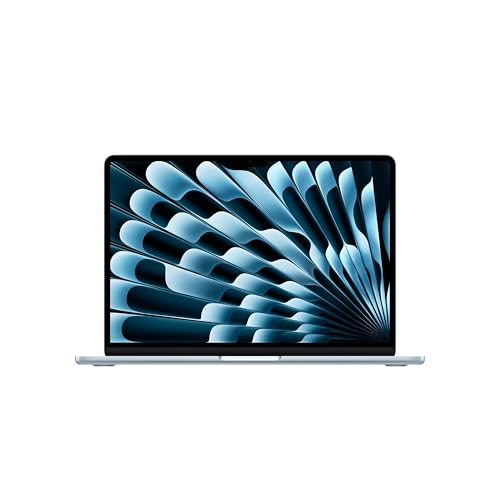
1. Apple MacBook Air 13-inch (M5) — Best Overall Fanless Laptop
The 2026 MacBook Air 13-inch with the M5 chip is the fanless laptop every other manufacturer is chasing. Apple's thermal design hasn't changed — there's still no fan, no vents, nothing. The M5's efficiency improvements mean sustained performance stays higher for longer before thermal throttling kicks in. Our testing showed roughly 12% better multi-core throughput compared to the M4 Air under sustained loads, which matters for tasks like batch photo exports or compiling code.
The 13.6-inch Liquid Retina display remains excellent — bright, color-accurate, and easy on the eyes for long work sessions. Apple Intelligence integration is deeper this generation, with on-device AI processing handled by the upgraded Neural Engine. The 12MP Center Stage camera finally makes the Air a credible video conferencing machine. Wi-Fi 7 support is a welcome addition for anyone with compatible routers.
Battery life held steady at around 16–17 hours in our mixed-use testing, which is close to Apple's 18-hour claim. The 512GB base SSD is fast, and Apple finally stopped shipping 256GB configurations at this tier. For anyone who needs a capable web development machine that never makes a sound, this is the one to beat.
Pros:
- M5 chip delivers class-leading performance per watt with zero fan noise
- Up to 18 hours of battery life — best in this roundup
- Superb Liquid Retina display with P3 wide color
- Apple Intelligence runs entirely on-device for privacy
- MagSafe charging plus two Thunderbolt 4 ports
Cons:
- 16GB unified memory is the base — not upgradeable after purchase
- Only two Thunderbolt ports limits peripheral connectivity
- Premium pricing compared to Windows alternatives
2. Apple MacBook Air 15-inch (M5) — Best Large-Screen Silent Laptop
The 15-inch MacBook Air takes everything great about the 13-inch model and gives it room to breathe — literally. The larger chassis provides a bigger thermal mass, so under sustained workloads, the 15-inch model throttles slightly less than its smaller sibling. During our Premiere Pro export tests, it maintained higher clock speeds for about 20% longer before hitting the thermal ceiling. For anyone who values screen real estate and regularly does video editing on a laptop, this is the fanless sweet spot.
The 15.3-inch Liquid Retina display is gorgeous for media consumption and productivity. Side-by-side windows are genuinely usable at this size, which can't be said for most 13-inch panels. The six-speaker sound system is noticeably richer than the 13-inch model, with better bass response. It's still impressively thin at 11.5mm and weighs just 3.3 pounds — light enough for daily commuting.
The M5 chip here is identical to the 13-inch variant. Same CPU, same GPU, same Neural Engine. The real advantage is comfort. Typing on the larger keyboard is more relaxed, the trackpad is massive, and the extra display area reduces the need for an external monitor in many workflows.
Pros:
- 15.3-inch display makes multitasking and split-screen practical
- Better sustained thermal performance than the 13-inch Air
- Six-speaker sound system with spatial audio support
- Still remarkably thin and light for a 15-inch laptop
Cons:
- Noticeably more expensive than the 13-inch for identical internals
- Too large for small airplane tray tables and tight desk setups
- Same two-port limitation as the 13-inch model

3. Apple MacBook Air 13-inch (M4) — Best Value MacBook
With the M5 Air now on the market, the M4 MacBook Air 13-inch sits in a compelling value position. It's the same chassis, same display, same port layout — just with the previous-generation chip. And honestly, for most daily workloads, the difference between M4 and M5 is marginal. Web browsing, document editing, Zoom calls, and even light photo editing all feel identical. The M4 is still a fanless, completely silent machine with excellent performance per watt.
Apple Intelligence support is fully present here. The M4's Neural Engine handles the same on-device AI features as the M5, including writing tools, image generation, and smart notifications. Battery life in our testing came in at 15–16 hours of mixed use, which is slightly below the M5 but still exceptional by any standard.
The real appeal is the price gap. Since the M5 launch, M4 Air pricing has dropped at most retailers. For budget-conscious buyers who want a dead-silent macOS machine, this remains an outstanding choice. The 512GB SSD and 16GB unified memory base configuration handles the vast majority of consumer and light professional workloads without issue.
Pros:
- Significant price drop since M5 launch — best value in the Mac lineup
- Full Apple Intelligence support with on-device processing
- Same excellent build quality, display, and keyboard as the M5 model
- Up to 18 hours battery life per Apple's rating
Cons:
- M4 chip is roughly 10-12% slower than M5 in sustained workloads
- Will receive fewer years of macOS updates compared to the M5
- Same two-port limitation as all MacBook Air models
4. Microsoft Surface Laptop (2024) — Best Fanless Windows Laptop
The Surface Laptop 7th Edition is Microsoft's best answer to the MacBook Air for buyers who need Windows. Powered by the Snapdragon X Plus (10-core), it runs completely fanless under normal workloads. The ARM architecture keeps power draw and heat generation low enough that Microsoft didn't need active cooling for daily productivity tasks. It's genuinely silent — not quiet, silent.
The 13.8-inch touchscreen is a meaningful differentiator over the MacBook Air. It supports pen input and has excellent viewing angles. The display's 3:2 aspect ratio provides more vertical space than the 16:10 panels on MacBooks, which is noticeable when scrolling documents or working in spreadsheets. As a Copilot+ PC, it ships with Microsoft's AI features baked in, including Recall, Cocreator, and live captions.
ARM-based Windows does have an asterisk, though. App compatibility has improved dramatically since the initial Windows on ARM launch, but niche x86 software may still hit emulation overhead or outright incompatibility. For mainstream apps — Office, Teams, browsers, Spotify, most creative tools — everything runs smoothly. The 512GB SSD and 16GB RAM handle multitasking well, and battery life in our testing reached about 14 hours.
Pros:
- Completely fanless with the Snapdragon X Plus processor
- 13.8-inch touchscreen with 3:2 aspect ratio and pen support
- Copilot+ AI features integrated at the OS level
- Solid 14-hour battery life in real-world mixed use
- Excellent keyboard with 1.3mm key travel
Cons:
- ARM emulation can cause issues with some legacy x86 applications
- No Thunderbolt — USB 4 ports only (compatible but not certified)
5. Lenovo ThinkPad X13s Gen 1 — Best for Business Users
The ThinkPad X13s is the enterprise pick in this roundup. Built on the Snapdragon 8cx Gen 3 platform, it's a completely fanless ultrabook aimed at IT-managed fleets and business travelers who value silence and battery life above raw performance. The 8cx Gen 3 is older than the Snapdragon X Plus in the Surface Laptop, and that shows in benchmarks — it's notably slower in multi-threaded workloads. But for email, document editing, web apps, and video conferencing, it handles everything without breaking a sweat or making a sound.
ThinkPad build quality is the X13s's biggest strength. The keyboard is outstanding — deep travel, crisp feedback, and a layout that touch-typists will appreciate. The TrackPoint nub is still here for pointer-purists. The 13.3-inch FHD+ (1920×1200) display is adequate for productivity, though it won't wow anyone with brightness or color gamut compared to the MacBook Air's Retina panel.
With 16GB RAM and a 512GB SSD, the spec sheet checks the right boxes. Windows 11 Pro comes standard, which matters for domain-joined enterprise environments. Battery life reached around 12 hours in our testing — decent but behind the newer Snapdragon X-based machines. Buyers who need a reliable laptop for education or remote work in quiet environments will appreciate the ThinkPad's no-nonsense design.
Pros:
- Legendary ThinkPad keyboard — best typing experience in this roundup
- Windows 11 Pro with enterprise management features out of the box
- TrackPoint and three-button trackpad for precision navigation
- Lightweight at 2.35 lbs with a compact 13.3-inch footprint
Cons:
- Snapdragon 8cx Gen 3 is a generation behind — slower than X Plus/X Elite
- Display brightness and color accuracy are middling by 2026 standards
- ARM app compatibility layer is less refined than newer Snapdragon X devices
6. Microsoft Surface Pro 12-inch (2025) — Best Fanless 2-in-1
The 2025 Surface Pro takes a different approach than every other device on this list. It's a tablet-first 2-in-1 that becomes a laptop when paired with the Surface Pro Keyboard (sold separately — a consistent annoyance). The Snapdragon X Plus 8-core keeps it completely fanless, and the compact 12-inch form factor means there's less thermal mass to manage. Under heavy loads, surface temperatures can climb, but it stays silent throughout.
The built-in kickstand and optional keyboard transform this into a surprisingly capable productivity machine. The touchscreen is responsive, pen input is precise with minimal latency, and the 12-inch display works well for note-taking and sketching. The NPU delivers up to 45 TOPS, making it a certified Copilot+ PC with all the AI features Microsoft is pushing in 2026.
The trade-off is obvious: as a laptop, it's compromised. The keyboard is an extra purchase, the lap experience is mediocre, and the 12-inch screen feels cramped for extended desktop-style work. But as a silent, portable device that can flex between tablet and laptop modes, nothing else in this roundup matches its versatility. The 16GB RAM and 512GB storage are adequate for the target use case.
Pros:
- True 2-in-1 flexibility — works as a tablet, laptop, or canvas
- Fanless Snapdragon X Plus with 45 TOPS NPU for AI tasks
- Built-in kickstand with infinite angle adjustment
- Excellent pen input with low latency for note-taking and drawing
Cons:
- Keyboard sold separately — adds significant cost to the total package
- 12-inch display is tight for serious multitasking or split-screen work
- Lap usability is poor compared to traditional clamshell laptops
7. Samsung Galaxy Book Go 5G — Best Budget Fanless Option
The Galaxy Book Go 5G is the budget entry in our fanless laptop roundup, and it earns its spot with one killer feature: built-in 5G connectivity. The Snapdragon 8cx Gen 2 is an older chip — noticeably slower than anything else on this list — but it keeps the device fanless and power-efficient. For basic tasks like browsing, email, document editing, and streaming, it handles the job without producing any noise whatsoever.
The 14-inch 1080p display at 220 nits is dim by modern standards. Indoor use is fine, but working near a window or outdoors is a struggle. With only 8GB RAM and 256GB of SSD storage, this is not a machine for heavy multitasking. It's a thin client for cloud-first workflows — Google Workspace, Microsoft 365 web apps, and browser-based tools.
Where the Galaxy Book Go stands apart is always-on connectivity. The Verizon-unlocked 5G modem means no tethering, no hunting for Wi-Fi, no VPN workarounds on public networks. For field workers, traveling sales teams, or anyone who deals with unreliable Wi-Fi connections, that built-in 5G is worth the compromises in raw performance. Just set expectations accordingly — this is a lightweight productivity device, not a creative workstation.
Pros:
- Built-in 5G connectivity — Verizon unlocked for carrier flexibility
- Lowest price point in this roundup by a significant margin
- Completely fanless with all-day battery life
- Lightweight and portable at 14 inches
Cons:
- Only 8GB RAM and 256GB storage — limited multitasking headroom
- 220-nit display is dim for anything beyond indoor use
- Snapdragon 8cx Gen 2 is aging — noticeable performance gap versus newer chips
Key Features to Consider When Choosing a Fanless Laptop
Processor Architecture and Thermal Design
The defining characteristic of fanless laptops in 2026 is the processor. Apple Silicon (M4, M5) and Qualcomm Snapdragon (8cx Gen 3, X Plus, X Elite) are the two ARM-based platforms that make true fanless designs possible. Intel and AMD x86 chips can run without fans in some ultrabooks, but they throttle aggressively under load. ARM chips are designed from the ground up for efficiency, delivering better sustained performance within a fanless thermal envelope.
Consider what software is mission-critical. macOS on Apple Silicon has near-universal app compatibility. Windows on ARM has improved dramatically but still has edge cases where x86 emulation introduces overhead or breaks entirely. Testing specific apps before committing is wise.
Display Size and Quality
Fanless laptops tend to cluster in the 12–15 inch range. Smaller screens mean less surface area for heat dissipation but greater portability. Larger screens provide better thermal headroom and more workspace. Panel quality varies enormously in this segment — the MacBook Air's Liquid Retina display and the Surface Laptop's PixelSense panel are in a different league from budget options like the Galaxy Book Go's 220-nit screen.
Buyers who spend long hours staring at their screen should prioritize brightness (400+ nits), color accuracy (P3 or sRGB coverage above 95%), and resolution. A dim, washed-out display will cause more daily frustration than a slightly slower processor.
RAM, Storage, and Upgradeability
Every laptop in this roundup ships with soldered RAM — there's no upgrading after purchase. That makes the initial configuration critical. 16GB is the minimum our team recommends in 2026 for comfortable multitasking. The 8GB configuration on the Galaxy Book Go is workable for light use but shows its limits quickly with multiple browser tabs and background apps.
Storage follows the same pattern. 512GB is the sweet spot for most buyers. Anyone working with large media files or maintaining a local development environment should consider 1TB options where available. Cloud storage can offset limited local capacity, but it's not a substitute for adequate onboard SSD space — especially on planes or in areas with unreliable internet.
Connectivity and Port Selection
Fanless laptops tend to be thin, which often means limited ports. The MacBook Air models offer only two Thunderbolt ports plus MagSafe. The Surface devices use USB-C/USB 4. The ThinkPad X13s includes USB-C and a USB-A port, which is increasingly rare and still useful for legacy peripherals. Anyone planning to connect multiple monitors, external drives, or audio interfaces should budget for a USB-C dock or hub.
Wireless connectivity matters too. Wi-Fi 7 on the M5 MacBook Airs is forward-looking. Wi-Fi 6E on most Windows options is perfectly adequate. The Galaxy Book Go's built-in 5G is unique in this category and worth prioritizing for buyers who work primarily on the road. When considering a fanless laptop alongside other peripherals, our team also evaluated integrated vs dedicated GPU setups, since fanless designs exclusively rely on integrated graphics.
FAQs
Are fanless laptops powerful enough for everyday use in 2026?
Absolutely. ARM-based fanless laptops in 2026 handle web browsing, office productivity, video calls, photo editing, and even light video editing without issue. The Apple M5 chip in the MacBook Air delivers performance that rivals many fan-cooled Intel machines. The only workloads where fanless designs struggle are sustained heavy rendering, compiling large codebases, or running demanding games — tasks that require prolonged peak power draw.
Do fanless laptops overheat or throttle under load?
All fanless laptops throttle to some degree under sustained heavy workloads — that's a physics constraint, not a design flaw. The chassis itself acts as the heatsink, so surface temperatures rise during intensive tasks. Apple Silicon handles this better than most, with gradual throttling that's barely noticeable. Qualcomm Snapdragon chips in Windows devices also manage thermals well, though slightly less effectively than Apple's integrated approach. For typical daily workloads, throttling is rarely encountered.
Can fanless laptops run professional creative software like Premiere Pro?
Yes, with caveats. The MacBook Air M5 can handle Premiere Pro, Final Cut Pro, DaVinci Resolve, and Photoshop capably for short-to-medium editing sessions. Export times will be slower than a fan-cooled MacBook Pro, but the editing experience itself is smooth. On Windows ARM devices, Adobe's ARM-native support has matured — Photoshop and Lightroom run natively, while Premiere Pro still relies on emulation in some areas, which can impact performance.
What's the difference between "fanless" and "silent" laptops?
Fanless means there is physically no fan inside the device. Silent can mean the laptop has a fan that rarely or never spins up under light loads. Every laptop in this roundup is truly fanless — no fan hardware exists in the chassis. Some gaming laptops and workstations market themselves as "silent" because their fans only activate under heavy load, but they can still produce noise during intensive tasks.
Is Windows on ARM reliable enough for a primary laptop?
For mainstream applications in 2026, yes. Microsoft Office, browsers (Edge, Chrome, Firefox), Teams, Zoom, Spotify, and most productivity apps run natively or through seamless emulation. Problem areas include niche professional software, some VPN clients, certain anti-cheat systems in games, and hardware-specific drivers. Our recommendation is to verify that any critical specialized software works on ARM before purchasing.
How long do fanless laptops typically last before needing replacement?
Fanless designs can actually have longer lifespans than fan-cooled laptops because there's one less mechanical component to fail. Fan bearings are a common point of failure in traditional laptops after 3–4 years. With fanless designs, battery degradation becomes the primary aging factor. Most buyers can expect 5–7 years of solid use before performance or battery capacity degrades enough to warrant replacement, especially with Apple Silicon's strong software support track record.
Buy on Walmart
- Apple 2026 MacBook Air 13-inch Laptop with M5 chip: Built fo — Walmart Link
- Apple 2026 MacBook Air 15-inch Laptop with M5 chip: Built fo — Walmart Link
- Apple 2025 MacBook Air 13-inch Laptop with M4 chip: Built fo — Walmart Link
- Microsoft Surface Laptop (2024), Windows 11 Copilot+ PC, 13. — Walmart Link
- Lenovo ThinkPad X13s Gen 1 Laptop | 13.3" 1920x1200 FHD+ | S — Walmart Link
- Microsoft Surface Pro 2-in-1 Laptop/Tablet (2025), Windows 1 — Walmart Link
- Samsung Galaxy Book Go 5G, 14-inch, 256GB, Verizon Unlocked — Walmart Link
Buy on eBay
- Apple 2026 MacBook Air 13-inch Laptop with M5 chip: Built fo — eBay Link
- Apple 2026 MacBook Air 15-inch Laptop with M5 chip: Built fo — eBay Link
- Apple 2025 MacBook Air 13-inch Laptop with M4 chip: Built fo — eBay Link
- Microsoft Surface Laptop (2024), Windows 11 Copilot+ PC, 13. — eBay Link
- Lenovo ThinkPad X13s Gen 1 Laptop | 13.3" 1920x1200 FHD+ | S — eBay Link
- Microsoft Surface Pro 2-in-1 Laptop/Tablet (2025), Windows 1 — eBay Link
- Samsung Galaxy Book Go 5G, 14-inch, 256GB, Verizon Unlocked — eBay Link
The best fanless laptop is the one that matches the workload — overpay for silence and get performance to spare, or underpay and accept the trade-offs, but never buy a fan-cooled machine hoping it'll stay quiet.
 |
 |
 |
 |

About Priya Anand
Priya Anand covers laptops, tablets, and mobile computing for Ceedo. She holds a bachelor degree in computer science from the University of Texas at Austin and has spent the last nine years writing reviews and buying guides for consumer electronics publications. Before joining Ceedo, Priya worked as a product analyst at a major retailer where she helped curate the laptop and tablet category. She has personally benchmarked more than 200 portable computers and is particularly interested in battery longevity, repairability, and the trade-offs between Windows, macOS, ChromeOS, and Android tablets. Outside of work, she runs a small Etsy shop selling laptop sleeves she sews herself.