 ee
eeTablets ›
Best Tablets For Programming And Coding 2026
You've been hauling a 15-inch laptop to every coffee shop, client meeting, and co-working space for years. The bag is heavy, the battery never lasts long enough, and the setup ritual — dongles, chargers, external keyboard — gets old fast. In 2026, a growing number of developers are making the switch to tablets as their primary or secondary coding machine, and the hardware has finally caught up to make that decision defensible. This guide cuts through the noise and ranks the seven best tablets for programming and coding you can buy right now.
The tablet market has fractured along two clear lines: Apple's M-series iPads, which dominate on performance and display quality, and Windows 2-in-1 devices like the Surface Pro lineup, which deliver a full desktop development environment out of the box. Each camp has its trade-offs, and the right pick depends on whether you live inside Xcode, VS Code, or something else entirely. According to Wikipedia's overview of tablet computers, the category has expanded well beyond media consumption into genuine productivity territory — and the specs below prove it.
Whether you're compiling Swift on the go, SSHing into a remote Linux box, or writing Python notebooks during your commute, one of these seven devices fits your workflow. Dror Wettenstein evaluated each based on raw processing power, display resolution, keyboard compatibility, battery life, and real-world usability for developers. Here's what stood out in 2026.

Contents
- Top Rated Picks of 2026
- Our Hands-On Reviews
- Apple iPad Pro 13-Inch (M4) — Best Overall
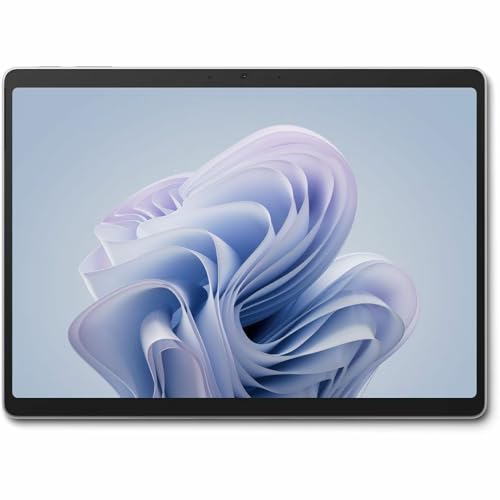
- Microsoft Surface Pro 12" (2025) — Best Windows 2-in-1
- Microsoft Surface Pro 10 — Best for Enterprise Developers
- Apple iPad Pro 11-Inch (M4) — Best Portable Powerhouse
- Lenovo ThinkPad X12 Detachable — Best for Business Travel
- Apple iPad Air 11-inch (M4) — Best Value Pick
- Apple iPad mini (A17 Pro) — Best Ultra-Compact
- How to Pick the Best Tablet for Coding
- FAQs
- Key Takeaways
Top Rated Picks of 2026
- #PreviewProductRating
- Bestseller No. 1
 Rating:

- Bestseller No. 2
 Rating:
- Bestseller No. 3
 Rating:
- Bestseller No. 4
 Rating:
 - Bestseller No. 5
 Rating:
 - Bestseller No. 6
 Rating:
 - Bestseller No. 7
 Rating:

Our Hands-On Reviews
1. Apple iPad Pro 13-Inch (M4) — Best Overall
The Apple iPad Pro 13-Inch powered by the M4 chip is the most capable tablet for programming you can buy in 2026. Apple's M4 chip delivers desktop-class single-core and multi-core performance — it matches or outperforms many Intel Core i7 laptops released just two years ago. The 13-inch Ultra Retina XDR display with ProMotion (up to 120Hz) and P3 wide color gamut renders code with exceptional sharpness, and the extreme brightness ceiling means you can work in direct sunlight without squinting at your terminal.
In practice, this machine handles Xcode projects, Swift Playgrounds, Python via Pythonista or Juno, and SSH-based workflows with zero perceptible lag. The LiDAR scanner and dual 12MP camera system are bonuses you won't need for daily coding, but they add future-proofing for AR development. Apple Intelligence integration in iPadOS gives you system-wide writing assistance and on-device AI inference that keeps your source code and credentials local — a meaningful security consideration for professional developers. The nano-texture glass option (available in 1TB and 2TB) eliminates glare in a way that competing tablets simply can't match. Paired with a Magic Keyboard and paired with a wireless printer for iPad, this setup replaces a MacBook for a large percentage of development workflows.
Battery life extends through a full workday comfortably, and Wi-Fi 6E connectivity ensures your remote desktop and SSH sessions stay snappy. The only honest criticism: iPadOS still doesn't run native Xcode, so iOS developers who need the full Xcode IDE must pair this with a Mac via Sidecar or use the iPad as a remote display. That caveat aside, no other tablet in 2026 comes close to the raw performance-per-watt ratio the M4 delivers.
Pros:
- M4 chip performance matches entry-level MacBook Pro in most benchmarks
- 13-inch Ultra Retina XDR display with ProMotion is the best screen on any tablet
- Apple Intelligence keeps AI-assisted coding tasks fully on-device
- Wi-Fi 6E reduces latency on SSH and remote desktop sessions
- All-day battery life holds up through real 8–10 hour workdays
Cons:
- iPadOS restricts full Xcode usage — not a standalone iOS development environment
- Magic Keyboard and Apple Pencil Pro sold separately add significant cost
2. Microsoft Surface Pro 12" (2025) — Best Windows 2-in-1
Microsoft's 2025 Surface Pro 12-inch is the answer for developers who refuse to give up Windows. This is a Copilot+ PC — certified by Microsoft to deliver at least 40 TOPS of neural processing — and it runs full Windows 11 with every IDE you depend on: Visual Studio, VS Code, IntelliJ IDEA, Android Studio, Docker Desktop, and WSL2. The Snapdragon X Plus (8-core) processor handles compilation tasks, containerized dev environments, and multitasking across multiple workspaces without thermal throttling in tablet mode.
The 12-inch touchscreen is compact enough to carry on any commute but large enough to keep two terminal panes open side-by-side. The built-in kickstand — Surface's signature feature — lets you prop the device at any angle on a desk, a tray table, or a stack of books. Attach the Surface Pro Keyboard (sold separately) and you have a functional laptop. Disconnect it and you have a tablet for reviewing pull requests, reading documentation, or sketching architecture diagrams with the Surface Slim Pen. The 16GB of RAM handles moderate Docker workloads without swapping, and the 512GB SSD is large enough for most project repositories and toolchain installs.
The AI engine running at 45 TOPS powers Copilot features in Windows 11 — real-time code suggestions in Windows Terminal, intelligent summarization of long issue threads, and on-device image generation. For developers working in the Microsoft ecosystem, the 2025 Surface Pro 12 is the most compelling all-in-one package available. ARM architecture means a small subset of legacy x86 binaries won't run natively, but Prism emulation handles the vast majority of dev tools without issues in 2026.
Pros:
- Full Windows 11 — runs every IDE and dev tool without compromise
- Snapdragon X Plus delivers efficient performance with strong multi-core throughput
- Copilot+ AI features deeply integrated into the OS and developer tools
- Flexible kickstand enables desk, tablet, and tent configurations
- 16GB RAM + 512GB SSD handles Docker and multi-project workflows
Cons:
- Type Cover keyboard is a necessary purchase but sold separately
- Some legacy x86 tools require Prism emulation — rare but real friction
3. Microsoft Surface Pro 10 — Best for Enterprise Developers
The Microsoft Surface Pro 10 is the enterprise-grade choice for developers working inside corporate IT environments that require x86 compatibility, Intune management, and Windows Hello security. Where the 2025 Surface Pro runs ARM-native Snapdragon, the Pro 10 ships with an Intel Core Ultra 5 processor — meaning zero emulation overhead, full x86 binary compatibility, and certified interoperability with every enterprise security tool on the market. The 13-inch display provides ample screen real estate for IDEs, and the Surface design language remains the most polished 2-in-1 form factor in the Windows ecosystem.
With 16GB of RAM and a 256GB SSD, the Surface Pro 10 handles typical enterprise development loads: Visual Studio projects, SQL Server Management Studio, Azure CLI tooling, and PowerShell automation scripts. The Core Ultra 5's integrated NPU accelerates AI workloads locally, which matters as Copilot features become embedded in enterprise productivity software. IT departments appreciate the Surface Pro 10's NFC, smart card reader support, and hardware-level security features including a dedicated security processor.
The trade-off versus the 2025 model is weight and battery efficiency — Intel x86 draws more power than ARM, so expect slightly shorter untethered sessions. Still, for a developer whose stack includes Visual Studio with heavy extensions, IIS Express for local web testing, and VPN-tunneled access to corporate resources, this machine runs everything natively without compatibility concerns. It's the safe, proven choice for anyone in a large enterprise environment.
Pros:
- Intel Core Ultra 5 ensures 100% x86 binary compatibility
- Full enterprise security features: NFC, smart card, dedicated security processor
- 13-inch display with touchscreen and Surface Pen support
- Proven Surface build quality with IT-friendly management tools
Cons:
- 256GB base storage is tight for heavy development toolchains
- Battery life trails the ARM-based Surface Pro 2025 noticeably
4. Apple iPad Pro 11-Inch (M4) — Best Portable Powerhouse
The iPad Pro 11-inch with M4 is the same chip, the same display technology, and the same software stack as the 13-inch model — at a form factor that fits inside a jacket pocket with a case on. For developers who prioritize mobility above all else, this is the pick. The 11-inch Ultra Retina XDR display still hits the same brightness peaks, still runs at 120Hz ProMotion, and still covers the P3 wide color gamut that makes extended coding sessions easier on your eyes than most laptop screens.
The addition of 5G cellular on this configuration is a genuine differentiator for mobile developers. You're not dependent on coffee shop Wi-Fi or a hotspot device — you pull up your SSH session, your GitHub CI dashboard, or your TestFlight builds directly over 5G with real throughput. The 512GB storage configuration reviewed here means you carry your entire project history, simulator runtimes, and documentation libraries without managing what to offload. LiDAR and the dual-camera system remain available for AR development or scanning physical objects as part of a project workflow.
The M4's efficiency cores handle background compilation and test runners without depleting the battery, and the active cores deliver burst performance that keeps UI-heavy design tools like Figma and Sketch (via web) fully responsive. If you're also looking to round out your mobile workstation setup, check out the best compact printers that pair well with an iPad Pro workflow for printing specs, wireframes, and documentation on the go.
Pros:
- Same M4 performance as the 13-inch in a significantly lighter, smaller body
- 5G cellular on this configuration eliminates Wi-Fi dependency
- 512GB storage handles full development environments without cloud offloading
- Ultra Retina XDR at 11 inches is among the sharpest displays in any portable device
Cons:
- Smaller canvas makes split-screen coding feel cramped with full IDE layouts
- Cellular models command a price premium over Wi-Fi-only configurations
5. Lenovo ThinkPad X12 Detachable — Best for Business Travel
The Lenovo ThinkPad X12 Detachable runs full Windows 10 (upgradeable to Windows 11) on an Intel Core i7-1180G7 quad-core processor — a mature, well-supported platform that runs every x86 developer tool without question marks. With 16GB of LPDDR4X RAM and a 256GB SSD, it handles the development workloads most business travelers actually encounter: lightweight Node.js projects, Python scripting, SQL queries against remote databases, and constant browser-based tooling. The 12.3-inch 1920×1080 touchscreen is crisp, and ThinkPad's keyboard cover is widely regarded as the best typing experience in the 2-in-1 category.
ThinkPad engineering means military-grade durability ratings, spill-resistant keyboard, and a design optimized to survive the abuse of frequent travel. The detachable form factor lets you prop it on a tray table, flip it into tent mode for presentations, or hand it to a colleague for a code review without disconnecting cables. The i7-1180G7 handles compilation and Docker container builds with acceptable speed — it's not competing with an M4 on benchmarks, but it's entirely functional for the typical corporate developer workflow.
The 12.3-inch screen feels more constrained than a 13-inch display when running split terminal and editor panes, but full external monitor support via Thunderbolt means your hotel room HDMI connection works without adapters. For developers in regulated industries where IT policy mandates Intel vPro, TPM 2.0, and ThinkShield security — all present here — the X12 Detachable is the only credible tablet option that checks every compliance box.
Pros:
- Military-grade durability with ThinkPad's proven build quality
- Intel Core i7 with full x86 compatibility — no emulation, no surprises
- 16GB RAM handles multi-container Docker environments and heavy IDEs
- Best keyboard experience among detachable tablets for extended coding sessions
Cons:
- i7-1180G7 performance trails newer ARM and Intel Ultra chips significantly
- 12.3-inch 1080p display resolution feels dated next to current Retina competition
6. Apple iPad Air 11-inch (M4) — Best Value Pick
The iPad Air 11-inch with M4 is the most compelling value in Apple's 2026 tablet lineup for developers who don't need the Pro's ProMotion display or LiDAR scanner. The M4 chip is identical to what ships in the iPad Pro — you're getting the same CPU and GPU cores, the same Neural Engine, and the same memory bandwidth. The difference is the display: the Air uses Liquid Retina instead of Ultra Retina XDR, which means a lower peak brightness and no ProMotion adaptive refresh. For a developer reading documentation and writing code, this trade-off is largely invisible in practice.
Wi-Fi 7 with Apple's N1 chip is a standout spec — Wi-Fi 7 delivers theoretical throughput well above Wi-Fi 6E and lower latency on congested networks, which matters for developers constantly pushing large Docker images, syncing Git repositories, or streaming remote desktop sessions. The 256GB configuration reviewed here hits the sweet spot for most developers' storage needs, and the all-day battery life claim holds up under real workloads. Apple Intelligence features run fully on-device, keeping your code, API keys, and project files off external servers.
The iPadOS windowing system has matured enough in 2026 to support genuine multitasking: terminal app, browser, note-taking, and Slack running simultaneously with Stage Manager. Touch ID integration on the iPad Air is fast and reliable. If your workflow is primarily SSH, Blink Shell, Textastic, and web-based tooling — the Air 11 does everything the Pro does for noticeably less money. Pair it with a wireless printer for iPad and you have a complete lightweight developer workstation.
Pros:
- Same M4 chip as iPad Pro at a significantly lower price
- Wi-Fi 7 with Apple N1 chip delivers the fastest wireless throughput in the lineup
- Apple Intelligence on-device keeps sensitive code and credentials private
- Liquid Retina display is genuinely excellent for extended coding sessions
Cons:
- No ProMotion — 60Hz display feels less fluid compared to the Pro's 120Hz
- No LiDAR scanner limits AR development use cases
7. Apple iPad mini (A17 Pro) — Best Ultra-Compact
The iPad mini with A17 Pro is a specialist tool, not a primary coding machine — but as a secondary screen, a reference device, or a pocket-sized terminal for SSH access, it's unmatched. The 8.3-inch Liquid Retina display is the sharpest screen of its size on any portable device, and the A17 Pro chip — the same silicon that powered the iPhone 15 Pro — delivers performance that embarrasses Android tablets twice its price. Wi-Fi 6E keeps latency low on SSH sessions and remote Jupyter kernels, and the 128GB of storage is adequate when you're not running local toolchains.
Apple Intelligence runs on the A17 Pro's Neural Engine, giving you the same on-device AI writing assistance and summarization tools available on larger iPads. The 12MP Ultra Wide front camera with Center Stage keeps you centered automatically during code review calls and stand-ups, which is a surprisingly useful feature when you're working from a cramped desk or a coffee shop table. USB-C connectivity means a single cable for charging, external display output, and peripheral connection.
The practical coding use case for the iPad mini in 2026 is clear: it's the second screen you carry when your main laptop is too heavy, the terminal access device for on-call incidents, and the documentation reader you hold in one hand while your main machine compiles. Some developers use it exclusively for reading technical books, reviewing PRs on GitHub Mobile, and monitoring CI/CD pipelines via dashboards. Trying to write a full-stack application on the 8.3-inch screen is uncomfortable — but for focused, specific tasks, the mini is the most portable capable tablet ever built. If you're building out a mobile office setup and also need a printer nearby, check out the best compact printers that fit alongside a minimal tablet workstation.
Pros:
- A17 Pro chip delivers performance far beyond any tablet in its size class
- 8.3-inch form factor fits in any bag pocket — genuinely portable
- Apple Intelligence on-device AI works the same as larger iPads
- Wi-Fi 6E keeps SSH and remote kernel sessions low-latency
Cons:
- 8.3-inch screen is too small for comfortable full-time IDE use
- 128GB base storage limits local development environment options
How to Pick the Best Tablet for Programming and Coding
Operating System: iPadOS vs. Windows vs. Android
The OS decision is the most consequential choice you'll make. Windows tablets run native desktop IDEs — Visual Studio, JetBrains products, Docker Desktop, WSL2 with a real Linux kernel. If your stack requires any of those tools locally, a Surface Pro is non-negotiable. iPadOS has matured significantly in 2026, with Stage Manager multitasking, external display support, and powerful terminal apps like Blink Shell and iSH. But iPadOS still cannot run Xcode locally for building and submitting iOS apps. If you work primarily via SSH, browser-based tools like VS Code for the Web, or coding apps like Pythonista and Working Copy, an iPad covers you completely. Android tablets trail both platforms for serious development workflows — avoid them for coding use cases.
Processor and RAM: The Performance Floor
Set a hard minimum: 8GB RAM for any serious coding use, 16GB if you run Docker containers or multiple browser instances alongside your IDE. On the Apple side, the M4 chip in 2026 is the only chip worth considering — the A17 Pro in the iPad mini is excellent but RAM-constrained at 8GB. On the Windows side, Snapdragon X Plus and Intel Core Ultra represent the current generation — both support 16GB configurations that handle professional development workloads. Avoid older Intel Core i5 chips in this category; compilation times and Docker build speeds fall off a cliff. For CPU-intensive workloads like large Gradle builds or Webpack compilations, benchmark results consistently show M4 outperforming Snapdragon X Plus by 15–25% in sustained multi-core tasks.
Display: Size, Resolution, and Refresh Rate
Coding demands sharp text rendering above all else. A display resolution below 200 PPI causes visible font aliasing in terminal output — check this spec before purchasing. The 13-inch iPad Pro's Ultra Retina XDR hits 264 PPI; the Surface Pro 12-inch reaches 220 PPI on its 2196×1464 panel. Both are comfortable for 8+ hour sessions. Refresh rate matters less for text work than for UI testing — ProMotion at 120Hz is a nice-to-have, not a need-to-have, for developers who aren't doing mobile UI animation work. Display size directly correlates with IDE usability: at 11 inches you're comfortable with one editor pane plus a terminal; at 13 inches you can run two editor panes side-by-side. Choose based on your typical workflow split.
Keyboard Compatibility and Accessories Ecosystem
A tablet without a quality keyboard is a consumption device, not a coding machine. Evaluate the keyboard ecosystem before buying. Apple's Magic Keyboard for iPad Pro delivers laptop-quality typing with a built-in trackpad — it's the best keyboard accessory on any tablet in 2026. Microsoft's Surface Pro Keyboard offers a similar experience on the Windows side. ThinkPad's keyboard cover for the X12 is preferred by long-time ThinkPad users for its key travel and tactile feedback. Budget for the keyboard as part of your total purchase cost — it's not optional for productive coding sessions. While you're evaluating your full setup, the best webcam options for 2026 are worth considering if you do code review calls or tech talks from your tablet workstation.
FAQs
Can you actually code on a tablet in 2026?
Yes — with the right tools and workflow. Windows tablets like the Surface Pro run full desktop IDEs with no compromises. iPads running iPadOS handle SSH-based development, web-based tools like VS Code for the Web, and native coding apps like Pythonista and Juno for Python. The main limitation on iPads is that you cannot run Xcode locally for full iOS app builds. For most backend, web, and scripting workflows, a modern tablet covers 90% of what a laptop does.
Is the iPad Pro M4 or a Surface Pro better for coding?
It depends on your stack. The iPad Pro M4 wins on raw performance, display quality, and battery life. The Surface Pro wins on OS flexibility — you run any Windows application, including full Visual Studio, Docker Desktop, and WSL2 with a real Linux kernel. If you work primarily via SSH, browser-based tools, or iOS development, the iPad Pro M4 is the better machine. If you need native Windows tooling, the Surface Pro is the only choice.
How much RAM do you need in a tablet for programming?
16GB is the practical minimum for serious development in 2026. Running VS Code or IntelliJ with extensions, a terminal, a browser with multiple developer tabs, and a background Docker container together requires at least 12–14GB. Apple's M4 chips are more memory-efficient than x86 counterparts, so 16GB on an iPad Pro goes further than 16GB on a Windows machine. Do not purchase an 8GB configuration if you run containers or build large projects locally.
What's the best tablet for Python programming?
The iPad Air 11-inch M4 is the best value pick for Python development specifically. It runs Pythonista 3, Juno (for Jupyter notebooks), and connects via SSH to any remote Python environment with Blink Shell. The M4 chip handles local data science workloads in Juno with speed comparable to a mid-range laptop. If you need a full Anaconda environment with pip installs and custom libraries, a Surface Pro running Windows gives you a native terminal and full pip/conda compatibility.
Can a tablet replace a laptop for software development?
For specific workflows, yes. Developers who work primarily via SSH, web-based IDEs, or on platforms like Replit and GitHub Codespaces can replace a laptop with a Surface Pro or iPad Pro entirely. Developers who build native iOS or macOS apps with Xcode, maintain local Docker-heavy microservice environments, or use tools that require root Linux access will find an iPad limiting. A Surface Pro running WSL2 comes closest to a full laptop replacement for the broadest range of development work in 2026.
Is the iPad mini good enough for coding?
The iPad mini A17 Pro is capable but constrained by screen size. It excels as a secondary device — monitoring CI/CD dashboards, reviewing pull requests on GitHub Mobile, reading technical documentation, and running SSH sessions for quick fixes. Typing code on an 8.3-inch screen for more than 30 minutes becomes fatiguing regardless of keyboard quality. Use it as a powerful complement to your main workstation, not a replacement for it.
Buy on Walmart
- Apple iPad Pro 13-Inch (M4): Built for Apple Intelligence, U — Walmart Link
- Microsoft Surface Pro 2-in-1 Laptop/Tablet (2025), Windows 1 — Walmart Link
- Microsoft Surface Pro 10 Tablet - 13" - 16 GB - 256 GB SSD - — Walmart Link
- Apple iPad Pro 11-Inch (M4): Built for Apple Intelligence, U — Walmart Link
- Lenovo ThinkPad X12 Detachable Gen 1 20UW000QUS 12.3" Touchs — Walmart Link
- Apple iPad Air 11-inch (M4): Liquid Retina Display, 256GB, 1 — Walmart Link
- Apple iPad mini (A17 Pro): Apple Intelligence, 8.3-inch Liqu — Walmart Link
Buy on eBay
- Apple iPad Pro 13-Inch (M4): Built for Apple Intelligence, U — eBay Link
- Microsoft Surface Pro 2-in-1 Laptop/Tablet (2025), Windows 1 — eBay Link
- Microsoft Surface Pro 10 Tablet - 13" - 16 GB - 256 GB SSD - — eBay Link
- Apple iPad Pro 11-Inch (M4): Built for Apple Intelligence, U — eBay Link
- Lenovo ThinkPad X12 Detachable Gen 1 20UW000QUS 12.3" Touchs — eBay Link
- Apple iPad Air 11-inch (M4): Liquid Retina Display, 256GB, 1 — eBay Link
- Apple iPad mini (A17 Pro): Apple Intelligence, 8.3-inch Liqu — eBay Link
Key Takeaways
- The Apple iPad Pro 13-Inch (M4) is the best tablet for programming in 2026 — its M4 chip, Ultra Retina XDR display, and all-day battery life set the performance ceiling for the entire category.
- The Microsoft Surface Pro 12" (2025) is the definitive Windows 2-in-1 for developers who need a full desktop OS, running every IDE natively on Snapdragon X Plus with Copilot+ AI integration.
- The Apple iPad Air 11-inch (M4) delivers the same M4 performance as the Pro at a lower price point, making it the strongest value pick for developers whose workflow centers on SSH, web tools, and iPadOS apps.
- Enterprise developers in regulated environments should evaluate the Surface Pro 10 or ThinkPad X12 Detachable for their full x86 compatibility, IT management features, and hardware security certifications.
 |
 |
 |
 |

About Priya Anand
Priya Anand covers laptops, tablets, and mobile computing for Ceedo. She holds a bachelor degree in computer science from the University of Texas at Austin and has spent the last nine years writing reviews and buying guides for consumer electronics publications. Before joining Ceedo, Priya worked as a product analyst at a major retailer where she helped curate the laptop and tablet category. She has personally benchmarked more than 200 portable computers and is particularly interested in battery longevity, repairability, and the trade-offs between Windows, macOS, ChromeOS, and Android tablets. Outside of work, she runs a small Etsy shop selling laptop sleeves she sews herself.