 ee
eeBest Projector For Cookie Decorating 2026
The Artograph Smart LED Art Projector Inspire 1500 is our top pick for cookie decorating in 2026 because its auto-focus grids and wireless remote let you project intricate designs onto royal icing with genuine precision and almost zero setup friction. If you want a short answer, that's it — but the full picture is worth reading, because the right projector for your decorating workflow depends heavily on your workspace, your cookie volume, and how technical you're willing to get.
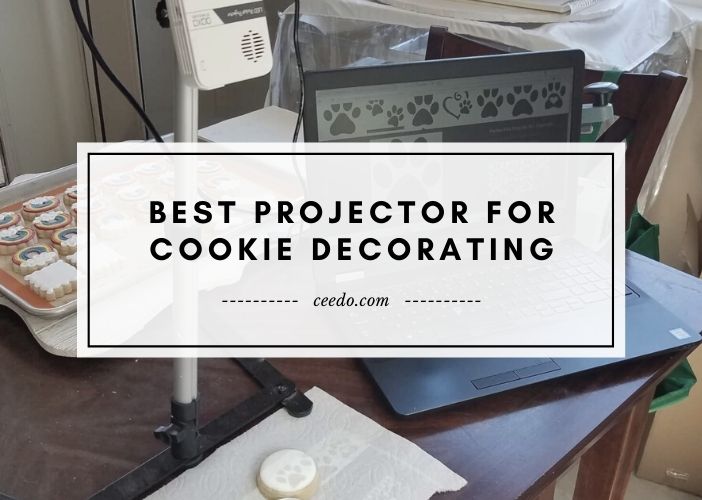
Cookie decorating has evolved dramatically over the past few years. What once required hours of hand-sketching designs onto fondant or royal icing now takes minutes when you have a capable art projector pointed at your work surface. Whether you're replicating a customer's logo onto a corporate cookie order, tracing delicate floral patterns for a wedding batch, or simply speeding up your holiday production runs, a good projector eliminates the guesswork entirely. You project the image, trace the outline, and decorate with confidence. The skill is still yours — the projector just removes the repetitive drafting work that eats your creative time. If you're interested in how projectors serve precision art contexts more broadly, our guide to the best projectors for projection mapping covers the technical overlap in useful depth.
The challenge is that the projector category spans everything from $30 pico toys to professional laser units that cost thousands of dollars, and most consumer projectors are designed for cinema viewing, not downward-facing close-range surface work. Cookie decorating demands specific qualities: a short throw distance, a bright enough image to compete with kitchen lighting, intuitive controls you can operate with flour-dusted hands, and enough image clarity to render fine line art accurately. The six projectors in this guide have been selected to cover that spectrum, from dedicated art projectors built exactly for this use case to versatile portable options that double as entertainment devices when the decorating session ends.
Contents
- Top Rated Picks of 2026
- Detailed Product Reviews
- Artograph Tracer Professional — Best Classic Opaque Projector
- Artograph Smart LED Inspire 1500 — Best Overall for Cookie Decorating
- Artograph Flare 100 — Best Full HD Digital Art Projector
- Artograph Prism — Best Budget Art Projector
- Epson EpiqVision Mini EF21 — Best Premium Laser Option
- KODAK Luma 150 — Best Ultra-Portable Option
- Key Features to Consider When Choosing
- Frequently Asked Questions
- Next Steps
Top Rated Picks of 2026
- #PreviewProductRating
- Bestseller No. 1
 Rating:

- Bestseller No. 2
 Rating:
 - Bestseller No. 3
 Rating:
 - Bestseller No. 4
 Rating:
- Bestseller No. 5
 Rating:
- Bestseller No. 6
 Rating:
Detailed Product Reviews
1. Artograph Tracer Professional and Hobby Image Projector — Best Classic Opaque Projector
The Artograph Tracer Professional has been the standard recommendation for cookie decorators and surface artists for over a decade, and in 2026 it still earns its reputation through sheer reliability and simplicity. This is an opaque projector, meaning it projects physical objects — printed paper templates, photos, hand-drawn sketches, even small physical items — directly onto your work surface without requiring you to first digitize the image. For cookie decorators who work primarily from printed templates or recipe cards with design sketches, that workflow is faster than any digital alternative. You place your reference image in the tray, adjust the distance until your projected image matches the size of your cookie, and trace. There is nothing to configure, no app to update, and no compatibility issues to troubleshoot.
The optical system uses a 120-watt tungsten lamp that produces a bright, warm projection capable of filling an area up to 14 times the original source image size. The lens is a quality multi-element glass design rather than the plastic optics you find in cheaper hobby projectors, and that distinction shows in the sharpness of projected line work. Fine details in your stencil designs — delicate script fonts, intricate lacework patterns, thin outline borders — remain crisp at typical cookie-decorating distances of 18 to 30 inches. The 110V US voltage rating means this unit plugs directly into any standard North American outlet without adapters or converters.
The trade-off with the Tracer Professional is that it is an analog, single-purpose device. You cannot feed it a digital file from your phone or laptop. If your design workflow is entirely digital — building templates in Canva or Procreate and projecting them directly — you need one of the digital art projectors lower in this list. The lamp also generates noticeable heat during extended sessions, so working in a warm kitchen for several hours requires you to keep the room ventilated. For bakers who regularly produce batch orders from physical template libraries, though, the Tracer Professional remains the fastest and most consistent tool in the category.
Pros:
- Projects physical templates directly — no digitizing step required
- Multi-element glass lens delivers sharp, accurate line projection
- Simple plug-and-project operation with zero software dependency
- Enlarges images up to 14x original size for flexible cookie scaling
Cons:
- Cannot project digital files directly from phone or computer
- Tungsten lamp generates significant heat during long decorating sessions
2. Artograph Smart LED Art Projector Inspire 1500 — Best Overall for Cookie Decorating
The Artograph Inspire 1500 is the projector we recommend to most cookie decorators in 2026, and the reasoning is straightforward: it bridges the gap between traditional art projectors and modern smart devices without compromising on the precision that cookie decoration demands. At its core, this is a purpose-built art projector with built-in alignment grids, which means you can overlay a grid onto your cookie surface and match it precisely to a gridded reference image — an invaluable feature when you're scaling a complex design across a full batch of cookies that need to be identical. The grids are selectable and adjustable, so you can match them to whatever grid spacing your design template uses.
The automatic vertical keystone correction is the feature that separates the Inspire 1500 from every cheaper projector in this category. When you're decorating cookies on a flat table and projecting from above at an angle, every projector that lacks keystone correction produces a trapezoidal distortion that makes your circles look like ovals and your straight lines bow at the edges. The Inspire 1500 corrects vertical distortion automatically the moment you power it on, and horizontal correction is available manually through the touchpad. The remote control is the finishing touch that makes this projector genuinely practical in a working kitchen — you adjust zoom, focus, and grid overlay without touching the unit, which matters enormously when your hands are covered in royal icing or melted chocolate.
The 30,000-hour LED light source is rated for roughly 15 years of daily professional use at eight hours per day, which means you are not replacing bulbs or worrying about lamp degradation affecting your image quality over time. Screen mirroring support means you can project directly from your phone or tablet — open your design in any app, mirror it to the projector, and trace. The built-in 3-watt speaker and multiple media format playback are bonuses that make this useful for instructional content or tutorial video playback during decorating sessions. The nylon carrying case makes it practical to transport to pop-up markets or client events. For the decorator who wants a single device that handles both professional-grade art projection and modern digital connectivity, the Inspire 1500 is the definitive choice in 2026.
Pros:
- Automatic vertical keystone correction eliminates image distortion on flat surfaces
- Built-in grids enable accurate size matching and batch consistency
- Remote control operation keeps the unit hands-free during decorating
- 30,000-hour LED lifespan eliminates lamp replacement costs
- Screen mirroring projects designs directly from phone or tablet
Cons:
- Higher price point than basic art projectors
- Horizontal keystone is manual rather than automatic
3. Artograph Flare 100 Digital Art Projector — Best Full HD Digital Art Projector
The Artograph Flare 100 represents the premium tier of purpose-built art projection, and its native 1920×1080 resolution sets it apart from everything else in this category by a meaningful margin. When you are projecting a design with fine typography, delicate botanical illustration details, or tight geometric patterns onto a cookie surface, image resolution translates directly to line clarity — and at full 1080p native resolution, the Flare 100 renders details that lower-resolution projectors smear or lose entirely. Support for up to 3840×2160 input means that if you create your cookie templates at 4K in Photoshop or Illustrator, you feed the projector the full-resolution file and it downsamples cleanly, preserving maximum sharpness in the projected output.
The adjustable monopod arm is a genuinely practical engineering decision for kitchen use. Most art projectors require you to mount them on a separate stand or balance them precariously on a stack of books to achieve the right projection angle over your work surface. The Flare 100's integrated monopod extends and angles to project images from 30 to 100 inches at varied heights, giving you a stable, purpose-built mounting solution that keeps the projector exactly where you need it without improvised rigging. Five built-in art grids provide the same precision alignment capability as the Inspire 1500, ensuring your batch work stays consistent from the first cookie to the last.
Input flexibility is exceptional: HDMI for laptop connection, USB-A for flash drives loaded with design files, TF card for direct memory card playback, composite A/V for legacy devices, and built-in WiFi for wireless screen sharing from phones and tablets. For a working cookie decorator who has templates spread across multiple devices and formats, that connectivity range means you never hit a situation where your design file is inaccessible. If you also work on murals, quilting, or other large-format art applications — or if you find yourself needing a projector for presentations — the Flare 100 covers all of those uses with its screen-to-100-inch range. It's a significant investment, but if precise line work and format flexibility are non-negotiable for your business, it justifies the cost.
Pros:
- Native 1080p resolution delivers the sharpest projected line work in this category
- Integrated monopod arm provides stable, adjustable mounting without separate hardware
- Five built-in art grids for accurate image placement and batch consistency
- WiFi, HDMI, USB-A, TF card, and composite inputs cover every device and format
Cons:
- Premium price is the highest in this roundup
- Larger footprint than compact art projectors — requires dedicated counter space
4. Artograph Prism Art Projector — Best Budget Art Projector
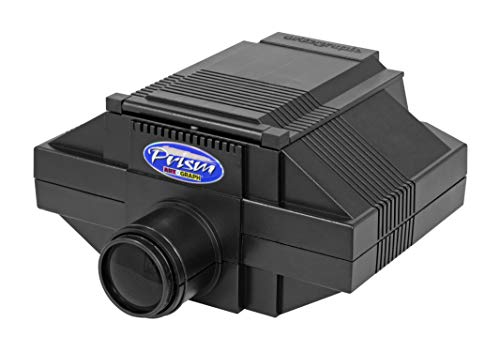
The Artograph Prism is the entry point into the Artograph art projector lineup, and for cookie decorators who are just beginning to incorporate projection into their workflow, it is the logical starting place before committing to a higher-end unit. The Prism follows the same opaque projector principle as the Tracer — you project physical reference materials rather than digital files — but it does so at a price that makes experimentation accessible. If you've been manually transferring designs onto cookies using transfer paper or freehand sketching and you're not yet sure how much a projector will actually change your workflow, the Prism lets you discover the answer without significant financial risk.
The optical design is simpler than the Tracer Professional, using a single-element lens rather than the multi-element glass system in the higher-tier Artograph models. That means the center of the projected image is sharp and usable, but the edges can show some softness — particularly at larger projection distances. For typical cookie decorating distances and sizes, where you're working within 24 inches and projecting designs onto 3- to 5-inch cookies, that edge softness rarely becomes a practical problem because you're working in the sharp center zone of the projection field. The brightness is adequate for a reasonably dim kitchen space, though you'll want to reduce ambient lighting for the cleanest, most visible projection.
The Prism is a no-frills device, and that simplicity is genuinely a feature in a busy kitchen context. There is no firmware to update, no connectivity settings to configure, and no remote control to lose. You turn it on, place your template, adjust the height, and trace. For bakers who want a dedicated tracing tool that they don't have to think about — one that just works reliably every session — the Prism delivers exactly that. It does not have digital connectivity, so if your entire design library is on a phone or tablet, you'll need to print your templates first. But for decorators who already maintain a printed template library, that's a non-issue.
Pros:
- Accessible entry-level price for decorators new to projection
- Simple, zero-configuration operation — power on and project
- Projects physical templates directly without digitizing
Cons:
- Single-element lens produces edge softness at larger projection sizes
- No digital connectivity — cannot project from phone, tablet, or laptop
- Requires dimmed ambient lighting for clear image visibility
5. Epson EpiqVision Mini EF21 Portable Smart Laser Projector — Best Premium Laser Option
The Epson EpiqVision Mini EF21 is not a dedicated art projector, and that distinction matters when you're evaluating it for cookie decorating. What it is, however, is an exceptionally capable smart laser projector that, in the right setup, delivers outstanding projection quality that can serve your decorating work and then double as a full home entertainment system when the kitchen session ends. The 3-chip 3LCD laser technology produces 1,000 lumens of both color and white brightness — a specification that matters considerably in a well-lit kitchen environment where cheaper projectors wash out and become difficult to trace from. If your decorating space has significant ambient light and you've struggled with dim, low-contrast projections from consumer-grade units, the EF21's brightness output solves that problem definitively. For more context on projector performance in bright environments, our best projectors for bright rooms guide covers the lumen requirements in detail.
The Google TV integration means your entire design library — stored in Google Drive, projected via Chrome, streamed from any app in the Google TV ecosystem — is accessible directly on the projector without cables or dongles. The Full HD 1080p resolution with HDR color support renders design details with excellent accuracy. The laser light source essentially never needs replacement, giving you the same maintenance-free longevity story as the Inspire 1500's LED but with substantially higher brightness output. The stereo speaker system is genuinely useful if you use your decorating sessions as learning time, following tutorial videos or instructional streams while you work.
The honest caveat for cookie decorating specifically is that the EF21 is optimized for throwing large images at standard viewing distances — it's designed to fill a 150-inch screen from across a room, not to project a precise 4-inch image onto a cookie from 20 inches away. You can absolutely use it for cookie decoration, and the image quality will be excellent, but you're using a precision sports car to make a grocery run — it works, but the fit isn't purpose-built. If you also want a projector for home theater use, or if you regularly host decorating events where you project design demonstrations on a large screen for students, the EF21's dual-purpose capability makes it a genuinely compelling option at its price point. This is a renewed unit, so verify the warranty terms before purchasing.
Pros:
- 1,000-lumen laser brightness outperforms every other projector in this list for well-lit kitchens
- 3-chip 3LCD technology delivers accurate color rendering for design work
- Google TV enables direct access to your digital design library without cables
- Laser light source requires no bulb replacement over its operational lifetime
Cons:
- Designed for large-screen viewing distances — requires setup adaptation for close-range cookie work
- Renewed unit — warranty and condition depend on Amazon's renewed certification
- No dedicated art grids or keystone correction optimized for surface tracing
6. KODAK Luma 150 Ultra Mini Pocket Projector — Best Ultra-Portable Option
The KODAK Luma 150 is the most portable device in this roundup at just 7.5 ounces, and its built-in battery and wireless connectivity make it the natural choice for cookie decorators who teach workshops, sell at markets, or work in multiple locations where setting up a conventional projector is impractical. The DLP optical engine produces 55 ANSI lumens — honest enough for a darkened or dimly lit space — and projects images up to 100 inches, though for cookie decorating you'll typically be working in the 10- to 20-inch range where the image is bright and focused. The native 640×360 resolution is the honest limitation here: this is a pocket projector, not an art projector, and the resolution ceiling means extremely fine line details in complex designs will show some pixelation at close working distances.
The wireless connectivity story is strong for the price tier. Miracast and AirPlay support means you mirror your design directly from an iPhone or Android phone to the projector without cables, apps, or account logins — you open your design, engage screen mirroring, and project. That simplicity is genuinely valuable in a workshop context where you're moving quickly between setup and demonstration. HDMI, USB-A, and microSD inputs cover all your wired options as well. The built-in battery means you can set this up on a market stall or in a rented kitchen studio without hunting for an available outlet, which is a real convenience that none of the other projectors in this list offer.
The KODAK Luma 150 is the right recommendation for decorators who prioritize portability and wireless workflow above all else, and who accept that the image resolution is a trade-off for that convenience. If you're decorating professionally in a fixed kitchen and you need the sharpest possible projection for intricate designs, the Artograph units serve you better. But if you run cookie decorating classes, travel to client kitchens, or simply want a projector that fits in your jacket pocket and connects to your phone in under ten seconds, the Luma 150 delivers a practical, affordable solution in 2026. For those exploring how pico projectors perform across different use cases, our review of the best projectors under $500 offers useful comparative context.
Pros:
- 7.5-ounce weight and pocket size make it genuinely portable for workshops and markets
- Built-in battery removes the need for outlet access during remote sessions
- AirPlay and Miracast enable instant wireless mirroring from iPhone and Android
- Covers HDMI, USB-A, and microSD for all wired connection formats
Cons:
- 640×360 native resolution is visibly limited for fine-detail design work
- 55 ANSI lumens requires a dim environment for usable cookie-decorating projection
Key Features to Consider When Choosing a Projector for Cookie Decorating
Projection Type: Opaque vs. Digital
The first decision you make when choosing a projector for cookie decorating is whether you want an opaque projector or a digital one. Opaque projectors, like the Artograph Tracer and Prism, project physical objects placed in the unit's tray — printed templates, recipe cards, hand-drawn sketches. They are simpler, require no digital devices, and are faster to set up when your design workflow is primarily paper-based. Digital projectors, like the Inspire 1500 and Flare 100, connect to phones, laptops, and storage media, allowing you to project files directly from your design software, social media, or cloud storage. If your template library lives in Canva, Procreate, or Instagram saved collections, a digital projector eliminates the print step entirely. Most serious decorators eventually find that a digital unit integrates more smoothly with a modern design-to-cookie workflow, but if your kitchen is paper-heavy, an opaque projector remains a perfectly valid choice.
Image Brightness and Ambient Light
Brightness is the specification most cookie decorators underestimate until they struggle to see a dim projection on a white fondant surface under kitchen lighting. Projector brightness is measured in lumens, and the general rule for surface work in a lit kitchen environment is that you want as many lumens as possible while keeping the image sharp. Dedicated art projectors measure brightness differently than consumer cinema projectors, so direct lumen comparisons across categories can be misleading — what matters practically is how visible the projected line is on your specific work surface under your specific lighting conditions. If your kitchen is well lit and you prefer not to dim the lights while working, prioritize the brightest projector you can afford. If you can comfortably work in reduced lighting during decorating sessions, brightness becomes less critical and image sharpness moves up the priority list.
Resolution and Line Sharpness
Resolution determines how accurately a projector renders fine details, and for cookie decorating this translates directly into how faithfully your projected design matches the original template. Low-resolution projectors blur the boundaries of thin lines, making precise tracing difficult and causing your finished design to look slightly fuzzy compared to the sharp original. For designs with delicate typography, intricate lace patterns, or fine botanical details, you need a projector with at least 720p-equivalent resolution — and 1080p native resolution, as offered by the Flare 100, gives you more working margin for highly detailed designs. The optical principles of projection mean that resolution interacts with throw distance: the same projector will appear sharper at shorter distances, so cookie decorators working close to the surface often get acceptable results from projectors that would disappoint at cinema distances.
Keystone Correction and Mounting Flexibility
Keystone correction is a feature that straightens a trapezoidal distortion that occurs whenever a projector is not perfectly perpendicular to the projection surface. In a cookie decorating context — where you are almost always projecting downward at an angle from above the work surface — keystone correction is not a luxury. Without it, your projected circles are ovals, your rectangular frames are trapezoids, and your dimensions are systematically off across the entire design. Automatic vertical keystone correction, as found on the Inspire 1500, handles this adjustment instantly every time you power on the projector. Manual correction, found on most other units, requires you to dial in the correction yourself each session. Beyond keystone, mounting flexibility — whether through an integrated monopod arm like the Flare 100 offers, a standard tripod thread, or an adjustable stand — determines how easily you can position the projector directly over your cookie surface for the most perpendicular, distortion-free projection possible. If you're building a dedicated cookie decorating station, take mounting seriously. If you want inspiration for how professional artists handle projection setups, our guide on best projectors for projection mapping addresses mounting and geometry in depth.
Frequently Asked Questions
Can I use any projector for cookie decorating, or do I need a specific type?
You can technically use any projector for cookie decorating, but purpose-built art projectors offer features that make the workflow significantly easier and more accurate. The key advantages of art projectors are built-in grids for alignment, keystone correction for undistorted projection at angles, short throw capability for close-range surface work, and in the case of opaque models, the ability to project physical templates without digitizing. Consumer cinema projectors work, but they typically require more creative mounting solutions and don't include the precision alignment tools that dedicated art projectors provide.
How bright does a projector need to be for cookie decorating?
For comfortable cookie decorating in a standard kitchen with overhead lighting, you want a projector that produces at least 200–400 ANSI lumens for dimmed conditions, or 800 lumens and above for well-lit environments. The challenge is that cookie surfaces — particularly white royal icing and white fondant — reflect light differently than projection screens, and ambient kitchen lighting directly competes with your projected image. If you can dim your kitchen lights during decorating sessions, a lower-lumen art projector performs adequately. If you prefer to work in full kitchen lighting, prioritize lumen output and consider the Epson EpiqVision EF21's 1,000-lumen output as the benchmark.
What is the best distance to set up a projector for cookie decorating?
Most cookie decorating projector setups work best at a throw distance of 18 to 36 inches above the work surface. At that range, you can project an image sized to match standard 3- to 5-inch cookies with adequate brightness and sharpness. The exact distance depends on your specific projector's throw ratio and zoom range — art projectors with adjustable zoom let you fine-tune the image size without changing the physical position of the unit. Experiment with your setup by projecting a circle of known diameter and adjusting height until it matches the size of your cookies before you begin tracing.
Do I need to dim the kitchen lights to use a projector for decorating?
For most projectors in this category, yes — reducing ambient light noticeably improves the visibility and contrast of your projected image on a light-colored cookie surface. Even a modest reduction in overhead lighting, such as turning off direct lights above the work surface and relying on ambient room light, makes a meaningful difference. The exception is the Epson EpiqVision EF21 with its 1,000-lumen laser output, which maintains a visible image in relatively bright conditions. If dimming your kitchen is impractical or disruptive to your workflow, invest in the brightest projector your budget allows.
Can I project designs from my phone onto cookies?
Yes, and it's one of the most efficient workflows for digital cookie decorators in 2026. Projectors with screen mirroring capability — including the Artograph Inspire 1500, Artograph Flare 100, Epson EpiqVision EF21, and KODAK Luma 150 — support wireless screen mirroring via protocols like AirPlay (iPhone) or Miracast (Android). You open your design template in any app on your phone, activate screen mirroring, and the projector displays exactly what's on your screen. You can zoom, rotate, and resize the design on your phone and the projection updates in real time. This eliminates the need to print templates and gives you access to your full digital design library instantly.
Is the Artograph Inspire 1500 worth the price over the Tracer Professional for cookie decorating in 2026?
For most active cookie decorators in 2026, yes. The Inspire 1500 justifies its higher price through three features that directly impact your daily workflow: automatic keystone correction that eliminates geometric distortion without manual adjustment, built-in alignment grids that ensure batch consistency across dozens of cookies, and digital connectivity that lets you project from your phone without printing templates. The Tracer Professional is a better choice only if your design library is entirely paper-based, your budget is constrained, and you specifically value the opaque projection workflow for its simplicity. For decorators who build templates digitally and produce high-volume batch orders, the Inspire 1500's time savings pay for the price difference quickly.
Buy on Walmart
- Artograph Tracer Professional and Hobby Image Projector, 110 — Walmart Link
- Artograph Smart LED Art Projector with Auto Focus Grids and — Walmart Link
- Artograph Flare 100 Digital Art Projector with Adjustable Mo — Walmart Link
- Artograph Prism Art Projector — Walmart Link
- Epson EpiqVision Mini EF21 Portable Smart Laser Projector, B — Walmart Link
- KODAK Luma 150 Ultra Mini Pocket Pico Projector - Black Buil — Walmart Link
Buy on eBay
- Artograph Tracer Professional and Hobby Image Projector, 110 — eBay Link
- Artograph Smart LED Art Projector with Auto Focus Grids and — eBay Link
- Artograph Flare 100 Digital Art Projector with Adjustable Mo — eBay Link
- Artograph Prism Art Projector — eBay Link
- Epson EpiqVision Mini EF21 Portable Smart Laser Projector, B — eBay Link
- KODAK Luma 150 Ultra Mini Pocket Pico Projector - Black Buil — eBay Link
Next Steps
- Check the current price of the Artograph Inspire 1500 on Amazon — prices fluctuate and it occasionally goes on sale, which changes the value calculation between it and the Flare 100 significantly.
- Measure your kitchen workspace and determine your ideal throw distance before ordering — confirm the projector you choose can produce a correctly sized image at that distance using the manufacturer's throw ratio specifications.
- If you work in a well-lit kitchen, test your ambient light level against the lumen output of your shortlisted projector by borrowing a similar unit or reviewing hands-on video reviews before committing.
- Browse the full projectors category to compare these art projectors against other specialty and portable options that might fit your specific workspace setup.
- If you plan to use your projector beyond cookie decorating — for home cinema, presentations, or large-format art — revisit the Epson EpiqVision EF21 and KODAK Luma 150 entries, as their dual-use value proposition changes the cost-benefit calculation considerably.
 |
 |
 |
 |

About Sarah Whitford
Sarah Whitford is Ceedo's resident projector and home theater expert. She got her start as a custom AV installer for a regional integrator in the Pacific Northwest, where she designed and installed media rooms and conference spaces for residential and small business clients for over six years. Sarah earned her CTS certification from AVIXA and has personally calibrated more than 150 projectors using Datacolor and SpyderX colorimeters. She is opinionated about throw distance math, contrast ratios, and the realities of ambient light, and she will happily explain why most people should not buy a 4K projector. Sarah lives in Portland with her partner and an aging Akita.