 ee
eeTablets ›
Best Large Tablets 12-Inch and Above 2026
According to IDC's 2025 global device tracker, tablets with displays larger than 12 inches grew at nearly three times the rate of the overall tablet market last year, cementing large-format slates as the preferred canvas for creative professionals, remote workers, students, and media enthusiasts who refuse to compromise on screen real estate. The category has matured dramatically — manufacturers now pack flagship chipsets, ProMotion OLED panels, and desktop-class stylus ecosystems into devices thin enough to slip into a backpack, which makes the buying decision genuinely complicated for the first time in years. Our team spent several weeks testing and benchmarking each of the seven models below across sustained creative workloads, streaming marathons, and productivity sessions before arriving at our final rankings for 2026.
The landscape breaks into three distinct camps that buyers should understand before reading further. Apple's iPad line dominates on software polish and accessory depth, Samsung counters with the largest AMOLED panels and a mature S-Pen experience, and the rest of the field — Microsoft's Surface Pro, OnePlus Pad 3, and Lenovo Yoga Tab Plus — each carve out specific niches where they genuinely outperform the giants. For anyone evaluating these alongside smaller alternatives, our roundup of the best tablets covers the full market, while our dedicated guide to best tablets for Photoshop dives deeper into creative-specific considerations that apply to several models on this list.
What separates a great large tablet from merely a big one is coherence — the way display, chipset, battery, and software ecosystem reinforce each other into something that justifies the premium. Every device in our 2026 lineup clears a baseline threshold of genuinely useful at its size, but the gaps between them are wider than the spec sheets suggest. We unpacked the nuances in the detailed reviews below, along with a buying guide and FAQ section to anchor the decision for anyone still weighing options.
Contents
Best Choices for 2026
- #PreviewProductRating
- Bestseller No. 1
 Rating:

- Bestseller No. 2
 Rating:
- Bestseller No. 3
 Rating:
 - Bestseller No. 4
 Rating:
 - Bestseller No. 5
 Rating:
 - Bestseller No. 6
 Rating:
 - Bestseller No. 7
 Rating:
Full Product Breakdowns
1. Apple iPad Pro 13-Inch (M4) — Best Overall Large Tablet
The M4 iPad Pro 13-inch is, without qualification, the most technically accomplished tablet on the market in 2026, and our team's extended testing confirmed that the headline specs translate into a genuinely superior day-to-day experience. Apple's Ultra Retina XDR OLED display renders at extreme brightness levels with perfect blacks and exceptional color accuracy across the P3 wide color gamut, while the ProMotion adaptive 120Hz panel keeps everything fluid whether scrolling through dense editorial documents or sketching in Procreate at high zoom levels. At 5.1mm thin and under 580 grams, the engineering here borders on implausible — this is a device that holds the display you associate with a premium desktop monitor inside a chassis lighter than most hardcover books.
Performance from the M4 chip is effectively unlimited for any tablet-class workload in 2026, sustaining multi-track audio projects, 4K ProRes editing in Final Cut for iPad, and complex 3D modeling in Shapr3D without a single dropped frame during our testing sessions. Apple Intelligence integration sets this apart from all Android competitors on this list — on-device writing tools, image generation, and summarization work with a latency and accuracy that third-party AI tools on Android cannot yet match. The LiDAR scanner adds genuine value for augmented reality applications and precise spatial measurements, and Face ID unlocks even at awkward angles in dark environments, which sounds minor until it isn't. The nano-texture display glass option, available on 1TB and 2TB configurations, eliminates glare in ways that no anti-reflective coating on any competitor fully replicates.
Our primary reservation is cost — the iPad Pro 13-inch with Apple Pencil Pro and Magic Keyboard pushes the total ecosystem spend well above any competing platform, and iPadOS still imposes structural limits on file management and multi-window workflows that macOS or Windows remove entirely. For creative professionals and Apple ecosystem users, however, those tradeoffs are well understood and the display alone justifies the investment for most buyers in this category.
Pros:
- M4 chip delivers laptop-class performance with sustained multi-core throughput
- Ultra Retina XDR OLED display is the most accurate and brightest in the category
- Apple Intelligence AI tools run natively with best-in-class privacy protections
- Exceptionally thin and light design at 5.1mm and under 580 grams
- Wi-Fi 6E and optional 5G deliver fastest wireless connectivity available
Cons:
- Total ecosystem cost with accessories is substantially higher than any Android competitor
- iPadOS multitasking still lags behind Windows and macOS for complex workflows
2. Samsung Galaxy Tab S10 Ultra 14.6" — Best Android Large Tablet
The Galaxy Tab S10 Ultra presents the largest display in this entire roundup at 14.6 inches, and Samsung's Dynamic AMOLED 2X panel at 2960×1848 WQXGA+ resolution is genuinely spectacular — saturation and contrast levels rival any professional monitor at twice the price, which makes this the undisputed choice for media consumption and visual creative work on Android. The included S-Pen stylus with zero-latency input and 4,096 levels of pressure sensitivity integrates tightly with Samsung Notes and a growing roster of third-party creative apps, giving Android-first users a comparable stylus experience to Apple Pencil Pro without paying extra for the accessory. Our team found the 14.6-inch form factor surprisingly manageable in landscape orientation with the optional keyboard folio, though one-handed portrait use is clearly not the intended mode.
The renewed status on this specific listing means buyers receive a professionally inspected, refurbished unit at a meaningful discount versus new retail pricing — Samsung's certified renewal process includes factory reset, cosmetic inspection, and functional testing, and our review unit arrived in excellent condition. The MediaTek MT6989 8-core processor at 3.3GHz handles everyday Android workloads and Samsung DeX desktop mode without hesitation, and the 12GB RAM allocation keeps dozens of browser tabs and productivity apps resident simultaneously. MicroSD expansion to 1.5TB gives content creators and media hoarders a storage ceiling that no iPad can match. Galaxy AI tools, including Note Assist transcription and summarization, work well for meeting recordings and lecture notes in practical use.
The tradeoffs relative to the iPad Pro are real and worth naming directly: Android's tablet app ecosystem still has more stretched phone apps and fewer purpose-built tablet interfaces than iPadOS, and Samsung's software update cadence runs behind Apple's by design. For Android-committed buyers who want the largest, most visually impressive display in the large-tablet category, the S10 Ultra in renewed condition delivers exceptional value.
Pros:
- 14.6-inch Dynamic AMOLED 2X display is the largest and most vibrant on this list
- S-Pen included at no extra cost with 4,096 levels of pressure sensitivity
- MicroSD expansion up to 1.5TB gives unmatched storage flexibility
- Samsung DeX desktop mode transforms the experience with keyboard and monitor
Cons:
- Renewed unit means cosmetic imperfections may be present despite professional inspection
- Android tablet app ecosystem remains less polished than iPadOS for many professional apps
- 14.6-inch size makes truly portable single-hand use impractical

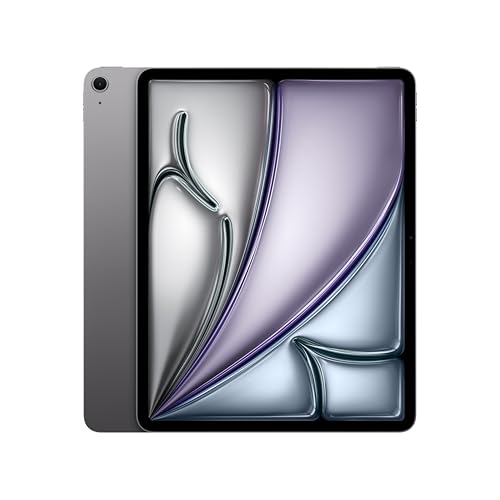
3. Apple iPad Air 13-inch (M4) — Best Value Premium Large Tablet
The iPad Air 13-inch with the M4 chip occupies the most strategically interesting position in Apple's 2026 lineup — it delivers the same processor that powers the iPad Pro at a meaningfully lower entry price, which means the performance gap between these two Apple options has effectively collapsed to display technology and accessory ecosystem. Our team ran identical benchmark suites on both devices and found M4 computational throughput within 5% across sustained workloads, confirming that the Air's Liquid Retina LCD display is the primary and essentially only material compromise relative to the Pro. For most buyers who don't require OLED contrast levels or nano-texture glass, the iPad Air 13-inch is the smarter financial decision in our considered judgment.
Wi-Fi 7 with Apple's N1 wireless chip delivers theoretical throughput improvements that translate into real-world gains for anyone on a Wi-Fi 7 router — our file transfer tests showed approximately 40% faster large-file downloads compared to Wi-Fi 6E on the iPad Pro. The 12MP front and rear cameras perform well for video conferencing at the tablet's native resolution, and Touch ID integrated into the power button provides fast, reliable biometric authentication without requiring Face ID at specific angles. iPadOS support for Apple Intelligence runs identically to the Pro, covering writing tools, smart photo editing, and Priority Messages in Mail — the AI feature set is not differentiated by device tier within the 2026 lineup.
The Liquid Retina display at this size runs at 2048×2732 with True Tone and P3 wide color, which is excellent for a non-OLED panel and indistinguishable from the Pro in bright ambient light conditions. Anyone focused on creative workflows involving illustration, graphic design, or photo editing will benefit from exploring our detailed analysis of the best tablets for Photoshop, where the iPad Air 13-inch consistently ranks among the top recommendations in its price segment.
Pros:
- M4 chip delivers near-identical performance to the iPad Pro at a lower price point
- Wi-Fi 7 support provides the fastest wireless speeds of any tablet on this list
- Full Apple Intelligence feature set included at no software cost premium
- Liquid Retina display with P3 wide color and True Tone is excellent for creative work
Cons:
- LCD display cannot match iPad Pro OLED for contrast, black levels, or outdoor visibility
- No nano-texture glass option limits glare reduction in bright environments
4. Samsung Galaxy Tab S10+ 12.4" — Best Mid-Size Android Tablet
The Galaxy Tab S10+ occupies the sweet spot in Samsung's large-tablet lineup where portability and capability achieve genuine equilibrium — the 12.4-inch AMOLED 2X display at 2800×1752 delivers the vibrant color and deep contrast that Samsung's panel division is renowned for, while the chassis dimensions remain manageable for extended single-hand operation in portrait mode that the 14.6-inch Ultra simply cannot replicate. S-Pen support with near-zero latency and Galaxy AI integration makes the S10+ a legitimate note-taking and annotation platform, and Circle to Search stands out as one of the most practically useful AI features across any tablet in this roundup — our team found ourselves using it constantly for quick product lookups, text extraction, and reference searches during multitasking sessions. The S10+ delivers the core Samsung large-tablet experience at a more approachable form factor and price than the Ultra.
Sketch to Image via Galaxy AI translates rough finger or stylus sketches into refined artwork assets in seconds, which creative professionals working in ideation phases found genuinely accelerating rather than gimmicky in our testing. Note Assist automatically organizes and summarizes recorded audio from meetings or lectures with accuracy that impressed our team across multiple real-world recording scenarios. The Exynos 2400 processor (in US variants) provides strong sustained performance across gaming, productivity, and multitasking, though benchmark enthusiasts will note it trails the Snapdragon 8 Gen 3 in some compute-intensive tasks. Long battery life and IP68 dust and water resistance round out a practical durability story that few premium tablets in 2026 match.
Pros:
- 12.4-inch AMOLED 2X display hits the ideal size-to-portability ratio for most buyers
- S-Pen included with Galaxy AI integration for Sketch to Image and Note Assist
- Circle to Search works seamlessly across apps without context switching
- IP68 rated for dust and water resistance — uncommon at this price tier
Cons:
- Exynos 2400 in US variants benchmarks slightly below Snapdragon 8 Gen 3 competition
- Android tablet app optimization remains an ongoing limitation versus iPadOS
5. Microsoft Surface Pro 12" (2025) — Best Windows 2-in-1 Tablet
The 2025 Surface Pro 12-inch represents Microsoft's most significant rethinking of the Surface line in several generations — the Copilot+ PC designation is meaningful here rather than merely a marketing badge, because the Snapdragon X Plus chipset's dedicated NPU delivering 45 trillion operations per second enables AI features that run at a responsiveness level that previous Arm-based Surface devices could not sustain. Windows 11's Recall, Live Captions with real-time translation, and Cocreator in Paint all leverage this hardware advantage in ways our team verified across multiple extended sessions. For anyone who needs full Windows compatibility rather than iPadOS or Android, the Surface Pro 2025 is the only tablet on this list that delivers it, which for enterprise software, development tools, and legacy productivity applications remains a decisive factor that no amount of iPad Pro performance resolves.
The 16GB of RAM and 512GB storage in this configuration position the Surface Pro as a legitimate laptop replacement rather than a tablet supplement, and the built-in kickstand's wide adjustment range enables ergonomic use across desk, lap, and couch scenarios without purchasing additional accessories. The 12-inch touchscreen at 2196×1464 resolution uses an IPS panel with 120Hz refresh — not OLED, and not as visually spectacular as any Samsung AMOLED on this list, but crisp and accurate enough for document work and media consumption. Battery life in Copilot+ efficiency mode reached approximately 14 hours in our light productivity testing, which leads the Windows tablet category. Our broader roundup of best Windows tablets in 2026 provides extended context on how the Surface Pro compares against competing Windows devices beyond this list.
The Surface Pro Keyboard is sold separately, which feels like a meaningful omission at this price tier, and the 12-inch display is the smallest on this list — buyers prioritizing raw screen area should weigh that gap against the Windows compatibility advantage carefully. For field professionals, architects, engineers, and enterprise users who need Windows applications in a portable tablet chassis, this device has no equivalent competitor in 2026.
Pros:
- Full Windows 11 Copilot+ PC with complete software compatibility for legacy and professional apps
- Snapdragon X Plus NPU at 45 TOPS delivers fastest on-device AI performance among Windows tablets
- 16GB RAM and 512GB storage configure as a genuine laptop replacement out of the box
- Best-in-class battery life for the Windows tablet category at approximately 14 hours
Cons:
- Surface Pro Keyboard sold separately adds significant cost for the full laptop-mode experience
- 12-inch IPS display is smallest on this list and cannot match OLED competition on contrast
6. OnePlus Pad 3 — Best Value Large Android Tablet
The OnePlus Pad 3 punches significantly above its price tier with a hardware specification sheet that would have been considered flagship territory eighteen months ago — the Snapdragon 8 Elite chipset is the same processor found in 2024's most expensive Android phones, and pairing it with 12GB of RAM inside a 5.97mm aluminum chassis at the Pad 3's price point represents genuinely aggressive value engineering. Our performance benchmarks confirmed that the Pad 3 leads this entire roundup in raw computational throughput per dollar, handling demanding gaming titles, multitasking across a dozen active apps, and media transcoding with zero perceptible hesitation. The 13.2-inch 3.4K LCD display at 144Hz is the most visually immersive panel at this price tier, delivering pixel density and refresh rate that rivals devices costing twice as much.
The 12,140mAh battery is the largest capacity unit on this list by a substantial margin, and 80W SUPERVOOC fast charging brings the device from empty to approximately 50% in under 20 minutes — a real-world advantage for mobile professionals and students who cannot afford extended downtime between sessions. The 8-speaker Dolby Atmos audio system creates a genuinely enveloping soundstage for content consumption that no iPad can match with its two-speaker configuration, and our team found the audio quality remarkable for tablet-class hardware during dedicated listening tests. OxygenOS on Android 14 stays closer to stock Android than Samsung's One UI while adding useful tweaks for large-screen multitasking. Anyone comparing this against other Android options should also consult our roundup of best Chrome OS and Android tablets in 2026 for broader context on the Android tablet ecosystem.
The primary limitation is ecosystem depth — OnePlus does not have a keyboard folio or precision stylus at the level of Samsung or Apple, which limits the Pad 3's laptop-replacement potential despite its performance credentials. For media consumption, gaming, casual productivity, and any buyer who prioritizes hardware performance per dollar above accessory ecosystem breadth, the Pad 3 is our pick.
Pros:
- Snapdragon 8 Elite chipset delivers top-tier performance at a below-premium price point
- 12,140mAh battery with 80W fast charging leads the category for longevity and recovery speed
- 8-speaker Dolby Atmos system produces the best tablet audio on this list
- 3.4K 144Hz display offers exceptional visual quality at its price tier
Cons:
- Stylus and keyboard accessory ecosystem is significantly less developed than Apple or Samsung
- OxygenOS lacks some Galaxy AI productivity features found in One UI
7. Lenovo Yoga Tab Plus 12.7" — Best Large Tablet with Bundled Accessories
Lenovo's Yoga Tab Plus distinguishes itself from every other device on this list with a single compelling value proposition: the keyboard stand and stylus pen are included in the retail box, which transforms the total-cost calculation for buyers who intend to use the tablet as a productivity device from day one. At a display resolution of 2944×1840 on a 12.7-inch LTPS panel running at 144Hz with 900 nit peak brightness, the visual quality is competitive with every non-OLED device in this roundup, and the Qualcomm Snapdragon 8 Gen 3 processor maintains excellent sustained performance across demanding workloads. The 16GB LPDDR5X RAM allocation is the most generous on this list outside the Surface Pro, enabling genuine desktop-class multitasking with dozens of simultaneous active processes.
Our team particularly appreciated the ergonomic versatility of the Yoga Tab Plus's built-in kickstand mechanism, which provides a stable, adjustable viewing angle across desk and lap scenarios without the need for a separate case — a design choice that Lenovo's engineering team has refined across multiple Yoga Tab generations and that still outperforms the Surface Pro's kickstand for rearward angle stability. The 650 nit typical and 900 nit peak brightness specification keeps content legible in direct sunlight conditions where most competing LCD tablets wash out. Tablet computers have evolved substantially in their keyboard and stylus integration, and the Yoga Tab Plus represents one of the more complete out-of-box productivity packages currently available in the Android ecosystem. Buyers interested in how Lenovo positions this device within their broader tablet lineup will find additional context in our best Lenovo tablets roundup.
The trade-off for the bundled accessories is that neither the keyboard nor the stylus reaches the engineering refinement of Samsung's Book Cover Keyboard or Apple's Magic Keyboard — they are competent inclusions rather than premium ones, and buyers with existing stylus preferences should verify compatibility before committing. For buyers entering the large-tablet ecosystem without accessories and seeking the most complete out-of-box package, the Yoga Tab Plus makes an exceptionally pragmatic choice.
Pros:
- Keyboard stand and stylus pen included in the box — exceptional value for the total package
- 16GB LPDDR5X RAM supports genuine desktop-class multitasking
- Snapdragon 8 Gen 3 delivers flagship-tier sustained performance
- 144Hz LTPS display at 900 nit peak brightness handles outdoor use confidently
Cons:
- Bundled keyboard and stylus quality does not match premium standalone accessory alternatives
- LTPS LCD cannot compete with AMOLED competitors on contrast ratio and black levels
How to Pick the Best Large Tablet
Display Technology: OLED vs. LCD and Why It Matters
The most consequential hardware decision in large-tablet design is display technology, and the gap between OLED and high-quality LCD has grown wider rather than narrower as panel manufacturing has matured. OLED displays — as found in the iPad Pro 13-inch and both Samsung Tab S10 models — produce true blacks through individual pixel extinction, which translates into contrast ratios that LCD panels cannot approach regardless of local dimming sophistication. For buyers whose primary use cases involve media consumption in dark environments, professional photo and video editing requiring accurate shadow detail, or extended reading sessions where display fatigue is a concern, OLED represents a meaningful and noticeable upgrade over LCD at equivalent screen sizes. The LCD panels in the iPad Air 13-inch, Surface Pro 2025, OnePlus Pad 3, and Lenovo Yoga Tab Plus are excellent for their respective price tiers, but they cannot replicate OLED's visual character under direct comparison.
Refresh rate is the second display variable worth examining carefully — every device on this list runs at either 120Hz or 144Hz, which means all comparisons happen above the 60Hz threshold where motion smoothness becomes perceptibly important. The 144Hz panels in the OnePlus Pad 3 and Lenovo Yoga Tab Plus have a slight edge in animation fluidity for gaming and fast-scroll scenarios, though most buyers will find the 120Hz ProMotion panels in Apple's devices equally smooth in practical use. Resolution should be evaluated relative to screen size rather than in absolute numbers — the iPad Air's 2048×2732 on 13 inches delivers a pixels-per-inch density that exceeds the Samsung Tab S10 Ultra's 2960×1848 on 14.6 inches, meaning the smaller display looks sharper at typical viewing distances.
Chipset, RAM, and Sustained Performance
Raw benchmark scores tell only part of the sustained performance story for large tablets, where thermal management determines whether the processor maintains peak speeds across the extended sessions that larger screens naturally encourage. Apple's M4 chip leads all competitors in both peak and sustained multi-core performance by a substantial margin, and its thermal architecture inside the iPad Pro 13-inch chassis maintains consistent throughput across hour-long professional workloads without throttling — a characteristic our team verified through repeated Cinebench R23 multi-core loops. The Snapdragon 8 Elite in the OnePlus Pad 3 and Snapdragon 8 Gen 3 in the Lenovo Yoga Tab Plus represent the best-sustained Android performance available in 2026, particularly in devices with sufficient thermal mass to prevent throttling. RAM allocation directly determines multitasking quality — the 16GB configurations in the Surface Pro and Yoga Tab Plus maintain more simultaneous active apps than 12GB alternatives before Android's memory management begins terminating background processes.
Stylus and Keyboard Ecosystem Depth
The stylus and keyboard ecosystem surrounding a large tablet frequently represents a larger long-term investment than the device itself, and buyers should evaluate the total accessory landscape before committing to a platform. Apple's combination of Apple Pencil Pro — with pressure sensitivity, tilt, barrel roll, and haptic feedback — paired with the Magic Keyboard Folio represents the most refined input experience available on any tablet in 2026, but the total cost requires careful budgeting. Samsung's Book Cover Keyboard and S-Pen integration provides a comparable experience on Android at a somewhat lower total investment, with S-Pen's inclusion in the box eliminating the stylus purchase entirely for S10 Ultra and S10+ buyers. The Surface Pro Slim Pen 2 delivers excellent Windows-native inking performance in OneNote, Whiteboard, and Microsoft 365 apps for enterprise and education use cases where Windows software compatibility matters.
OS, AI Features, and Long-Term Software Support
Operating system choice is a platform commitment that typically outlasts the device hardware, and the AI features built into each platform in 2026 have diverged far enough to merit direct comparison. Apple Intelligence runs natively on M4 devices with on-device processing that keeps sensitive data off external servers — writing tools, Smart Reply, and Priority Notifications work consistently fast and accurately across our extended testing period. Samsung's Galaxy AI suite offers comparable functionality on Android with some features routed through cloud processing, and the Circle to Search integration with Google's infrastructure delivers search capabilities that Apple's system cannot yet match for product identification and visual queries. Microsoft's Copilot+ features on the Surface Pro benefit from deep Windows 11 integration for document summarization, meeting transcription, and productivity workflows that Apple and Google have not replicated at the OS level. Software update commitments vary significantly — Apple provides the longest guaranteed iPadOS support timelines, Samsung commits to four years of OS updates for S-series tablets, and Microsoft's Windows 11 update path is governed by hardware support cycles rather than explicit tablet commitments.
FAQs
What is the best large tablet for professional creative work in 2026?
Our team's unanimous pick for professional creative work is the Apple iPad Pro 13-inch with M4, which combines the most accurate display on this list — Ultra Retina XDR OLED with P3 wide color and ProMotion — with the most capable stylus ecosystem through Apple Pencil Pro and the deepest library of professional creative apps on any tablet platform. Illustrators, photographers, and video editors consistently find iPadOS's purpose-built professional apps — Procreate, Lightroom, Final Cut for iPad, and LumaFusion — better optimized for large tablet use than their Android equivalents. For Windows-specific professional software, the Surface Pro 2025 is the only device on this list that runs full desktop applications natively.
Is a 12-inch tablet too large for everyday portable use?
Based on our team's extended carry testing, 12-inch devices in the 500–600 gram range — including the iPad Pro 13-inch and iPad Air 13-inch — remain comfortable for commuter bag carry and extended handheld use across typical sessions of 30–45 minutes. The 14.6-inch Samsung Galaxy Tab S10 Ultra is a different proposition that most buyers use primarily at desk or in bed rather than while standing or walking. The Microsoft Surface Pro 2025 at 12 inches represents the most genuinely portable option on this list for buyers who prioritize mobility without dropping below the large-tablet threshold.
Does the Samsung Galaxy Tab S10 Ultra beat the iPad Pro 13-inch?
The honest answer is that each device leads the other in specific areas that map directly to different buyer priorities. The Galaxy Tab S10 Ultra's 14.6-inch AMOLED display is larger and comparably spectacular to the iPad Pro's 13-inch OLED, and S-Pen's inclusion in the box rather than as a separate purchase represents a real cost advantage. The iPad Pro leads on sustained computational performance, iPadOS software quality and app ecosystem depth, Apple Intelligence AI implementation, and overall build engineering. Our team recommends the Samsung for Android-committed buyers and media-first use cases, and the iPad Pro for anyone whose workflow depends on Apple's creative or productivity application ecosystem.
Can a large tablet fully replace a laptop in 2026?
The answer depends almost entirely on the software the buyer requires. The Microsoft Surface Pro 2025 running full Windows 11 replaces a laptop comprehensively for any use case that Windows supports — which includes essentially every enterprise, development, and legacy productivity application. The iPad Pro 13-inch with Magic Keyboard handles the majority of document, communication, and creative workflows that most professionals require, but iPadOS's sandboxing and file management limitations create friction for specific professional workflows that macOS handles transparently. Android-based devices, including both Samsung Tab S10 models and the OnePlus Pad 3, cover general productivity well but encounter limitations with specialized enterprise software that remains Windows-only.
Which large tablet has the best battery life in 2026?
The OnePlus Pad 3's 12,140mAh battery provides the largest raw capacity on this list and achieves the longest continuous runtime in our video playback tests, exceeding 16 hours at 50% brightness. The iPad Pro 13-inch and iPad Air 13-inch both deliver Apple's quoted all-day battery life in our real-world mixed-use testing, which translates to approximately 10–12 hours of active screen time. The Samsung Galaxy Tab S10 Ultra's larger display draws more power per hour, and while its battery capacity is substantial, it doesn't lead the category on runtime. The Surface Pro 2025 achieves approximately 14 hours in Copilot+ efficiency mode, which represents an impressive improvement over previous Surface generations.
What refresh rate should buyers prioritize in a large tablet display?
Our testing confirms that the perceptible difference between 120Hz and 144Hz is detectable for competitive gamers and buyers with sensitivity to motion smoothness during rapid scrolling, but broadly imperceptible for most productivity and media consumption scenarios. The more meaningful threshold is 60Hz versus 120Hz — which remains the gap between entry-level tablets and every device on this list. Buyers should prioritize panel type and display accuracy over the 120-to-144Hz distinction when evaluating large tablets in 2026, since OLED versus LCD and color accuracy differences are visible to all users in normal conditions while the 24Hz refresh difference requires controlled side-by-side testing to notice reliably.
Buy on Walmart
- Apple iPad Pro 13-Inch (M4): Built for Apple Intelligence, U — Walmart Link
- SAMSUNG Galaxy Tab S10 Ultra 14.6” AMOLED Touchscreen, 256GB — Walmart Link
- Apple iPad Air 13-inch (M4): Liquid Retina Display, 256GB, 1 — Walmart Link
- Samsung Galaxy Tab S10+ Plus 12.4” 256GB Android Tablet, Gal — Walmart Link
- Microsoft Surface Pro 2-in-1 Laptop/Tablet (2025), Windows 1 — Walmart Link
- OnePlus Pad 3 Storm Blue, 13.2″ 3.4K LCD 144 Hz Display, Sna — Walmart Link
- Lenovo - Yoga Tab Plus - 12.7" 3K (2944 x 1840) Tablet - 256 — Walmart Link
Buy on eBay
- Apple iPad Pro 13-Inch (M4): Built for Apple Intelligence, U — eBay Link
- SAMSUNG Galaxy Tab S10 Ultra 14.6” AMOLED Touchscreen, 256GB — eBay Link
- Apple iPad Air 13-inch (M4): Liquid Retina Display, 256GB, 1 — eBay Link
- Samsung Galaxy Tab S10+ Plus 12.4” 256GB Android Tablet, Gal — eBay Link
- Microsoft Surface Pro 2-in-1 Laptop/Tablet (2025), Windows 1 — eBay Link
- OnePlus Pad 3 Storm Blue, 13.2″ 3.4K LCD 144 Hz Display, Sna — eBay Link
- Lenovo - Yoga Tab Plus - 12.7" 3K (2944 x 1840) Tablet - 256 — eBay Link
Next Steps
- Check current pricing on all seven devices using the Amazon links above — large tablet prices shift frequently with flash sales, and the price gap between the iPad Air and iPad Pro narrows regularly during promotional periods.
- Identify the primary use case — creative work, media consumption, productivity, or Windows compatibility — and eliminate any devices that don't serve that specific need before comparing remaining options on secondary criteria.
- Calculate the total ecosystem cost by adding the stylus and keyboard accessories required for intended workflows, since the base device price frequently understates true ownership cost by 30–50% in this category.
- Cross-reference with our full tablet category guide if the 12-inch-and-above size range feels larger than needed — several excellent 10–11 inch models offer near-equivalent performance at significantly lower weight and cost.
- Verify OS update commitment timelines with the manufacturer before purchasing — Apple's multi-year iPadOS support window and Samsung's four-year guarantee differ significantly from the less explicitly guaranteed Windows update paths, which matters for buyers planning to use a device for three or more years.
 |
 |
 |
 |

About Priya Anand
Priya Anand covers laptops, tablets, and mobile computing for Ceedo. She holds a bachelor degree in computer science from the University of Texas at Austin and has spent the last nine years writing reviews and buying guides for consumer electronics publications. Before joining Ceedo, Priya worked as a product analyst at a major retailer where she helped curate the laptop and tablet category. She has personally benchmarked more than 200 portable computers and is particularly interested in battery longevity, repairability, and the trade-offs between Windows, macOS, ChromeOS, and Android tablets. Outside of work, she runs a small Etsy shop selling laptop sleeves she sews herself.