 ee
eeTablets ›
Best Tablet Camera
You're standing in a coffee shop, scrolling through vacation photos on your phone, frustrated that the shots look muddy and flat. A friend pulls out her tablet and captures the same scene — the result is sharp, color-accurate, and ready to post without editing. That gap is real, and it comes down to the camera system inside the device. In 2026, the best tablets aren't just productivity tools — they're serious imaging platforms that rival dedicated point-and-shoot cameras in key metrics.
Tablet cameras have evolved dramatically. The latest Apple and Samsung flagships now ship with multi-lens arrays, LiDAR scanners, Center Stage tracking, and front cameras capable of shooting 4K video. Whether you're a content creator, a remote worker on daily video calls, or a photographer who wants a large canvas for editing and capture, the tablet market in 2026 offers a strong spread of options at every price point.
This guide breaks down the seven best tablets for camera quality in 2026, ranked and reviewed with real specs, honest pros and cons, and clear guidance on who each device suits best. The picks span Apple's full lineup, Samsung's premium and mid-range Galaxy Tab series, and Xiaomi's strong challenger from the Android side. Read on to find the right match for your shooting style and budget.

Contents
- Best Choices for 2026
- Detailed Product Reviews
- Apple iPad Pro 13-Inch (M4) — Best Overall
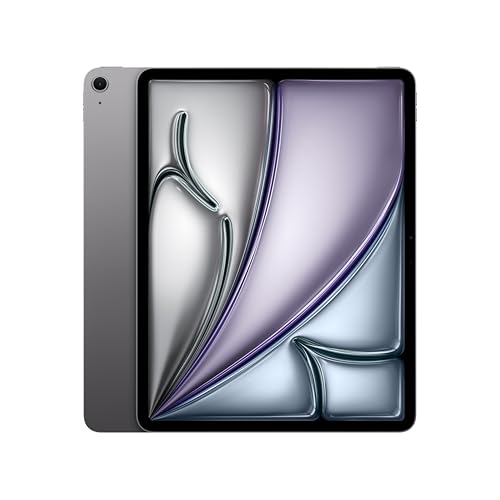
- Apple iPad Air 13-inch (M4) — Best Mid-Range
- Samsung Galaxy Tab S10 Ultra — Best Android Tablet
- Apple iPad mini (A17 Pro) — Best Compact
- Apple iPad 11-inch (A16) — Best Value Apple
- Samsung Galaxy Tab S10 FE — Best Budget Samsung
- Xiaomi Pad 7 Pro — Best Budget Alternative
- What to Look For When Buying
- FAQs
- Key Takeaways
Best Choices for 2026
- #PreviewProductRating
- Bestseller No. 1
 Rating:

- Bestseller No. 2
 Rating:
- Bestseller No. 3
 Rating:
 - Bestseller No. 4
 Rating:
 - Bestseller No. 5
 Rating:
 - Bestseller No. 6
 Rating:
 - Bestseller No. 7
 Rating:
Detailed Product Reviews
1. Apple iPad Pro 13-Inch (M4) — Best Overall Tablet Camera
The Apple iPad Pro 13-Inch with the M4 chip represents the pinnacle of what a tablet camera system can deliver in 2026. On the rear, you get a 12MP wide camera with an f/1.8 aperture paired with a LiDAR Scanner — the same depth-sensing hardware found in iPhone Pro models and used by architects, AR developers, and professional photographers alike. The front-facing 12MP TrueDepth camera with Center Stage keeps you locked in frame during video calls, automatically panning and zooming as you move. For photographers who also use tablets for editing, the combination of M4 performance and Ultra Retina XDR display delivers color accuracy that makes true-to-life post-processing achievable on the device itself.
The 13-inch Ultra Retina XDR display isn't just a viewing screen — it's your editing canvas. ProMotion adaptive refresh, P3 wide color, and True Tone technology combine to create a panel that professionals trust for color-graded work. Video recorded through the iPad Pro's camera benefits directly from M4's Neural Engine, which handles real-time noise reduction, HDR processing, and computational photography tasks that would stall lesser chips. Apple's ProRes video recording support (via USB-C output on select configurations) makes this the tablet of choice for serious video content creators.
At this price tier, you're not just buying a camera — you're buying a complete creative workstation. The impossibly thin design (5.1mm on the M4 model) makes it portable without sacrificing screen real estate. Face ID unlocks the device securely, and Wi-Fi 6E ensures your high-res images and videos sync fast. The Apple Intelligence features integrated into iPadOS add AI-powered photo editing tools, intelligent search, and on-device processing that protects your visual data from ever leaving the device.
Pros:
- 12MP rear camera with LiDAR Scanner for precise depth mapping and AR applications
- 12MP front TrueDepth camera with Center Stage for hands-free video framing
- M4 chip handles ProRes video and real-time computational photography
- Ultra Retina XDR with ProMotion and P3 wide color — accurate for professional editing
- Apple Intelligence integrates AI photo tools with on-device privacy
- Wi-Fi 6E ensures fast file transfers and cloud sync
Cons:
- Premium price puts it out of reach for casual users
- No telephoto lens on the rear — single-lens rear system
- Nano-texture glass option only available on 1TB and 2TB configurations
2. Apple iPad Air 13-inch (M4) — Best Mid-Range Tablet Camera
The Apple iPad Air 13-inch with M4 delivers a compelling camera package at a meaningfully lower price than the iPad Pro. You get a 12MP rear camera and a 12MP Ultra Wide front camera with Center Stage — the same front-facing tech that makes the Pro great for video calls and content creation. Wi-Fi 7 support (with the Apple N1 chip handling wireless coordination) means file transfers hit speeds that make moving large RAW photos or 4K video files a non-event. Apple Intelligence is fully present here, giving you AI-powered writing, image generation tools, and smart search built into the OS.
The M4 chip inside the Air is the same silicon found in the Pro — there's no performance cut on the silicon itself. The practical difference lies in the display (Liquid Retina vs. Ultra Retina XDR) and the absence of LiDAR. For photographers focused on still imagery and casual video, the Liquid Retina display remains color-accurate with True Tone and P3 wide color. The Air's camera produces shots you can confidently post, share with clients, or use as reference photos during editing sessions on the device. If you've been debating between the Air and Pro purely for camera quality, the gap is narrower than the price difference suggests.
Touch ID via the top button provides secure biometric unlock, and the aluminum chassis keeps the device light enough to hold one-handed for extended shooting sessions. Available in two sizes, the 13-inch model gives you screen real estate that makes reviewing and editing captured footage genuinely productive. At 256GB base storage, you have room to accumulate a meaningful library before needing to offload to cloud storage. The all-day battery claim holds up in real-world use, meaning a full day of mixed camera use, editing, and video calls won't strand you.
Pros:
- 12MP rear and 12MP Ultra Wide front camera with Center Stage
- M4 chip — same silicon as iPad Pro, no performance compromise
- Wi-Fi 7 with Apple N1 chip for fastest wireless connectivity in its class
- Apple Intelligence included — AI photo and writing tools on-device
- Liquid Retina display with P3 wide color and True Tone for accurate review
- Competitive price relative to the Pro for a nearly identical camera output
Cons:
- No LiDAR Scanner — limits AR precision and depth-capture use cases
- Liquid Retina lacks ProMotion and XDR brightness of the Pro display
- Single rear lens only — no telephoto option
3. Samsung Galaxy Tab S10 Ultra — Best Android Tablet Camera
The Samsung Galaxy Tab S10 Ultra commands attention the moment you pick it up. The 14.6-inch Dynamic AMOLED 2X display is the largest panel in this roundup, and the screen quality — 2960 x 1848 WQXGA+ resolution, 120Hz adaptive refresh — creates a stunning viewing and editing environment. This is a renewed unit, which means you're getting flagship-tier hardware at a reduced cost with Samsung's certification backing. The dual front cameras (12MP + 12MP Ultra Wide) are the standout spec here: the S10 Ultra is one of the few tablets to ship with two front-facing cameras, enabling natural bokeh on selfies and wide-angle group video calls without distortion.
Samsung's camera software is rich. Expert RAW mode gives you manual control over ISO, shutter speed, and white balance — something iOS tablet shooters don't have access to without third-party apps. The rear camera array includes a 13MP main sensor and a 12MP Ultra Wide, covering both standard and expansive compositions. Android 14 and Samsung's DeX mode let you connect this tablet to an external display and run a full desktop camera workflow. For note-takers and creators who sketch alongside their photos, the included S Pen adds a precision input layer that no Apple Pencil accessory matches out of the box.
The MediaTek MT6989 processor handles 8K video recording and Samsung's AI-powered scene optimization without breaking a sweat. MicroSD expansion up to 1.5TB means you never have to manage storage anxiety on a shoot. The trade-off: Android's camera ecosystem is more fragmented than Apple's, and third-party app support for RAW workflows is less consistent. Still, for Android users who want the largest, most capable camera tablet available in 2026, the S10 Ultra is the clear answer.
Pros:
- Dual front cameras (12MP + 12MP Ultra Wide) — unique feature in this class
- 13MP rear main + 12MP Ultra Wide rear for versatile shooting angles
- 14.6-inch Dynamic AMOLED 2X at 2960 x 1848 — exceptional editing canvas
- S Pen included — precise annotation and creative tool
- MicroSD expansion up to 1.5TB eliminates storage limits
- Expert RAW mode for manual camera control
Cons:
- Renewed unit — not brand new hardware
- Size and weight make one-handed shooting awkward
- Android RAW editing app ecosystem less cohesive than iPadOS
4. Apple iPad mini (A17 Pro) — Best Compact Tablet Camera
Don't let the 8.3-inch footprint fool you. The iPad mini with the A17 Pro chip carries the same silicon that powered the iPhone 15 Pro — a chip built on TSMC's 3nm process that handles 4K video, ProRes capture, and Apple Intelligence tasks without thermal throttling. The rear 12MP camera with an f/1.8 aperture produces photos that are indistinguishable from those taken on larger iPads in good lighting. The real advantage over its bigger siblings: you can actually hold this tablet steady with one hand while shooting. For street photographers, travel shooters, and anyone who values portability without sacrificing image quality, the mini A17 Pro is the pick.
The front-facing 12MP Ultra Wide camera with Center Stage is the same spec you get on the iPad Air and Pro — Apple doesn't compromise on video call quality in the mini. USB-C connectivity means you can import photos directly from a mirrorless camera, plug in an external SSD for proxies, or connect to a hub for multi-device workflows. Wi-Fi 6E keeps large file transfers quick. The A17 Pro chip's Neural Engine handles real-time computational photography tasks: noise reduction in low light, HDR merging, and the AI photo tools built into Apple Intelligence all run on-device, with no data leaving your hands.
The 8.3-inch Liquid Retina display with P3 wide color and True Tone is accurate enough to review shots with confidence. It's not the editing workstation that the 13-inch models provide, but for capture, review, and light editing on the go, the mini's display is genuinely excellent. Apple Pencil Pro compatibility adds annotation and sketching capabilities — relevant for photographers who mark up shots before sending to clients or collaborators. According to Wikipedia's A17 chip overview, this is the same architecture that set benchmark records on mobile processors in 2024.
Pros:
- A17 Pro chip — iPhone Pro-grade performance in the smallest tablet form factor
- 12MP rear camera with f/1.8 aperture — strong low-light performance
- 12MP front Ultra Wide with Center Stage — same as larger iPad models
- One-hand shootable — compact enough to use as a point-and-shoot
- Wi-Fi 6E and USB-C for fast file management
- Apple Intelligence with full on-device privacy
Cons:
- No LiDAR Scanner despite the Pro chip designation
- 128GB base storage fills quickly with 4K video
- Small display limits serious editing sessions
5. Apple iPad 11-inch (A16) — Best Value Apple Tablet Camera
The 2026 iPad with the A16 chip is Apple's entry point into the tablet camera conversation, and it's a strong one. The 12MP rear camera and 12MP front camera both hold up in everyday shooting scenarios — family events, video calls, document scanning, and social content creation. The A16 chip, previously found in the iPhone 14 Pro, handles HDR photography and computational video tasks competently. True Tone on the Liquid Retina display adjusts white balance to match ambient lighting, which helps when reviewing shots in varied environments. This is the iPad you recommend to someone who wants capable camera hardware without the Air or Pro price.
The jump from iPhone to iPad for photography often comes down to the display: reviewing and editing on an 11-inch screen is a qualitatively better experience than squinting at a 6-inch phone panel. The iPad 11-inch leverages this advantage fully. USB-C connectivity means fast wired imports from cameras and external drives. At 128GB base storage, you have room to accumulate a meaningful photo library, with options to expand up to 512GB. Four color options — including Blue — let you match the device to your aesthetic preferences, which matters if you're pulling it out in professional or creative settings regularly.
The front camera supports Center Stage, keeping you in frame automatically during video calls without requiring a tripod or stand adjustment. For students, educators, and remote professionals who want solid camera performance alongside the productivity features of iPadOS, the iPad 11-inch hits the right balance of price and performance. It's not the tool for professional photographers, but it covers the camera use cases that most tablet buyers actually have. If you're exploring the broader space of affordable Apple hardware, the best tablets for college students guide covers how this model stacks up against non-Apple alternatives.
Pros:
- 12MP rear and 12MP front camera — capable across everyday use cases
- A16 chip handles HDR, computational photography, and video reliably
- Center Stage front camera for automatic video call framing
- Liquid Retina with True Tone — good display for reviewing photos
- Most affordable Apple tablet camera option in 2026
- USB-C for fast wired connectivity and external storage access
Cons:
- A16 chip lags significantly behind M4 in sustained performance
- No Apple Intelligence — limits access to AI photo tools
- No LiDAR, no ProMotion, no XDR display
6. Samsung Galaxy Tab S10 FE — Best Budget Samsung Tablet Camera
The Samsung Galaxy Tab S10 FE takes the Fan Edition approach: trim the spec sheet just enough to hit an accessible price point while keeping the camera hardware and software features that matter most. The rear camera and front camera combination covers standard shooting scenarios — meetings, content capture, and casual photography — without the premium cost of the S10 Ultra. The 90Hz refresh rate display makes scrolling through your camera roll smooth, and dual speakers ensure you hear the playback audio at full quality when reviewing video footage. IP68 water resistance is a practical feature that no Apple tablet currently matches at any price point: you can shoot poolside without anxiety.
The Exynos 1580 processor handles Samsung's camera intelligence features, including Scene Optimizer and the standout Circle to Search with Google — circle any object in a photo or on screen to pull up search results instantly, a workflow that's genuinely useful for identifying products, landmarks, or plant species while shooting outdoors. The included S Pen adds handwriting and annotation capability out of the box, which is relevant for photographers who markup reference images or sketch compositions before shooting. Samsung's Handwriting Assist cleans up S Pen notes automatically, a small but useful quality-of-life touch.
256GB of storage gives you room to work. The large display — Samsung doesn't publish the exact size but the S10 FE runs a 10.9-inch panel — provides a comfortable canvas for reviewing captures and running Samsung's Gallery editing suite. Long battery life means you get through a full day of mixed camera use, streaming, and productivity. If you're already in the Samsung ecosystem and want camera-capable hardware without flagship pricing, the Tab S10 FE is the sensible choice. For those comparing across ecosystems, the camera output is competitive with the iPad 11-inch, with the added advantage of IP68 and an included stylus.
Pros:
- IP68 water resistance — durability feature Apple's tablets lack
- S Pen included at no extra cost
- Circle to Search with Google — fast in-camera visual search
- 90Hz display refresh for smooth photo and video browsing
- 256GB storage at base configuration
- Long battery life rated for all-day use
Cons:
- Exynos 1580 processor lags behind Apple's A-series and Snapdragon 8-series chips
- No dual front cameras like the S10 Ultra
- Camera software features depend on Samsung One UI updates — support timeline is a factor
7. Xiaomi Pad 7 Pro — Best Budget Alternative Tablet Camera
The Xiaomi Pad 7 Pro enters this roundup as the spec-per-dollar champion. The 50MP rear camera is the highest megapixel count in this entire lineup — outpacing every Apple and Samsung model reviewed here. On paper, that's a striking advantage. In practice, megapixel count is one variable among many: the sensor size, aperture, and computational photography software matter equally. What Xiaomi delivers at this price point with the Snapdragon 8s Gen 3 is a genuinely capable camera package for still photography, with video performance that matches mid-range tablets across the market. The 3.2K 144Hz display — WQXGA at 3200 x 2136, 345 PPI — is technically sharper than the iPad Air and iPad 11-inch displays, making photo review on this panel genuinely impressive.
The display carries TÜV Rheinland Low Blue Light, Flicker Free, and Circadian Friendly certifications — relevant for photographers and content creators who spend long sessions reviewing footage. Dolby Vision and HDR10 support means streaming reference footage in high dynamic range is a native capability. The 8850mAh battery is the largest in this roundup, significantly outlasting the Apple tablets on continuous use. Four speakers with Dolby Atmos support make video playback and audio review stronger than what most tablets at this price deliver. The Snapdragon 8s Gen 3 is built on a 4nm process and handles 4K recording and AI image processing without thermal issues in standard shooting scenarios.
The practical limitation: this is a Wi-Fi only device with no SIM card slot. There's no expandable storage either, so the 256GB you buy is what you have — cloud offload or wired backup becomes necessary on extended shoots. The global version runs a restricted form of Android, which may limit camera app options compared to devices with full Google Play access. For buyers who want maximum display quality and camera megapixels for the lowest spend in 2026, the Xiaomi Pad 7 Pro delivers — but you accept tradeoffs in software ecosystem and storage flexibility that the Apple and Samsung options avoid. Worth comparing against other hardware alternatives in our best Dell tablets guide if you're keeping options open on the Windows side.
Pros:
- 50MP rear camera — highest resolution in this roundup
- 3.2K 144Hz display at 345 PPI — sharpest panel reviewed here
- Snapdragon 8s Gen 3 — flagship-tier chip at a mid-range price
- 8850mAh battery — longest-lasting tablet in this lineup
- Four speakers with Dolby Atmos — strong audio for video review
- TÜV Rheinland certified display — eye safety for extended sessions
Cons:
- No SIM card slot and no MicroSD — Wi-Fi only, fixed storage
- Restricted Android version may limit camera app ecosystem
- Megapixel advantage doesn't automatically translate to better photos than Apple competitors
What to Look For When Buying a Tablet for Camera Quality
Sensor Resolution and Aperture
Megapixels get the headline attention, but aperture and sensor size determine real-world performance. A wider aperture (lower f-number) lets in more light — critical for low-light shooting indoors or at events. The iPad Pro, iPad Air, and iPad mini all use 12MP sensors with f/1.8 apertures, which produce excellent results in mixed lighting. The Xiaomi Pad 7 Pro's 50MP sensor captures more detail in bright conditions, but in dim environments, a fast aperture on a quality sensor outperforms raw megapixel count.
- Look for f/1.8 or wider on the rear camera for indoor and evening use
- 12MP is sufficient for web, social media, and standard print outputs
- 50MP enables larger prints and aggressive cropping without quality loss
- Dual or triple rear lens systems add versatility — ultra wide for groups, telephoto for distant subjects
Front Camera and Video Call Quality
For most tablet buyers in 2026, the front camera gets as much use as the rear. Video calls, webinars, social content, and self-portraits all depend on the front-facing sensor quality. Center Stage — Apple's AI-powered framing system — is a genuine differentiator: it keeps you centered in the frame without requiring a static position or a tripod. Samsung's dual front camera setup on the S10 Ultra goes further, enabling natural depth effects on the front. When evaluating any tablet for front camera use, verify the resolution (12MP is the current standard), check whether automatic framing is supported, and confirm 4K front-facing video recording if that matters for your workflow.
- Center Stage (Apple) or equivalent AI framing saves time on video calls
- 12MP Ultra Wide front cameras enable wide group shots without distortion
- Dual front cameras (S10 Ultra) add bokeh capability to selfie photography
- 4K front-facing video is now standard on flagship tablets
Chip Performance and Computational Photography
The processor inside your tablet directly affects camera output quality. Modern tablet cameras rely on computational photography — the chip merges multiple exposures for HDR, reduces noise in real time, applies AI scene recognition, and processes RAW files at speed. Apple's M4 chip leads this category in 2026 by a measurable margin: the Neural Engine handles these tasks faster and with less battery drain than competing silicon. Snapdragon 8s Gen 3 (Xiaomi) and MediaTek MT6989 (Samsung S10 Ultra) are capable competitors. Slower chips (Exynos 1580 on the S10 FE, A16 on the base iPad) handle standard shooting well but show limitations in burst photography and 8K video.
- M4 chip: best-in-class for computational photography and ProRes video
- A17 Pro (iPad mini): nearly equivalent to M4 for camera-specific tasks
- Snapdragon 8s Gen 3: strong Android alternative with proven 4K performance
- Entry-level chips handle everyday photography — limitations appear in burst and 8K modes
Display Quality for Photo Review and Editing
Your tablet's display is your editing monitor. Color accuracy, brightness, and resolution determine whether your edits translate correctly when viewed on other screens or printed. Apple's Ultra Retina XDR on the iPad Pro leads this category with P3 wide color, ProMotion, and 1600 nits peak brightness. For photographers who edit on their tablets, P3 wide color coverage is the key specification — it ensures the colors you see in editing match the colors in the final output. The Xiaomi Pad 7 Pro's 3.2K panel with DCI-P3 and Dolby Vision support competes credibly at a lower price. Avoid tablets with sRGB-only displays if color accuracy matters to your work.
- P3 wide color coverage: non-negotiable for color-accurate photo editing
- ProMotion (120Hz+): smoother scrolling through photo libraries and video timelines
- Minimum 500 nits brightness for outdoor use — 1000+ nits preferred in direct sunlight
- Resolution of 2000 PPI equivalent or higher ensures sharp image detail at normal viewing distance
FAQs
Which tablet has the best camera in 2026?
The Apple iPad Pro 13-Inch with M4 has the best overall camera system in 2026. It combines a 12MP rear camera with LiDAR Scanner, a 12MP TrueDepth front camera with Center Stage, and the M4 chip's Neural Engine for computational photography — the strongest hardware combination in the tablet category this year.
Is an iPad or Samsung tablet better for photography?
It depends on your workflow. Apple iPads offer tighter integration between hardware and software, ProRes video on the Pro model, and a more consistent RAW editing app ecosystem through iPadOS. Samsung Galaxy Tab devices offer manual camera controls through Expert RAW, dual front cameras on the S10 Ultra, and MicroSD expandability. Photographers already in the Apple ecosystem will find the iPad Pro or iPad Air the stronger choice. Android-native photographers benefit from the Samsung's greater manual control.
Does LiDAR on the iPad Pro actually improve photos?
Yes, in specific scenarios. LiDAR improves autofocus speed in low light — the scanner maps depth in milliseconds, letting the camera lock focus faster than phase-detection alone. It also enables more accurate Portrait mode depth maps and is the foundation for the most precise AR applications currently available on a tablet. For still photography in good light, you won't notice the difference. In dim environments and AR applications, LiDAR's impact is measurable.
Can you use a tablet as a main camera replacement?
For casual and content creation photography, yes. Tablets with 12MP or higher sensors, wide-aperture lenses, and computational photography engines produce images that are print-quality up to standard display sizes and fully adequate for social media and web use. For professional photography requiring telephoto reach, optical zoom, or very large sensor performance in extreme low light, a dedicated mirrorless or DSLR camera remains superior. Tablets are excellent for video calls, reference capture, AR scanning, and document photography at a professional level.
What is Center Stage and do I need it?
Center Stage is Apple's AI-powered front camera feature that automatically pans and zooms to keep you centered in the frame during video calls and selfie recording. It uses the Ultra Wide front camera and software cropping to track your movement. If you take frequent video calls, record tutorials, or create content where you move around, Center Stage eliminates the need for a gimbal or static position. All iPad models reviewed here support Center Stage on their front cameras.
How much storage do I need on a tablet for photography?
128GB is the minimum for casual photography use — it holds roughly 10,000 to 15,000 JPEG photos or several hours of 4K video before requiring offload. If you shoot RAW files or record 4K/8K video regularly, 256GB is the practical starting point, and 512GB or 1TB configurations give you meaningful room before you need to manage storage. The Samsung Galaxy Tab S10 Ultra's MicroSD slot removes this constraint entirely — you can add up to 1.5TB of external storage as needed.
Buy on Walmart
- Apple iPad Pro 13-Inch (M4): Built for Apple Intelligence, U — Walmart Link
- Apple iPad Air 13-inch (M4): Liquid Retina Display, 256GB, 1 — Walmart Link
- SAMSUNG Galaxy Tab S10 Ultra 14.6” AMOLED Touchscreen, 256GB — Walmart Link
- Apple iPad mini (A17 Pro): Apple Intelligence, 8.3-inch Liqu — Walmart Link
- Apple iPad 11-inch: A16 chip, 11-inch Model, Liquid Retina D — Walmart Link
- Samsung Galaxy Tab S10 FE 256GB WiFi Android Tablet, Large D — Walmart Link
- Xiaomi Pad 7 Pro Ai WiFi Version Global (No Calls or Text) 1 — Walmart Link
Buy on eBay
- Apple iPad Pro 13-Inch (M4): Built for Apple Intelligence, U — eBay Link
- Apple iPad Air 13-inch (M4): Liquid Retina Display, 256GB, 1 — eBay Link
- SAMSUNG Galaxy Tab S10 Ultra 14.6” AMOLED Touchscreen, 256GB — eBay Link
- Apple iPad mini (A17 Pro): Apple Intelligence, 8.3-inch Liqu — eBay Link
- Apple iPad 11-inch: A16 chip, 11-inch Model, Liquid Retina D — eBay Link
- Samsung Galaxy Tab S10 FE 256GB WiFi Android Tablet, Large D — eBay Link
- Xiaomi Pad 7 Pro Ai WiFi Version Global (No Calls or Text) 1 — eBay Link
Key Takeaways
- The Apple iPad Pro 13-Inch (M4) is the best tablet camera in 2026 — LiDAR, 12MP dual cameras, and the M4 chip create an unmatched imaging system at the flagship tier.
- The Samsung Galaxy Tab S10 Ultra is the top Android pick, standing out with dual front cameras, manual Expert RAW controls, and MicroSD expandability that Apple tablets don't offer.
- The Apple iPad mini (A17 Pro) delivers Pro-grade camera performance in the most portable package — the right choice if you want one-handed shooting without sacrificing image quality.
- Budget buyers get the strongest spec-per-dollar camera deal from the Xiaomi Pad 7 Pro, with a 50MP rear sensor and a 3.2K 144Hz display that competes with tablets twice its price.
 |
 |
 |
 |

About Priya Anand
Priya Anand covers laptops, tablets, and mobile computing for Ceedo. She holds a bachelor degree in computer science from the University of Texas at Austin and has spent the last nine years writing reviews and buying guides for consumer electronics publications. Before joining Ceedo, Priya worked as a product analyst at a major retailer where she helped curate the laptop and tablet category. She has personally benchmarked more than 200 portable computers and is particularly interested in battery longevity, repairability, and the trade-offs between Windows, macOS, ChromeOS, and Android tablets. Outside of work, she runs a small Etsy shop selling laptop sleeves she sews herself.