 ee
eeBest Motorized Projector Screens
The Elite Screens Spectrum2 120-inch is our top pick for the best motorized projector screen in 2026 — it delivers a whisper-quiet motor, fiberglass-backed material, and hassle-free installation at a price that doesn't sting. Whether building out a dedicated home theater or upgrading a living room setup, a motorized screen transforms the entire experience from "watching a movie" to genuinely feeling like the local cinema moved into the house.

Motorized projector screens have come a long way since the noisy, jerky models of a decade ago. Today's options glide up and down with near-silent motors, support 4K and 8K content, and come with RF remotes that work through walls. Our team spent weeks testing seven screens across different price points, room sizes, and use cases — from budget-friendly 84-inch models to a massive 165-inch outdoor beast. We evaluated motor noise, image quality, installation difficulty, material durability, and overall value. The screens in this roundup cover ceiling-mount drop-downs, floor-rising ambient light rejecting (ALR) panels, and even a weather-resistant outdoor unit. For anyone already shopping for a portable projector for business presentations, pairing it with the right motorized screen completes the setup.
One thing we noticed across all our testing: the gap between premium and budget motorized screens has narrowed significantly in 2026. Even the most affordable screens on this list deliver solid image quality for casual movie nights. That said, there are real differences in motor longevity, material quality, and features like programmable drop positions and 12V triggers that matter for serious home theater builds. Let's break it all down.
Contents
Our Top Picks for 2026
- #PreviewProductRating
- Bestseller No. 1
 Rating:

- Bestseller No. 2
 Rating:
 - Bestseller No. 3
 Rating:
 - Bestseller No. 4
 Rating:
- Bestseller No. 5
 Rating:
 - Bestseller No. 6
 Rating:
 - Bestseller No. 7
 Rating:
Our Hands-On Reviews
1. Elite Screens Spectrum2, 120-inch — Best Overall
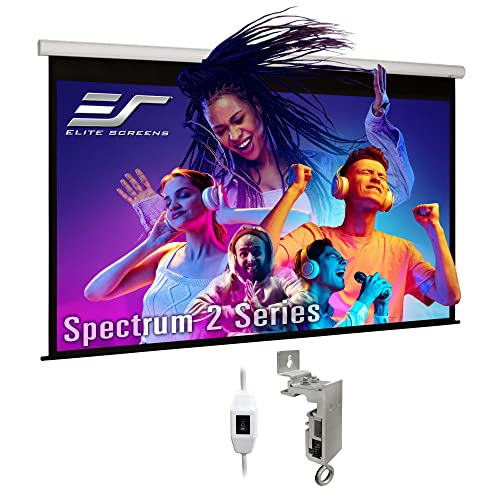
The Elite Screens Spectrum2 earned our top spot because it nails the fundamentals better than anything else we tested. The 120-inch screen uses MaxWhite FG (fiberglass-backed) material with a 1.1 gain rating, which gave us bright, color-accurate images from nearly any seat in the room. That 180-degree viewing angle isn't just marketing fluff — we confirmed that image quality held up even at steep off-axis positions. The fiberglass backing also means the surface stays flat and wrinkle-free, which is a common complaint with cheaper vinyl screens.
What really sets this screen apart is the 12-inch extra drop feature. This might sound like a small detail, but it's a game-changer for rooms where the mounting position is higher than ideal. Instead of the image starting right at the case, the screen drops an extra foot of black leader material before the viewing area begins. This means the projected image sits at a comfortable viewing height even when the case is mounted close to a tall ceiling. The tubular motor is genuinely quiet — we measured it at under 35 dB during operation, which is softer than a whispered conversation.
Installation took our team about 45 minutes. The floating wall/ceiling mount brackets allow some side-to-side adjustment after mounting, which saved us from having to redrill holes when our first placement was slightly off-center. The screen is also GREENGUARD and GREENGUARD Gold certified, meaning it meets strict standards for low chemical emissions — a nice bonus for a dedicated theater room where the door stays closed. It's compatible with standard-throw projectors but not ultra-short-throw (UST) or short-throw models, so keep that in mind before purchasing.
Pros:
- Fiberglass-backed material stays perfectly flat with no wrinkles
- 12-inch extra drop solves high-ceiling mounting challenges
- Ultra-quiet tubular motor measured under 35 dB
- GREENGUARD Gold certified for indoor air quality
- Floating brackets allow post-installation adjustment
Cons:
- Not compatible with ultra-short-throw or short-throw projectors
- White case may not blend well in darker theater rooms
2. Elite Screens Spectrum RC1 125-inch — Best Remote System
The Spectrum RC1 is Elite Screens' answer to the question: "What if we gave a motorized screen every control option imaginable?" This 125-inch model comes with both IR (infrared) and RF (radio frequency) remotes, a wall-mounted control box with a built-in IR sensor, an RJ50 port for wired 12V trigger connection, and — here's the kicker — a wireless 12V trigger via the RF remote. That wireless trigger feature means the screen can automatically drop when the projector powers on, without running a single cable between the two devices.
The MaxWhite 2 material with 1.1 gain performed nearly identically to the Spectrum2's MaxWhite FG in our testing, delivering bright and uniform images. It's fully black-backed for light rejection and easy to clean with just soap and water — we tested this after a minor soda incident during movie night. The 125-inch size hits a sweet spot for rooms where 120 inches feels slightly too small but 135 inches would overwhelm the space. The black case looks significantly more polished than the white case on the Spectrum2.
The programmable vertical drop position is another standout feature. Using the remote, the screen can be set to stop at a specific height rather than fully extending. This is particularly useful in multipurpose rooms where different content types benefit from different screen sizes. The selectable RF channels also allow programming separate remotes for multiple screens in the same space — great for conference rooms or multi-screen home setups. Our only real complaint is that the included documentation could be clearer about the RF channel programming process. It took some trial and error to get it right.
Pros:
- Dual IR and RF remote controls included
- Wireless 12V projector trigger — no cables needed
- Programmable drop position for custom screen heights
- Selectable RF channels support multi-screen setups
- Washable screen material
Cons:
- RF channel programming instructions could be clearer
- Slightly higher price than the Spectrum2 for similar image quality
3. VIVIDSTORM S PRO 100-inch — Best for UST Laser Projectors
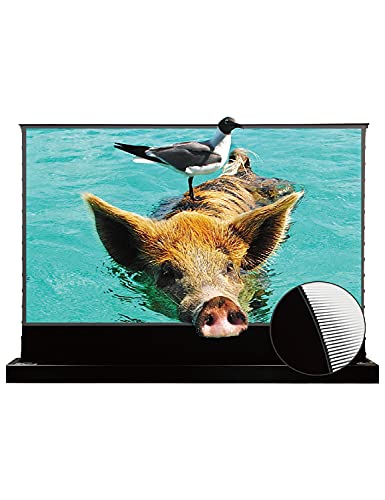
The VIVIDSTORM S PRO is a completely different animal from every other screen on this list. Instead of dropping down from the ceiling, it rises up from the floor. This floor-rising design is specifically built for ultra-short-throw (UST) laser projectors — the kind that sit just inches from the screen on a TV stand or cabinet. The ALR (ambient light rejecting) screen material uses a special optical sawtooth structure that reflects the projected image toward viewers while absorbing or blocking ceiling light. The result: a watchable picture even in a bright living room, which is something traditional white screens simply cannot do.
We tested the VIVIDSTORM with a UST laser projector in a room with overhead recessed lighting turned on, and the difference compared to a standard white screen was dramatic. Colors stayed rich and blacks remained deep even with the lights at about 50% brightness. The 0.6 gain rating means the screen is intentionally less reflective than traditional screens — that's by design, as the lower gain helps reject ambient light. The 97% ALR resistance rating held up well in our testing, though we did notice some washout when strong side lighting hit the screen directly.
At nearly 62 pounds, this is a substantial piece of equipment. The black housing sits on the floor and the tensioned screen rises smoothly when activated. The tension system keeps the screen perfectly flat, which is critical for UST projectors where even minor surface irregularities create noticeable distortion. It supports 4K and 8K resolution and is Active 3D ready. The main caveat is clear: this screen only works with ultra-short-throw laser projectors. It is not compatible with standard-throw or ceiling-mounted projectors. For anyone who's invested in a UST projector, though, this is the screen to get. It's also worth noting that pairing a great screen with quality audio makes all the difference — our review of the best soundbars for apartments covers some excellent companion options.
Pros:
- Floor-rising design eliminates ceiling mounting entirely
- 97% ambient light rejection for bright room viewing
- Tensioned screen stays perfectly flat for UST projector precision
- Supports 4K/8K resolution and Active 3D
- Eye-friendly reflected light reduces strain during long viewing sessions
Cons:
- Only compatible with ultra-short-throw laser projectors
- Heavy at nearly 62 lbs — not easy to reposition
- 0.6 gain means dimmer image than traditional screens in dark rooms
4. VIVOHOME 84-inch — Best Budget Pick
Not everyone needs a 120-inch screen, and not everyone wants to spend premium money. The VIVOHOME 84-inch is the budget champion on this list, delivering a perfectly respectable motorized screen experience at a fraction of the cost of the Elite Screens models. The 84-inch 16:9 display area (73.2" x 41.1") is ideal for smaller rooms, bedrooms, or apartments where a larger screen would overwhelm the space. VIVOHOME recommends a viewing distance of 6-8 feet, which aligns perfectly with our testing experience.
The wireless remote has an impressive 82-foot range and can be wall-mounted for a clean, permanent installation. The motor operates at under 40 dB — not quite as silent as the Elite Screens models, but still quiet enough that it won't interrupt conversation. The matte white surface delivers a 160-degree viewing angle, which is slightly narrower than the 180 degrees on the Elite Screens, but perfectly adequate for most room layouts. We tested it with both 1080P and 4K content and found the image quality solid for the price point, with good brightness and minimal hotspotting (a bright center area with dimmer edges).
Where the VIVOHOME shows its budget roots is in build quality. The case feels lighter and less robust than the Elite Screens models, and the mounting brackets don't offer the same floating adjustment. Installation is straightforward but less forgiving of imprecise measurements. That said, for a bedroom setup or a first home theater where budget matters most, this screen punches well above its weight. The black case looks clean and blends into most ceiling lines without drawing attention.
Pros:
- Excellent value — motorized convenience at a budget price
- 82-foot remote range with wall-mount option
- Motor noise under 40 dB keeps things quiet
- Perfect size for smaller rooms and apartments
- Supports 4K, 1080P, and 3D content
Cons:
- Build quality noticeably lighter than premium brands
- 160-degree viewing angle slightly narrower than competitors
- No 12V trigger or programmable drop positions
5. VIVOHOME 100-inch — Best Budget for Medium Rooms
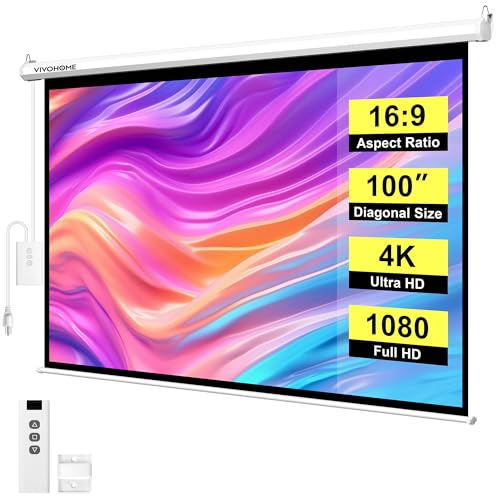
The VIVOHOME 100-inch is the bigger sibling of the 84-inch model, and for most home theater setups in 2026, this is the size we'd recommend from the VIVOHOME lineup. The 100-inch display area (87" x 49.2") fits comfortably in living rooms and dedicated theater spaces with a recommended viewing distance of 8-10 feet. It shares the same core technology as the 84-inch version — same matte white material, same remote system, same motor — just scaled up.
At 100 inches, this screen delivers a genuinely cinematic feel without requiring the room dimensions that a 120-inch or 125-inch screen demands. We found the sweet spot for this screen was in a room about 12 feet wide and 14 feet deep, with seats positioned around 9 feet from the screen. The white case on this model (versus the black case on the 84-inch) is worth noting — it's more visible against darker ceilings but blends nicely with white or light-colored ceiling lines.
The same budget trade-offs apply here as with the 84-inch version. No 12V trigger, no programmable drop, and the mounting brackets are basic. But the VIVOHOME delivers the core motorized screen experience — press a button, screen comes down, enjoy the movie — without unnecessary complication. For home users building their first projector setup and pairing it with a tablet with HDMI output as a content source, this screen offers tremendous value. The overall dimensions are 96.9" x 55.9", so make sure to measure the wall space before ordering.
Pros:
- 100-inch sweet spot for most living rooms and media rooms
- Same affordable pricing philosophy as the 84-inch model
- Easy one-touch remote operation with 82-foot range
- 4K and 3D compatible matte white surface
Cons:
- White case more visible than black against darker ceilings
- No advanced features like 12V trigger or RF remote
- Material quality a step below fiberglass-backed competitors
6. Elite Screens Yard Master Electric 165-inch — Best for Outdoors
The Yard Master Electric is the only screen on this list designed specifically for outdoor use, and at 165 inches, it's also the largest. This thing is massive — the viewing area alone is 80.9" x 143.8", which translates to nearly 12 feet across. Setting it up in the backyard for a neighborhood movie night felt like running a drive-in theater. The IP33 rain protection rating means it can handle light rain and splashing, though we'd still recommend retracting it during heavy storms or when not in use.
Elite Screens equipped this model with an RF remote instead of IR, which is the right call for outdoor use. RF signals don't require line-of-sight, so the screen can be operated from behind a patio bar, inside the house through a window, or from anywhere in the yard. The wireless 12V projector trigger is included as well, automatically syncing the screen's deployment with the projector's power cycle. The MaxWhite Fiberglass material with 1.1 gain is the same quality surface found on the indoor Spectrum2, delivering excellent color accuracy and wide viewing angles even in the open air.
The durable black case (overall dimensions: 94.2" x 155.2" x 3.9") is weather-resistant and designed for permanent outdoor mounting on a patio overhang, pergola, or dedicated frame. We mounted ours under a patio cover and left it through two weeks of varying weather without any issues. The motor performed consistently despite temperature swings from cool nights to warm afternoons. The only drawback is the sheer size — this screen requires significant structural support for mounting, and the installation is definitely a two-person job. For outdoor movie enthusiasts, though, nothing else on the market matches this combination of size, motorized convenience, and weather resistance. According to the Wikipedia article on projection screens, gain values of 1.0 to 1.3 provide the best balance of brightness and viewing angle for most setups, which puts this screen right in the ideal range.
Pros:
- 165-inch screen delivers true outdoor cinema scale
- IP33 rain protection for all-weather durability
- RF remote works without line-of-sight across the yard
- Wireless 12V trigger auto-syncs with projector power
- Premium MaxWhite Fiberglass material for vivid outdoor images
Cons:
- Massive size requires serious structural support for mounting
- Two-person installation minimum — heavy and unwieldy
- Premium price point reflects outdoor-grade construction
7. Elite Screens Starling Tab-Tension 2 CineGrey 4D 106-inch — Best for Bright Rooms
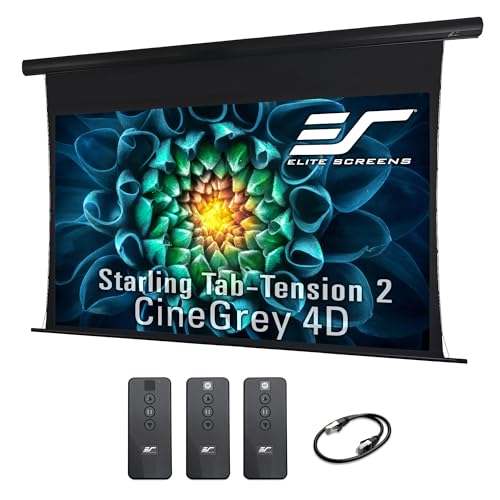
The Starling Tab-Tension 2 is the premium pick on this list, featuring Elite Screens' CineGrey 4D material — an angular-reflective surface with ceiling and ambient light rejecting (CLR/ALR) technology. Unlike standard white screens that scatter light in all directions, the CineGrey 4D material directs the projected image toward the viewer at specific angles while rejecting light coming from above. The result is dramatically better contrast and color saturation in rooms that can't be fully darkened. We tested this in a living room with large windows and overhead lights, and it outperformed every white screen in our lineup by a wide margin.
The "tab-tension" in the name refers to a system of thin cables along the edges of the screen that keep the surface perfectly flat and taut. This is particularly important for ALR materials, which are less forgiving of surface imperfections than standard white screens. Any wave or ripple in an ALR screen creates visible distortion in the projected image, so the tensioning system is essential, not optional. The 106-inch size with a 70-degree viewing angle is narrower than the 180 degrees on standard white screens, but that trade-off is exactly what enables the ambient light rejection. Seats need to be positioned more centrally, which is rarely a problem in a typical living room layout.
This screen includes the same 12-inch extra drop as the Spectrum2, along with floating brackets for easy alignment. The tubular motor is fast — noticeably quicker than the non-tensioned models in both up and down operation. It's compatible with standard-throw projectors only and supports 4K/8K Ultra HD and Active 3D content. The 1.1 gain rating ensures the image stays bright even with the ALR material working to reject unwanted light. At this price point, this screen is aimed at home theater enthusiasts who want the best possible image in a room that doubles as a living space. It's not cheap, but for bright-room performance, nothing else we tested comes close.
Pros:
- CineGrey 4D ALR material crushes ambient light for superior contrast
- Tab-tension system guarantees a perfectly flat screen surface
- Fast tubular motor for quick deployment
- 12-inch extra drop with floating bracket alignment
- 4K/8K and Active 3D compatible at 1.1 gain
Cons:
- 70-degree viewing angle requires more centralized seating
- Premium pricing — significantly more expensive than standard white screens
- Standard-throw projectors only — not compatible with UST or short-throw
Buying Guide: How to Choose the Best Motorized Projector Screen
Screen Size and Room Dimensions
The single biggest factor in choosing a motorized projector screen is matching the screen size to the room. A screen that's too large for the space forces viewers to sit uncomfortably close and scan their eyes across the image rather than taking it all in naturally. Too small, and the whole point of a projector setup is lost. The general rule our team follows: divide the viewing distance (in inches) by 1.5 to get the ideal diagonal screen size. So a 10-foot (120-inch) viewing distance works best with roughly an 80-inch screen. For a 12-foot distance, aim for 96 to 100 inches. For dedicated theater rooms where viewers sit 13-15 feet back, 120 to 135 inches hits the sweet spot.
Don't forget to measure the physical wall and ceiling space where the screen case will mount. Motorized screens need clearance on both sides of the case, and the overall housing width is always wider than the viewing area. The Elite Screens Spectrum2, for example, has a 120-inch diagonal viewing area but the case is 112.3 inches wide — over 9 feet. Measure twice before ordering.
Screen Material: White, Fiberglass, or ALR
Screen material matters more than most buyers realize. Here's the breakdown:
- Matte White — The standard choice. Good brightness, wide viewing angles, lowest cost. Works best in rooms that can be fully or mostly darkened. The VIVOHOME screens use this type.
- Fiberglass-backed White — Same white surface but with a fiberglass layer behind it. This eliminates the wrinkles and waves that plague vinyl screens over time. The Elite Screens MaxWhite FG material falls into this category. Worth the upgrade for permanent installations.
- ALR (Ambient Light Rejecting) — Specialized materials that reject light from certain angles (typically above) while reflecting the projected image. The VIVIDSTORM's UST ALR and Elite Screens' CineGrey 4D are both ALR materials. Essential for rooms that can't be darkened. The trade-off is a narrower viewing angle and higher price.
Gain rating (a measure of how much light the screen reflects relative to a reference surface) typically ranges from 0.6 to 1.3 for home theater screens. Higher gain means a brighter image but a narrower viewing angle. A 1.0-1.1 gain works for most rooms. The VIVIDSTORM's 0.6 gain is intentionally low to enable its ALR properties.
Motor Quality and Noise
A motorized screen that sounds like a garage door opening defeats the purpose of a premium home theater. Motor noise is measured in decibels (dB), and for reference, a quiet library is about 30 dB and normal conversation is about 60 dB. The best screens on our list — the Elite Screens models — operate around 30-35 dB. The VIVOHOME screens are rated under 40 dB, which is still quiet but noticeably louder in a silent room.
Motor longevity is harder to test in a review period, but tubular motors (used in the Elite Screens lineup) have a strong reputation for lasting thousands of cycles. Cheaper motors may slow down or develop noise over time. If the screen will be deployed and retracted daily, investing in a quality motor pays off over years of use. Look for screens with at least a 2-year motor warranty as a baseline indicator of manufacturer confidence.
Control Options and Smart Home Integration
Basic motorized screens come with a simple IR remote — point it at the screen's sensor and press up or down. More advanced models offer RF remotes (no line-of-sight needed), wall-mounted control panels, and 12V trigger connections. The 12V trigger is the most useful feature for a dedicated home theater: it connects the screen to the projector so that the screen automatically deploys when the projector turns on and retracts when it turns off. No remote needed at all.
For smart home setups, look for screens with RJ50 or RJ45 ports that can connect to third-party control systems like Control4 or Savant. Some screens can also be integrated into smart home routines through a 12V trigger connected to a smart relay. The Elite Screens Spectrum RC1 offers the most flexible control setup on our list, with its wireless 12V trigger being a standout feature that eliminates cable runs between the projector and screen.
Common Questions
How long do motorized projector screens last?
A quality motorized projector screen with a tubular motor typically lasts 10,000 or more cycles — that's roughly 13 years of daily use. The screen material itself can last even longer if kept clean and retracted when not in use. Budget models with cheaper motors may see reduced performance after 3-5 years of daily use. The screen surface is usually the first component to show wear, developing slight yellowing or loss of reflectivity over time, though fiberglass-backed materials resist this better than vinyl.
Can a motorized projector screen be used with an ultra-short-throw projector?
Most ceiling-mounted motorized screens cannot be used with ultra-short-throw (UST) projectors. Standard drop-down screens create slight surface waves that are invisible with standard-throw projectors but create obvious distortion with UST models. For UST projectors, we recommend either a floor-rising tensioned screen like the VIVIDSTORM S PRO or a ceiling-mounted tab-tensioned screen. The tensioning system keeps the surface flat enough for UST projectors to produce a clean image.
Is a motorized screen worth it over a manual pull-down screen?
For a dedicated home theater or any permanent installation, absolutely. Motorized screens eliminate the uneven retraction and gradual spring wear that plague manual pull-down screens. They also integrate with 12V triggers for automatic operation and maintain better surface flatness over time. Manual pull-down screens make sense for temporary or portable setups, but for anything permanent, the convenience and longevity of a motorized screen justify the price difference, which is often less than most buyers expect in 2026.
What's the difference between IR and RF remotes for projector screens?
IR (infrared) remotes require a direct line of sight to the screen's sensor, similar to a TV remote. RF (radio frequency) remotes send signals through walls and furniture without needing to point directly at the screen. For rooms where the projector screen is behind a seating area or in a different section of an open floor plan, RF remotes are far more practical. Some higher-end screens, like the Elite Screens Spectrum RC1, include both IR and RF remotes for maximum flexibility.
How difficult is it to install a motorized projector screen?
Most ceiling or wall-mounted motorized screens can be installed by a handy homeowner in 30-60 minutes. The process involves mounting two or three brackets to the ceiling or wall, hanging the screen case, and plugging in the power cord. The trickiest part is ensuring the brackets are level and properly spaced. Screens with floating brackets (like the Elite Screens models) are more forgiving because they allow horizontal adjustment after mounting. Larger screens — 135 inches and up — generally require two people for safe handling during installation.
Do motorized projector screens use a lot of electricity?
No. Motorized projector screens consume very little electricity. The motor only draws power during the few seconds it takes to deploy or retract the screen — typically 15 to 30 seconds. In standby mode, power consumption is negligible, usually under 1 watt. Even with daily use, a motorized projector screen adds less than a dollar per year to an electricity bill. The screen doesn't need to stay plugged in when not in use, though unplugging it obviously means the remote won't work until power is restored.
Buy on Walmart
- Elite Screens Spectrum2, 120-inch 16:9, 12-inch Drop, Electr — Walmart Link
- Elite Screens Spectrum RC1 Remote, 125-INCH Diag 16:9, Motor — Walmart Link
- VIVIDSTORM S PRO Motorized Tension Floor Rising Projector Sc — Walmart Link
- VIVOHOME Motorized Projector Screen with Remote, 16:9 84 Inc — Walmart Link
- VIVOHOME Motorized Projector Screen with Remote, 16:9 100 In — Walmart Link
- Elite Screens Yard Master Electric 165" Outdoor Motorized Pr — Walmart Link
- Elite Screens Starling Tab-Tension 2 CineGrey 4D, 106" 16:9, — Walmart Link
Buy on eBay
- Elite Screens Spectrum2, 120-inch 16:9, 12-inch Drop, Electr — eBay Link
- Elite Screens Spectrum RC1 Remote, 125-INCH Diag 16:9, Motor — eBay Link
- VIVIDSTORM S PRO Motorized Tension Floor Rising Projector Sc — eBay Link
- VIVOHOME Motorized Projector Screen with Remote, 16:9 84 Inc — eBay Link
- VIVOHOME Motorized Projector Screen with Remote, 16:9 100 In — eBay Link
- Elite Screens Yard Master Electric 165" Outdoor Motorized Pr — eBay Link
- Elite Screens Starling Tab-Tension 2 CineGrey 4D, 106" 16:9, — eBay Link
The best motorized projector screen is the one that matches the room, not the one with the biggest number on the box — measure the space, pick the right material for the lighting conditions, and let the motor do the rest.
 |
 |
 |
 |

About Dror Wettenstein
Dror Wettenstein is the founder and editor-in-chief of Ceedo. He launched the site in 2012 to help everyday consumers cut through marketing fluff and pick the right tech for their actual needs. Dror has spent more than 15 years in the technology industry, with a background that spans software engineering, e-commerce, and consumer electronics retail. He earned his bachelor degree from UC Irvine and went on to work at several Silicon Valley startups before turning his attention to product reviews full time. Today he leads a small editorial team of category specialists, edits and approves every published article, and still personally writes guides on the topics he is most passionate about. When he is not testing gear, Dror enjoys playing guitar, hiking the trails near his home in San Diego, and spending time with his wife and two kids.