 ee
eeTablets ›
Best Tablet With USB Port 2026
If you want the most capable tablet with a USB port in 2026, the Apple iPad Pro 13-Inch (M4) is the one to beat — it pairs a Thunderbolt 4 USB-C port with the fastest chip in any tablet on the market. But the right pick for you depends a lot on your operating system preference, budget, and how you actually plan to use that port. Whether you're transferring large video files, connecting to an external display, or running a full desktop workflow, there's a tablet on this list built for exactly that scenario.
USB connectivity in tablets has come a long way. The shift from proprietary connectors to USB-C — and in some cases Thunderbolt — means you can now connect fast external storage, 4K monitors, hubs, and peripherals without adapters. That's a genuine productivity upgrade over the older Lightning or micro-USB era. If you're browsing our full tablets category, you'll notice that USB port quality has quietly become one of the most important specs to compare, not just an afterthought.
This guide covers seven tablets that span the full range from budget-friendly to professional-grade. You'll find options for iOS loyalists, Android fans, and Windows users who want a real desktop-class port. We've tested or closely evaluated each one against real-world use cases — transferring RAW photo files, running dual displays, connecting mechanical keyboards, and streaming 4K content. We also looked at how each tablet handles the accessories and peripherals you're most likely to pair with it. If you're also comparing these to laptop alternatives, our roundup of the Best Web Browsing Laptops 2026 is worth a read for context on where tablets end and laptops begin.

Contents
- Our Top Picks for 2026
- In-Depth Reviews
- Apple iPad Pro 13-Inch (M4) — Best Overall
- Microsoft Surface Pro 2-in-1 (2025) — Best Windows Tablet
- Apple iPad Air 13-inch (M4) — Best Value Apple Tablet
- Samsung Galaxy Tab S9 Ultra — Best Android Powerhouse
- Lenovo Yoga Tab Plus 12.7" — Best for Creators on Android
- Microsoft Surface Go 4 — Best Compact Windows Tablet
- Amazon Fire Max 11 — Best Budget Pick
- Buying Guide
- Questions Answered
- Next Steps
Our Top Picks for 2026
- #PreviewProductRating
- Bestseller No. 1
 Rating:

- Bestseller No. 2
 Rating:
- Bestseller No. 3
 Rating:
 - Bestseller No. 4
 Rating:
 - Bestseller No. 5
 Rating:
 - Bestseller No. 6
 Rating:
- Bestseller No. 7
 Rating:
In-Depth Reviews
1. Apple iPad Pro 13-Inch (M4) — Best Overall
The iPad Pro 13-Inch with M4 is the most powerful tablet you can buy in 2026, and it's not particularly close. Apple's M4 chip gives it computing performance that rivals many thin-and-light laptops, so whether you're editing 4K ProRes video, running heavy design apps, or juggling dozens of browser tabs, this tablet handles it without breaking a sweat. The Thunderbolt 4 / USB 4 port at the bottom is the real differentiator from a USB perspective — you're getting up to 40Gbps of transfer bandwidth, which means connecting a high-speed NVMe enclosure or a 6K external display is perfectly within reach. That's something no Android tablet and no iPad below Pro tier can claim.
The Ultra Retina XDR display on the 13-inch model is genuinely jaw-dropping. It covers the P3 wide color gamut with outstanding accuracy, runs at up to 120Hz via ProMotion, and gets impressively bright for both outdoor use and HDR content. The new OLED panel introduced with M4 brings true per-pixel dimming, so blacks are deep and contrast is exceptional. If you're a photographer or video editor who evaluates color on the go, this screen is as close to a reference monitor as a tablet gets. The design is also the thinnest iPad Apple has ever made, yet it still packs all-day battery life under reasonable workloads.
Where things get complicated is on the software side. iPadOS continues to frustrate power users who want a full desktop experience — you're still working within Apple's managed app environment, and some professional workflows that feel natural on macOS or Windows require workarounds. The Thunderbolt port is powerful on paper, but iPadOS doesn't let you use all its potential the way a MacBook would. If you need to run specific Windows software or Android apps, this tablet simply can't do it. And the price is high — this is a premium investment, and you should be honest with yourself about whether you'll use enough of its capabilities to justify it over something like the iPad Air.
Pros:
- Thunderbolt 4 port with up to 40Gbps bandwidth — connects external displays, fast storage, and hubs
- M4 chip delivers laptop-class performance for demanding creative work
- Ultra Retina XDR OLED display with ProMotion, P3 wide color, and exceptional contrast
- Thinnest, lightest premium large-screen tablet available
Cons:
- iPadOS limits what Thunderbolt can actually do compared to macOS or Windows
- Very expensive relative to most Android competitors
2. Microsoft Surface Pro 2-in-1 (2025) — Best Windows Tablet
The 2025 Microsoft Surface Pro is the tablet to pick if you want Windows without compromise. Running Windows 11 as a Copilot+ PC on the Snapdragon X Plus processor, it brings genuine AI-enhanced productivity features into a sleek 12-inch form factor. What makes the Surface Pro stand out in this category is how naturally it blends tablet and laptop modes — the built-in kickstand clicks into a range of angles, and when you attach the Surface Pro Keyboard (sold separately), you've got something that feels like a real laptop. The USB-C ports support DisplayPort output and Power Delivery, so you can connect an external monitor or charge from a single cable, which matters a lot when you're working from a desk.
Performance from the Snapdragon X Plus is impressive for everyday productivity. You're getting solid multitasking, smooth video playback, and decent performance on Microsoft Office, web browsing, and cloud-based tools. The 16GB of RAM in this configuration keeps things moving when you have multiple apps open, and 512GB of storage gives you room to breathe. The AI engine is capable of up to 45 TOPS, which enables features like real-time translation, Cocreator in Paint, and live captions — these aren't gimmicks if you use Windows as your primary working environment. Battery life is genuinely good for a Windows device, helped considerably by the ARM-based architecture's efficiency.
There are trade-offs worth knowing before you buy. The Snapdragon X Plus uses ARM architecture, which means a handful of legacy x86 applications either won't run or require emulation that can degrade performance. If you rely on specific older software for work, check compatibility before committing. The Surface Pro Keyboard and Slim Pen are also sold separately, which adds meaningful cost if you want the full laptop-replacement experience. At its price point, you're paying for the form factor and the Microsoft ecosystem — if you just need a Windows tablet with a USB port and don't need all the AI features, the Surface Go 4 might be a more practical choice.
Pros:
- Full Windows 11 experience in a compact, versatile 2-in-1 form factor
- USB-C with DisplayPort and Power Delivery support
- 16GB RAM and Snapdragon X Plus handle demanding multitasking well
- Copilot+ AI features deeply integrated into Windows workflows
Cons:
- Keyboard and pen sold separately — the "laptop" experience costs extra
- ARM architecture may not support some legacy x86 applications
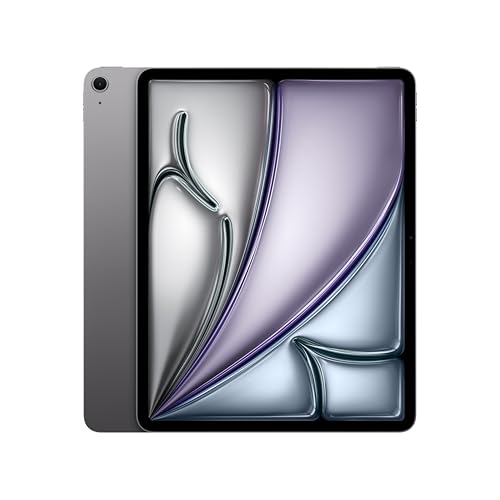
3. Apple iPad Air 13-inch (M4) — Best Value Apple Tablet
The iPad Air 13-inch with M4 hits a sweet spot that many buyers will find more practical than the Pro. You're getting the same M4 chip as the Pro model, which means real-world performance for photo editing, content creation, and multitasking is essentially identical. The 13-inch Liquid Retina display is gorgeous — not OLED like the Pro, but still one of the best LCD panels you'll find in any tablet at this price point. Wi-Fi 7 connectivity keeps it future-proof for fast network transfers, and the USB-C port supports connecting displays, hubs, and accessories without any issues.
Where the Air differs from the Pro is in the display technology and the port speed. The USB-C port on the Air tops out at USB 3 speeds (10Gbps) rather than Thunderbolt 4, so if you're planning to connect a 6K display or use ultra-fast external NVMe drives, you'll feel that ceiling. For most people, though, 10Gbps is plenty — it handles 4K monitors, fast USB-A hubs, SD card readers, and standard external storage without any bottleneck you'd notice in daily use. If you're considering this for creative work, check out our guide on the Best Tablet Camera options to see how the iPad Air's cameras stack up for mobile photography workflows.
Touch ID rather than Face ID is the other notable difference from the Pro, but in practice this doesn't matter much — Touch ID on the iPad Air is fast and reliable. The thinner bezels and lighter weight of the Air make it a genuinely pleasant device to hold for extended reading or media consumption. If you've been debating between the Air and the Pro, the honest answer is that most people — even those doing significant creative work — won't notice a meaningful performance difference. The Air gives you 90% of what the Pro does for considerably less money, and that's a compelling proposition.
Pros:
- M4 chip delivers the same real-world performance as the iPad Pro for most tasks
- Large 13-inch Liquid Retina display at a more accessible price
- USB-C with USB 3 speeds handles external displays and storage comfortably
- Wi-Fi 7 for the fastest available wireless transfers
Cons:
- No OLED and no ProMotion — display is great but not the Pro's level
- USB 3 (not Thunderbolt) limits high-bandwidth use cases
4. Samsung Galaxy Tab S9 Ultra — Best Android Powerhouse
The Samsung Galaxy Tab S9 Ultra is the most impressive Android tablet you can buy, and even in its renewed configuration it's a machine worth serious consideration. The 14.6-inch Dynamic AMOLED 2X display is extraordinary — we're talking about the largest panel in Samsung's tablet lineup, with vivid colors, deep blacks, and a 120Hz refresh rate that makes everything feel fluid and immediate. For media consumption, digital art, and serious note-taking across a huge canvas, nothing on Android comes close to this screen. The Snapdragon 8 Gen 2 is still a top-tier processor that handles multitasking, gaming, and productivity apps without hesitation.
The USB-C port on the Tab S9 Ultra supports DisplayPort Alt Mode, meaning you can connect it to a compatible monitor and run Samsung DeX — Samsung's desktop-mode interface that puts windows, a taskbar, and a proper file manager on an external display. If you've never tried DeX, it's a genuinely useful working environment for productivity tasks, though it has limits compared to a real Windows or macOS desktop. The IP68 rating and Armor Aluminum frame mean this tablet is built to handle real-world conditions, which is more than most competitors can say. If you travel with your tablet or work in environments where accidental spills are possible, that durability matters.
Buying renewed does introduce some considerations. The device has been refurbished and tested, but you're not getting new-in-box condition, which means cosmetic imperfections are possible. Battery health on renewed devices can vary, so check the seller's return policy carefully. The Tab S9 Ultra is also a large, heavy tablet — at 14.6 inches it's closer to a small laptop than a handheld device, so if you're looking for something you can comfortably use one-handed on the couch or during a commute, this isn't it. But if screen real estate and Android power are what you're after, this is the one to get. Parents looking for a capable option for older teens might also want to look at our Best Tablets For Teens 2026 guide for size and content-control comparisons.
Pros:
- Largest, most impressive AMOLED display in any current tablet
- USB-C with DeX support — genuine desktop-mode productivity on an external monitor
- IP68 water and dust resistance for real-world durability
- Snapdragon 8 Gen 2 handles all Android workloads comfortably
Cons:
- Renewed unit — battery health and cosmetic condition vary
- Size and weight make it impractical for one-handed or commute use
5. Lenovo Yoga Tab Plus 12.7" — Best for Creators on Android
The Lenovo Yoga Tab Plus is an interesting proposition in 2026. It runs the Snapdragon 8 Gen 3 — one of the most powerful chips Qualcomm has built — paired with 16GB of LPDDR5X RAM, which is a combination you typically see in flagship smartphones or high-end laptops. The result is a tablet that genuinely doesn't flinch at anything you throw at it, whether that's heavy multitasking, high-frame-rate gaming, or AI-accelerated creative apps. The 12.7-inch 3K display at 144Hz is another highlight — 2944 x 1840 resolution with 144Hz looks exceptionally crisp and smooth, and the 900-nit peak brightness keeps content readable in a range of lighting conditions.
This particular bundle includes the keyboard stand and pen, which positions the Yoga Tab Plus as an all-in-one creative workstation out of the box. The keyboard stand is genuinely sturdy, and the integrated kickstand design gives you multiple usage angles. The USB-C port supports display output and fast data transfer, and with 256GB of built-in storage plus the bundle accessories, you're getting a complete package. For digital artists, note-takers, or anyone who wants to sketch and write on a large, high-quality Android display, the combination of the pen and the 3K screen is compelling. If you're also considering a compact external projector to pair with it, our Best Smartphone Projectors 2026 guide covers options that work well with USB-C tablets.
The main caveat with the Yoga Tab Plus is software. Lenovo's Android skin adds some features but also some bloat, and the update schedule for Android security patches isn't quite as consistent as Samsung's or Google's. The tablet also doesn't have the same ecosystem depth as Samsung's DeX for desktop-mode productivity. It's genuinely powerful hardware, but the software experience is slightly less polished than you'd get from Samsung or Apple. Still, for the combination of raw performance, display quality, and bundled accessories, it's a standout option in the Android space.
Pros:
- Snapdragon 8 Gen 3 with 16GB RAM — best raw performance in any Android tablet
- 3K 144Hz display is one of the sharpest, smoothest panels available
- Bundled keyboard stand and pen make it a complete creative workstation
Cons:
- Lenovo's Android skin adds some bloat and update cadence is slower than Samsung
- Less mature desktop-mode experience than Samsung DeX
6. Microsoft Surface Go 4 — Best Compact Windows Tablet
If you want a compact Windows tablet with a genuine USB-C port and you don't need extreme performance, the Surface Go 4 is the most sensible option on this list. At 10.5 inches, it's genuinely pocketable by tablet standards, and the slate design is clean and professional. The USB-C port handles both charging and data, and you can connect a keyboard, mouse, and external display through a hub — turning it into a desktop workstation when you're at your desk and then tossing it in a bag for the commute. For light Windows tasks — document editing, web browsing, video calls, and cloud-based tools — it gets the job done.
The 8GB RAM configuration in this model gives it enough headroom for multitasking without constant swapping, and Windows 11 Pro is included, which matters if you work in a managed enterprise environment or need BitLocker encryption. The 12.5-hour battery claim is optimistic under real mixed use, but you can reasonably expect a full workday of moderate usage. The screen is sharp enough for its size, though at 1920 x 1280 it's not as pixel-dense as the higher-tier tablets here. Text is crisp and comfortable for reading documents and browsing the web.
The honest limitation of the Surface Go 4 is performance. The N200 processor is built for efficiency, not speed. Complex tasks — photo editing, video exports, compiling code — will feel sluggish compared to any device higher on this list. If you plan to do serious content work, step up to the Surface Pro. But for students, light business users, or anyone who just needs a compact, portable Windows machine with a real USB port, the Surface Go 4 is a focused, well-executed device that doesn't overpromise.
Pros:
- Compact 10.5-inch design — the most portable Windows tablet available
- USB-C for charging, data, and display output through a hub
- Windows 11 Pro included — full enterprise and security features
- Good battery life for the form factor
Cons:
- N200 processor is slow for anything more demanding than light productivity
- Keyboard and accessories sold separately
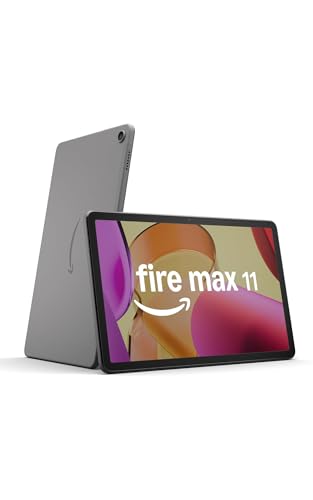
7. Amazon Fire Max 11 — Best Budget Pick
The Amazon Fire Max 11 is the most affordable tablet on this list, and for what it is — a media consumption and casual use device — it's genuinely good value. The 11-inch display at 2000 x 1200 resolution is sharp enough that text looks clean and streaming content looks solid. Wi-Fi 6 support means you're not being left behind on faster home networks, and the octa-core processor handles streaming, reading, and light gaming without obvious stuttering. The aluminum build is a notch above what you'd expect at this price point, and Amazon backs the durability claim with its tumble test results.
The USB-C port is here, but let's be clear about what it does: charging and basic data transfer. You're not getting DisplayPort output or high-speed external storage support at this price. For connecting a USB hub, a keyboard, or a simple external drive, it works. For professional workflows or external monitor connections, it won't. The optional stylus and keyboard accessories let you turn the Fire Max 11 into a more complete productivity device for light tasks, which is a nice option to have even if those accessories cost extra. The 14-hour battery life is consistently one of the best selling points — you can go days between charges under typical media use.
The trade-off that matters most with the Fire Max 11 is the software. Amazon's Fire OS is built around Amazon's own ecosystem — Prime Video, Kindle, Audible, Amazon Shopping. It runs on a forked version of Android that doesn't have the Google Play Store by default, so many apps either aren't available or require sideloading. If your life runs through Google apps, this is a significant friction point. But if you're an Amazon Prime subscriber who wants an affordable, durable tablet for streaming and reading — with a USB-C port to keep it charged and handle basic accessory connections — the Fire Max 11 is a smart, no-nonsense buy.
Pros:
- Exceptional price-to-value ratio for media consumption
- USB-C port for charging and basic accessories
- 14-hour battery life — among the best in class
- Durable aluminum build with strengthened glass
Cons:
- Fire OS lacks Google Play — limited app ecosystem
- USB-C doesn't support display output or high-speed storage
Buying Guide: How to Choose the Best Tablet With USB Port
USB Port Speed: What the Numbers Actually Mean
Not all USB-C ports are equal, and this is one of the most misunderstood specs when buying a tablet. The port on a budget tablet like the Fire Max 11 supports USB 2.0 speeds — fast enough for charging, but it transfers files at roughly 480Mbps. Mid-range tablets typically offer USB 3.x at 5–10Gbps, which is plenty for connecting external monitors, fast USB hubs, and standard external drives. At the top end, the iPad Pro's Thunderbolt 4 port delivers up to 40Gbps — that's fast enough for professional NVMe storage and 6K display connections without any compromise. Think about what you'll actually connect to the port and work backward from there. If you're just charging and occasionally offloading photos, USB 3 is more than adequate. If you're running an external display and fast storage simultaneously, Thunderbolt matters.
Operating System: iOS, Android, or Windows
Your operating system choice shapes everything else about the tablet experience. iOS (iPadOS) gives you the best app optimization, the strongest performance per watt, and a curated ecosystem where apps are consistently polished. The trade-off is that you're working within Apple's rules — no sideloading, no Google Play apps, and some professional software just isn't available. Android gives you more flexibility: the Google Play Store, the ability to sideload apps, and on Samsung devices, a desktop mode (DeX) that's genuinely useful. Windows tablets like the Surface line give you a full desktop operating system with access to all your existing software — that's a compelling argument if your work relies on specific Windows applications. The downside is that Windows isn't optimized for touch the way iPadOS or Android is, and battery life tends to be shorter.
Display Size and Resolution
Bigger screens are generally more productive — you can have multiple apps side by side, see more of a document without scrolling, and use a stylus more comfortably. But size has a cost in weight and portability. A 14.6-inch tablet like the Galaxy Tab S9 Ultra is closer to a thin laptop than a tablet you'd hold comfortably with one hand. The 10.5-inch Surface Go 4 fits easily in a bag and is light enough to hold one-handed. Resolution matters too: look for at least 2K (2000+ pixels on the long axis) to ensure text is sharp and images look crisp. Panel technology also differs — OLED displays like the iPad Pro's have richer blacks and better contrast, while high-quality LCD panels like the iPad Air's are still excellent and often brighter at peak luminance.
RAM, Storage, and Longevity
For a tablet you plan to keep for several years, more RAM is better. Eight gigabytes is the minimum for comfortable multitasking on modern iPadOS or Android — 16GB gives you real headroom for the future. Storage is less critical because most tablets support USB-C external storage for overflow files, but 256GB is a comfortable baseline if you store media locally. Consider also how long the manufacturer will support the device with OS updates — Apple typically supports iPads for 6+ years, Samsung offers 4 years of major updates on the Galaxy Tab S series, and Microsoft's Surface lineup varies by model. Budget tablets like the Fire Max 11 tend to receive fewer years of updates, which affects long-term security and software compatibility.
Questions Answered
What does the USB port on a tablet actually let you do?
Depending on the port's specification, a tablet USB-C port can handle charging, data transfer to/from external drives, audio output through a DAC, connection to USB hubs (which multiply the available ports), and on supported devices, video output to external monitors. Higher-end ports like Thunderbolt 4 also support connecting professional displays and ultra-fast storage at bandwidth that rivals desktop connections.
Can I connect a keyboard and mouse to a tablet via USB?
Yes, most tablets with USB-C ports support USB keyboards and mice either directly or through a USB hub. iPadOS, Android, and Windows all natively support wired USB input devices. On Windows tablets like the Surface Pro or Surface Go, the experience is essentially identical to using a laptop with a wired keyboard. On iPad and Android, Bluetooth keyboards are more common, but wired USB keyboards work fine.
Can a tablet with USB-C replace my laptop in 2026?
For many people, yes — especially if you work primarily in cloud-based tools, handle documents and emails, or do creative work in apps available on iPadOS or Android. The iPad Pro with a keyboard case and external monitor comes genuinely close to a laptop replacement for content creators. Windows tablets like the Surface Pro are the most complete laptop alternatives since they run full Windows software. The gap has narrowed considerably in 2026, but if your work relies on specific Windows desktop applications, a Windows tablet or a laptop is still the more practical choice.
Is there a difference between USB-C and Thunderbolt on a tablet?
Yes, a significant one. USB-C is a connector type — the physical shape of the port. Thunderbolt is an Intel protocol that uses the USB-C connector but delivers much higher bandwidth (40Gbps for Thunderbolt 4 vs. 10Gbps for USB 3.2 Gen 2). Not every USB-C port is Thunderbolt. Currently, only the iPad Pro in this category offers Thunderbolt 4 — all other tablets here use standard USB-C at various speeds. This matters if you're connecting ultra-fast external storage or high-resolution displays that require Thunderbolt's bandwidth.
What's the best tablet with a USB port for students in 2026?
It depends on your budget and ecosystem. The iPad Air 13-inch is the strongest all-around choice for students who can stretch the budget — M4 performance, excellent display, and USB-C that handles most study accessories. For Windows users who need specific software for coursework, the Surface Go 4 covers basic needs affordably. Students who primarily stream content and read should consider the Fire Max 11 for its price and battery life, keeping in mind its software limitations. Our Best Tablet For Surfing The Web 2026 guide also covers student-friendly options from a web-use perspective.
How do I know if a tablet's USB-C port supports video output?
Look for "DisplayPort Alt Mode" or "Thunderbolt" in the tablet's official specs. Both support connecting to external monitors. If the listing only mentions "USB-C for charging and data" without specifying DisplayPort or Thunderbolt, the port likely does not support display output. Budget tablets like the Fire Max 11 fall into this category. Mid-range and premium tablets from Apple, Samsung, Microsoft, and Lenovo typically include display output support.
Buy on Walmart
- Apple iPad Pro 13-Inch (M4): Built for Apple Intelligence, U — Walmart Link
- Microsoft Surface Pro 2-in-1 Laptop/Tablet (2025), Windows 1 — Walmart Link
- Apple iPad Air 13-inch (M4): Liquid Retina Display, 256GB, 1 — Walmart Link
- Samsung Galaxy Tab S9 Ultra (Wifi) SM-X910 WIFI 512GB Graphi — Walmart Link
- Lenovo - Yoga Tab Plus - 12.7" 3K (2944 x 1840) Tablet - 256 — Walmart Link
- Microsoft Surface Go 4 Tablet - 10.5" - 8 GB - 128 GB Storag — Walmart Link
- Amazon Fire Max 11 tablet (newest model) vivid 11” display, — Walmart Link
Buy on eBay
- Apple iPad Pro 13-Inch (M4): Built for Apple Intelligence, U — eBay Link
- Microsoft Surface Pro 2-in-1 Laptop/Tablet (2025), Windows 1 — eBay Link
- Apple iPad Air 13-inch (M4): Liquid Retina Display, 256GB, 1 — eBay Link
- Samsung Galaxy Tab S9 Ultra (Wifi) SM-X910 WIFI 512GB Graphi — eBay Link
- Lenovo - Yoga Tab Plus - 12.7" 3K (2944 x 1840) Tablet - 256 — eBay Link
- Microsoft Surface Go 4 Tablet - 10.5" - 8 GB - 128 GB Storag — eBay Link
- Amazon Fire Max 11 tablet (newest model) vivid 11” display, — eBay Link
Next Steps
- Identify your primary use case — media consumption, productivity, creative work, or travel — and use that to narrow your shortlist to two or three models before comparing prices.
- Check the current price for your top picks on Amazon, since tablet prices shift frequently and deals on renewed models like the Galaxy Tab S9 Ultra can change daily.
- Verify USB-C compatibility with the accessories you already own — check whether your existing hubs, cables, and monitors support DisplayPort Alt Mode or Thunderbolt if you plan to connect external displays.
- Read the return and warranty policy carefully, especially for renewed or refurbished models — confirm the seller's grading standards and what's covered if the battery health is lower than expected.
- Consider the full accessory cost before buying — keyboards, pens, and cases are often sold separately and can add $50–$200+ to the real total cost of ownership.
 |
 |
 |
 |

About Priya Anand
Priya Anand covers laptops, tablets, and mobile computing for Ceedo. She holds a bachelor degree in computer science from the University of Texas at Austin and has spent the last nine years writing reviews and buying guides for consumer electronics publications. Before joining Ceedo, Priya worked as a product analyst at a major retailer where she helped curate the laptop and tablet category. She has personally benchmarked more than 200 portable computers and is particularly interested in battery longevity, repairability, and the trade-offs between Windows, macOS, ChromeOS, and Android tablets. Outside of work, she runs a small Etsy shop selling laptop sleeves she sews herself.